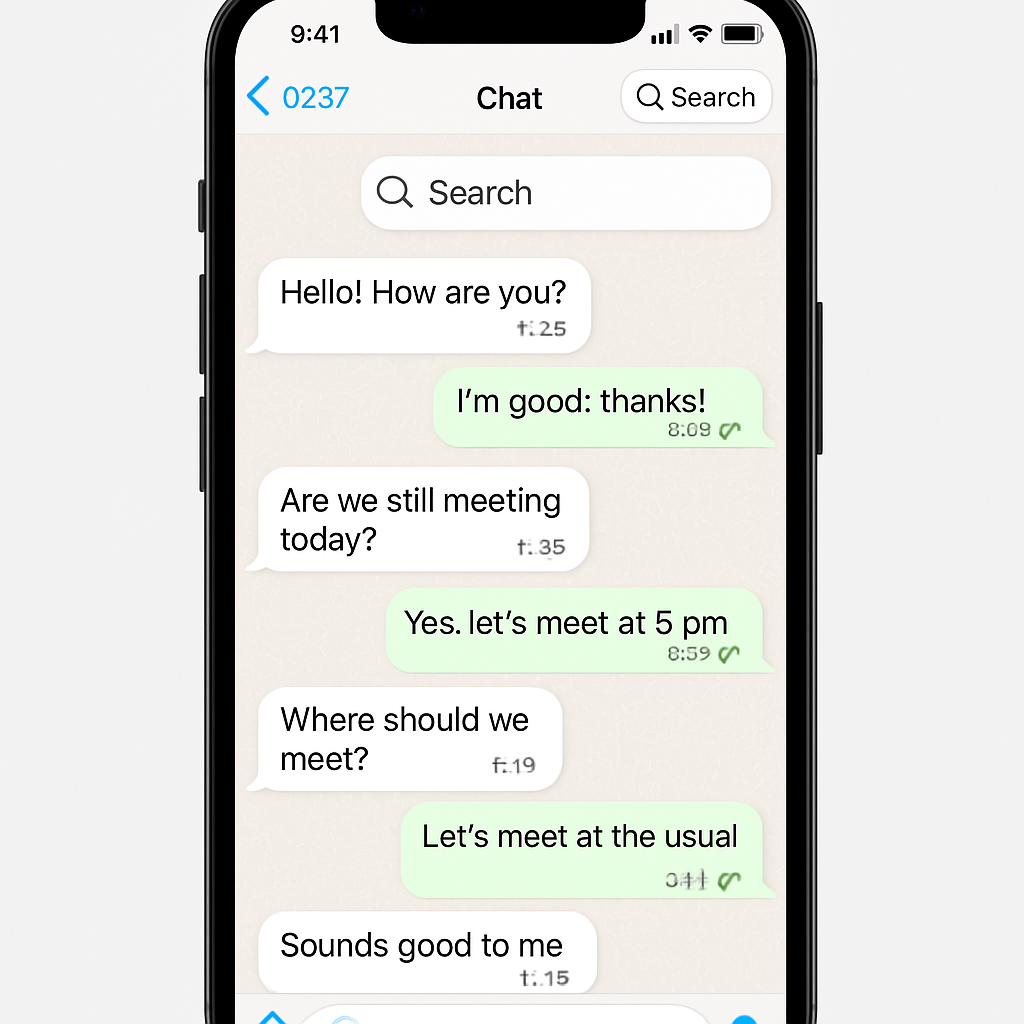
WhatsApp has begun rolling out a floating in-chat search button for iPhone users, a usability boost that simplifies how people find messages. After being tested in beta earlier this month, the feature is now appearing within live conversations across individual chats, groups, and channels. It places a search icon at the top of the screen when scrolling up through a chat and disappears once you return to the bottom. Users can activate search mode directly without leaving the conversation.
What It Fixes and How It Works
Previously, searching inside a chat required tapping the chat name, opening the chat info screen, selecting the search option, and then re-joining the conversation in search mode. That process has now been streamlined. With the new button, once it appears at the top during upward scrolling, tapping it opens search mode immediately. The interface is otherwise unchanged: the search box functions the same way as before, letting you look up keywords or phrases within the current chat.
The button shows up contextually—only when useful—and vanishes when you return to the bottom of the conversation. This applies across all chat types: one-on-one, group chats, and channels.
Availability and Timing
The feature has moved beyond beta testing and is now being distributed more broadly to iOS users. As with many WhatsApp feature rollouts, it won’t reach everyone immediately; expect phased delivery depending on region or account.
Earlier in the month, the search button under beta appeared in a fixed bottom-right location. In its current release version, the button’s position has shifted to the conversational top, appearing only during scrolling.
This is part of WhatsApp’s ongoing effort to improve navigation and message discovery within chats—following other tweak-and-refine moves aimed at reducing friction in its iOS app.
From a user perspective, this button removes extra taps and screen transitions. You’ll be able to search faster, especially in long threads where reaching old messages is harder.
Why it matters: usability in chat apps is a major battleground. Features like this elevate daily experience, which can lead to higher engagement and reduced frustration. Keep an eye on how users receive it, whether it works smoothly across chat types, and whether it makes its way to Android soon. The rollout signals WhatsApp’s belief that even small UI tweaks can make a big difference in messaging reliability and speed.