For those seeking an efficient way to manage their smart home devices, repurposing an old iPad into a centralized control hub is an excellent solution. The app ‘Dashboard for your home’ offers a comprehensive interface that integrates various HomeKit-enabled devices, providing a seamless user experience.
One of the standout features of this app is its robust camera support. Users can view live previews of up to four Apple Home cameras simultaneously, with the option to expand this to an unlimited number through the Premium tier. A single tap activates live streaming for all feeds, and individual cameras can be expanded to full screen. For devices equipped with two-way audio, the app facilitates direct communication.
Beyond camera integration, the app allows control over multiple thermostats and switches, such as lights, outlets, and fans, organized by room for intuitive access. Additionally, it provides a six-day weather forecast tailored to the user’s home location, ensuring that environmental conditions are always at hand.
The inclusion of a calendar view enhances the app’s utility, offering a weekly overview of shared calendars. It highlights upcoming events and supports customization of text colors for different calendars, aiding in the organization of various schedules.
Enhanced Functionality and User Experience
The app is designed with user convenience in mind. It automatically enters sleep mode after periods of inactivity and can be reactivated through touch, the front camera, or a HomeKit motion sensor. It also adapts to the iPad’s light and dark mode settings, ensuring a comfortable viewing experience at all times.
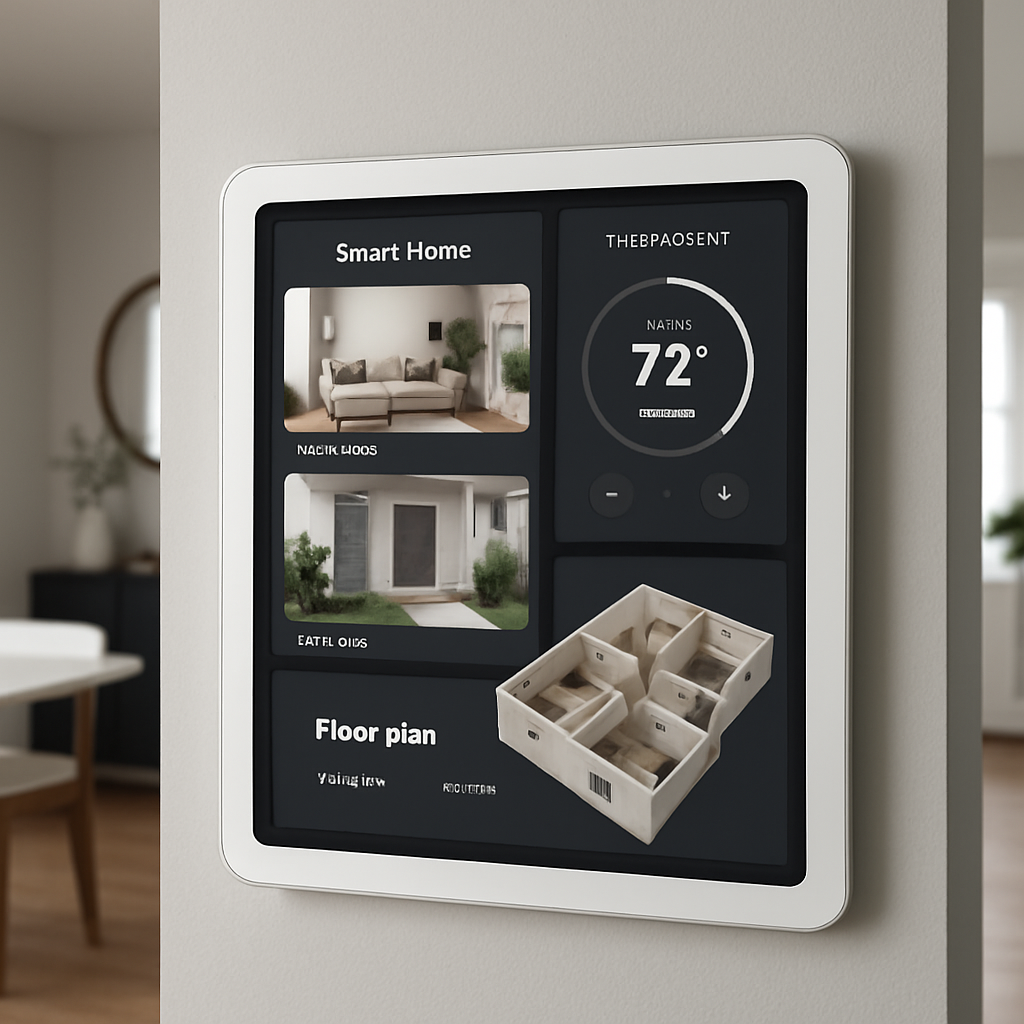
A notable addition in the latest version is the 3D floor plan feature. Users can upload images of their home layout, which the app then renders into a top-down view. This visualization includes tappable icons representing lights, blinds, sensors, and locks, positioned according to their actual locations within the home. This allows for intuitive control of devices, such as toggling a light by tapping its corresponding icon in the living room.
Live camera thumbnails for entrances and outdoor areas are displayed below the floor plan, each marked with a live badge for quick monitoring. Quick-scene buttons and a status line confirming the state of windows and doors are conveniently located on the right side of the interface.
The weather card presents current temperatures alongside a six-day forecast, while per-room temperature cards enable independent management of each thermostat. The calendar panel displays a seven-day strip of upcoming events, complete with countdown timers for significant occasions.
To ensure a seamless experience across multiple devices, the app offers iCloud backup for configurations, simplifying the process of importing and exporting settings.
The app is available for free, with the Premium tier—unlocking unlimited cameras and thermostats, as well as the floor plan feature—priced at $9.99 per year. Importantly, the developer emphasizes a commitment to user privacy, stating that the app collects no data.
For individuals with an unused iPad and an existing HomeKit setup, ‘Dashboard for your home’ provides a practical and efficient means to enhance smart home management. It requires iPadOS 17 or later and is also compatible with iPhones in portrait mode, offering a scrollable layout for ease of use.
In the evolving landscape of smart home technology, applications like ‘Dashboard for your home’ exemplify the potential of repurposing existing devices to create centralized control systems. This approach not only maximizes the utility of older hardware but also offers a cost-effective solution for comprehensive home automation management.