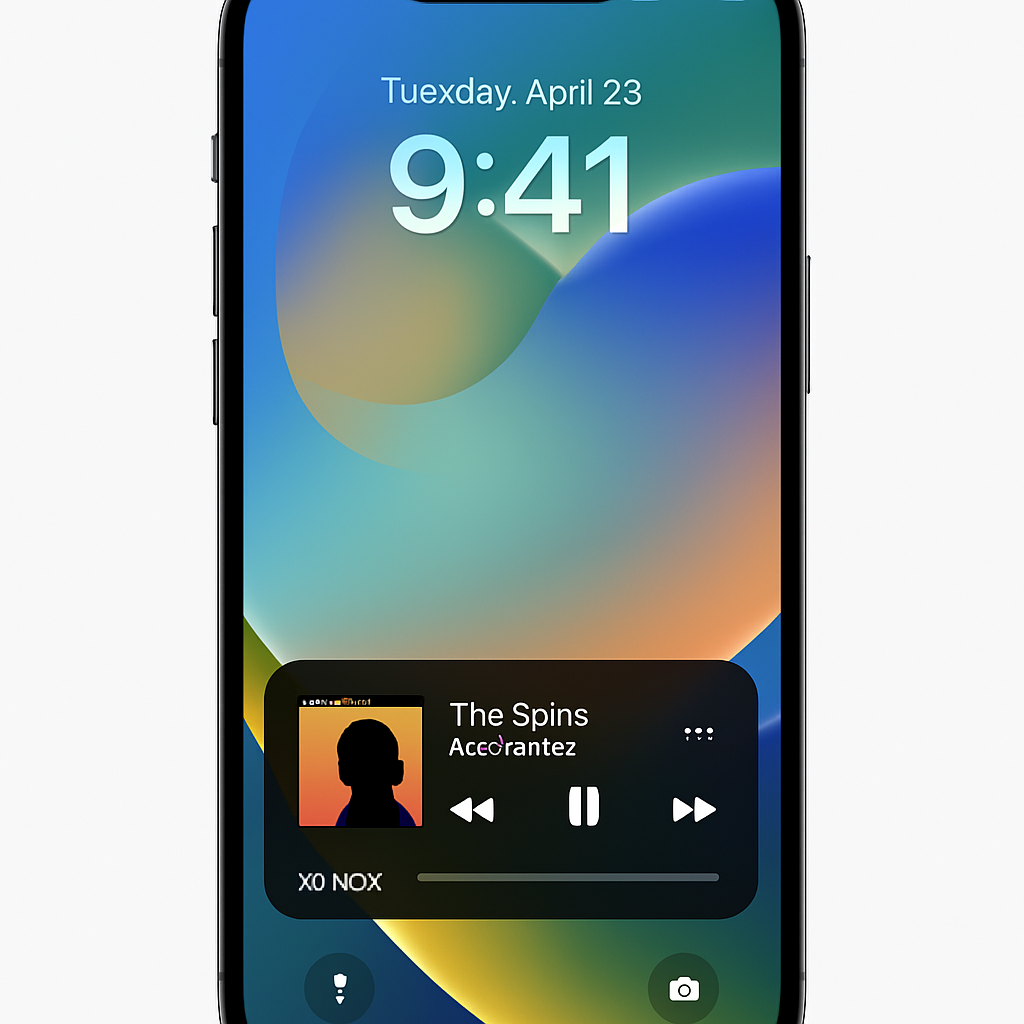
Sonos has unveiled a significant update to its iPhone application, introducing Live Activities support. This enhancement allows users to access playback controls directly from the Lock Screen, streamlining the music management experience.
With Live Activities enabled, initiating playback and then closing the Sonos app will display the current room or group playing audio on the Lock Screen. If playback ceases, the Live Activity will disappear after 15 minutes. To make playback changes, users must first unlock their iPhone using Face ID or a passcode.
Users who prefer not to utilize Live Activities can disable the feature within the app’s settings. Additionally, Sonos has noted that album art is not currently displayed in the Live Activity, but they are exploring alternative ways to enhance the Lock Screen experience. While Live Activities will function in CarPlay and on Apple Watch, playback controls are not yet supported in these environments. However, playback controls remain available when initiating playback from outside the Sonos app, such as via AirPlay, Bluetooth, or supported services.
This update follows a series of changes to the Sonos iOS app over the past few years, including a major redesign that faced user criticism and led to the departure of the company’s CEO. The introduction of Live Activities addresses a long-standing user request, reflecting Sonos’s commitment to improving user experience and integrating more seamlessly with Apple’s ecosystem.
By incorporating Live Activities, Sonos enhances the convenience and accessibility of its app, aligning with the broader trend of integrating third-party applications with iOS features. This development not only improves user satisfaction but also positions Sonos competitively in the smart speaker market, where seamless user experience is paramount.