A new feature in the Remus Stealer malware is quietly compromising Gmail accounts by installing a counterfeit Google Sheets extension in Chrome on infected Windows machines. Once in place, the bogus add-on harvests email data directly from active browser sessions, sending message contents to attacker-controlled servers.
How the Fake Extension Works
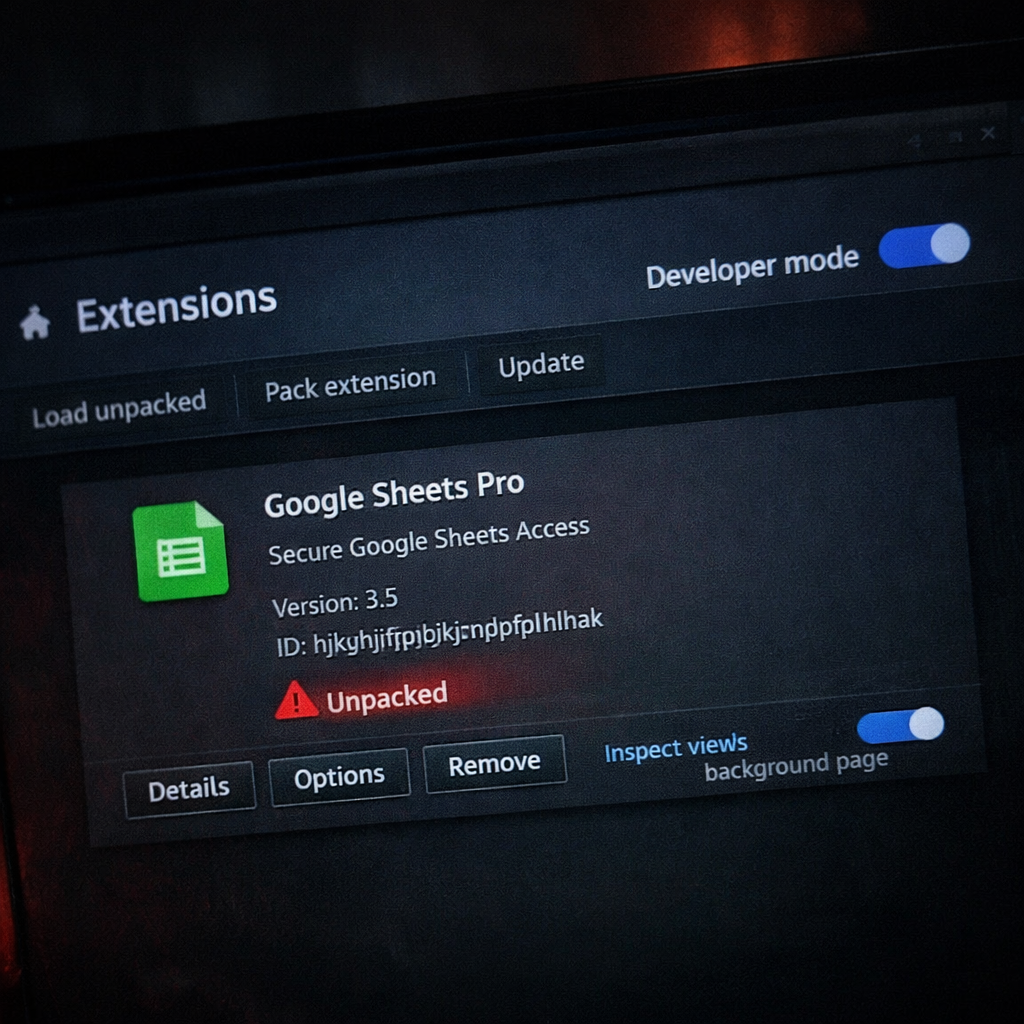
The malware deploys a 64-bit Windows DLL that carries the fake Sheets extension inside a ZIP package. It modifies local Chrome profile settings to install the add-on and forces Chrome into Developer Mode without the user’s awareness. When viewed under Chrome’s extensions panel, the malicious add-on appears as an “unpacked” Google Sheets card—a giveaway of its true nature.
The extension’s ruse includes mimicking the description for the genuine Google Docs Offline extension. Although it requests broad permissions to access all websites, its observed behavior is limited to monitoring Gmail. Researchers examining version 0.5.4 of the add-on found no spreadsheet functionality; its purpose is to read email content.
Email Harvesting Mechanics
Once activated, the extension scans for unread emails approximately every minute across up to ten Gmail accounts signed in through the same Chrome profile. It extracts sensitive fields like sender, subject, message body, and the victim’s email address, along with a campaign ID. However, while attachment filenames are identified, the code did not send actual attachments or their filenames during examined tests.
The malware’s developers have claimed the module continues stealing messages even after passwords are changed and sessions revoked. Researchers found no evidence of a zero-day vulnerability in Gmail; the malicious module simply leverages an already authenticated session. If the extension remains installed after password resets, it may continue intercepting email once a user logs back in.
Detection, Indicators, and Mitigation
Not every Remus build includes this Gmail-interception feature, which means infection does not guarantee data theft. Key indicators include unexpected additions on Chrome’s extensions page: a developer-mode unpacked Sheets extension, plus recently enabled Developer Mode. Several SHA-256 fingerprints tied to the DLL, ZIP archive, and JavaScript components are known, along with two specific Chrome extension IDs used by the fake Sheets module.
To clean up, it’s advised to isolate affected machines, remove the malicious extension, change compromised passwords from clean devices, and revoke all active sessions. These steps help ensure the threat is eliminated, not simply interrupted.
What this means for users and IT teams:
This development shows how malware continues evolving to bypass traditional defenses by exploiting trust in browser extensions. Watch for unexpected browser changes, limit the number of signed-in accounts, and apply application whitelisting where possible. Enterprises should alert users about checking for unpacked extensions and monitoring account activity.
Analytical note: Remus Stealer’s move to integrate email-stealing via a fake extension marks a shift in email attack vectors—from cookie theft and phishing toward in-session data extraction. Web security teams need to rethink posture: protection isn’t just about preventing sign-in vulnerabilities or password reuse, but about securing the browser environment itself. The emergence of browser-based modules like this compels improved visibility into local extensions, tighter permissions, and user education to spot signs of manipulation.