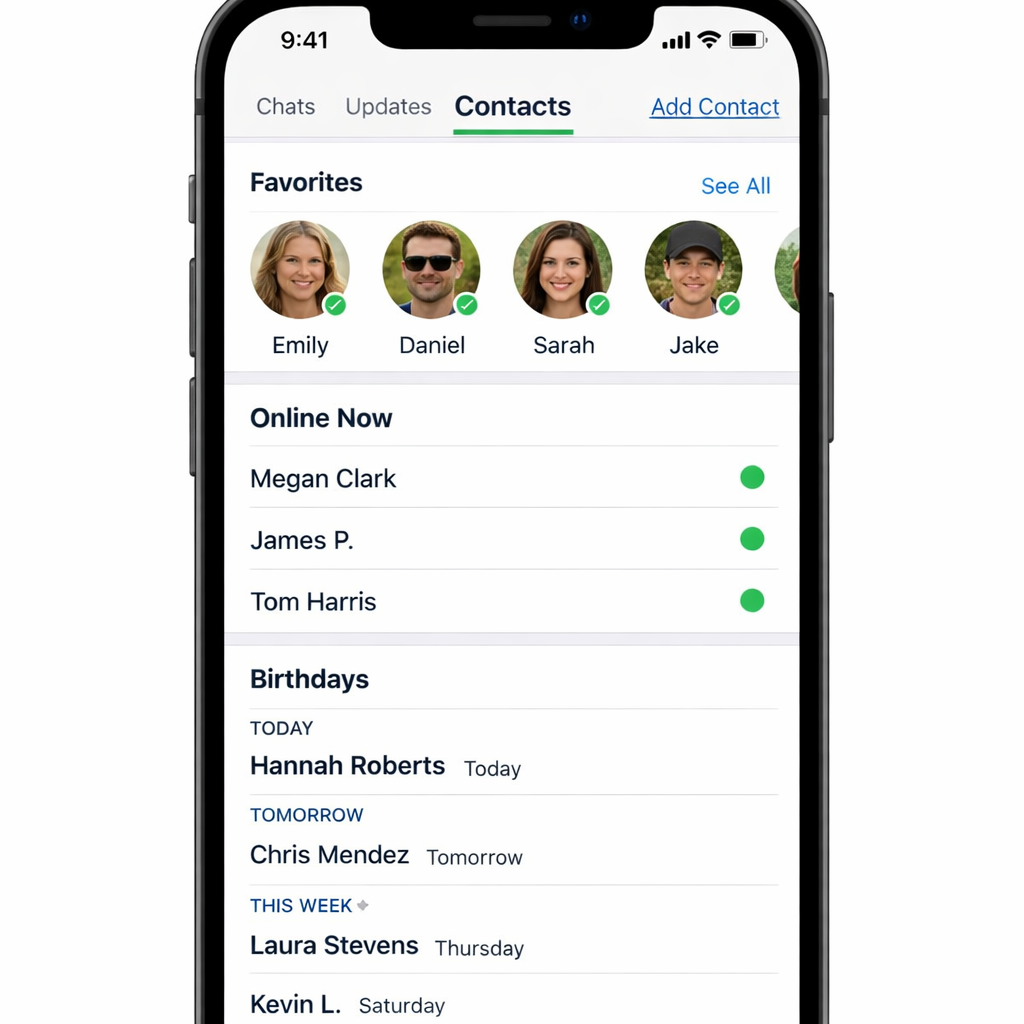
WhatsApp is testing a redesigned navigation bar for iOS that replaces the “Communities” tab with a new “Contacts” tab. A limited number of beta users are already seeing the change in WhatsApp’s latest TestFlight version. Rather than eliminating Communities altogether, the app is moving it into a filter inside the Chats tab. The new Contacts section takes over the bottom navigation spot previously held by Communities.
What the Contacts Tab Brings
The new Contacts tab is built to let users see frequently reached contacts and discover who’s online or active. It features a “Favorites” section at the top for people you message often, followed by a full contacts list. That list can be sorted in three different ways: by activity, alphabetically, or by upcoming birthdays.
In the activity view, contacts who are currently online are marked with a green dot and appear in front. Contacts who were recently active follow, with their last seen timestamp visible. The alphabetical view organizes names in standard A–Z order. A birthdays sort brings contacts with upcoming celebrations to the top, helping users stay on top of events. Also, users can now add new contacts directly within this tab and sync these additions with their phone’s address book.
Changes to Communities & Other Tabs
Importantly, the Communities feature remains—it’s not removed, just relocated. Rather than having its own tab, Communities will become a filter within the Chats section of the app.
WhatsApp is also exploring whether the Updates tab might one day be replaced instead of Communities in different layouts. For now, though, Contacts has only replaced Communities for selected iOS beta testers, with a wider rollout expected in the coming weeks.
What this means: This shift signals WhatsApp’s intent to emphasize direct, personal interaction over broader group-based engagement—a move toward making one-on-one and small group messaging more visible. For users overwhelmed by group updates or looking for more streamlined communication, the Contacts tab delivers quicker access to the people they care about. As this rolls out more broadly, keep an eye on whether WhatsApp maintains both simplicity and privacy—and how it handles people’s expectations around Communities and Updates moving forward.