Google’s newest Pixel 11 phones are rolling out an update that significantly enhances the screen saver experience. Rather than a simple static display, users can now choose multiple screen saver styles and flip through them using a swipe gesture along the edge of the screen. It’s a fresh take geared toward more dynamic personalization.
Swipe to Switch & New Style: “Charge”
Traditionally, screen savers on Pixel phones weren’t activated by default—and their functionality was limited. With this update, however, multiple screen savers can be enabled and switched between using a back swipe gesture. While similar in goal to Apple’s “StandBy” mode, Google’s approach ties this functionality to its edge-based navigation, which may be a bit tricky for users with the Fold model due to the position of the fingerprint sensor. However, the flexibility to rotate through styles without navigating deep settings represents a welcome usability boost.
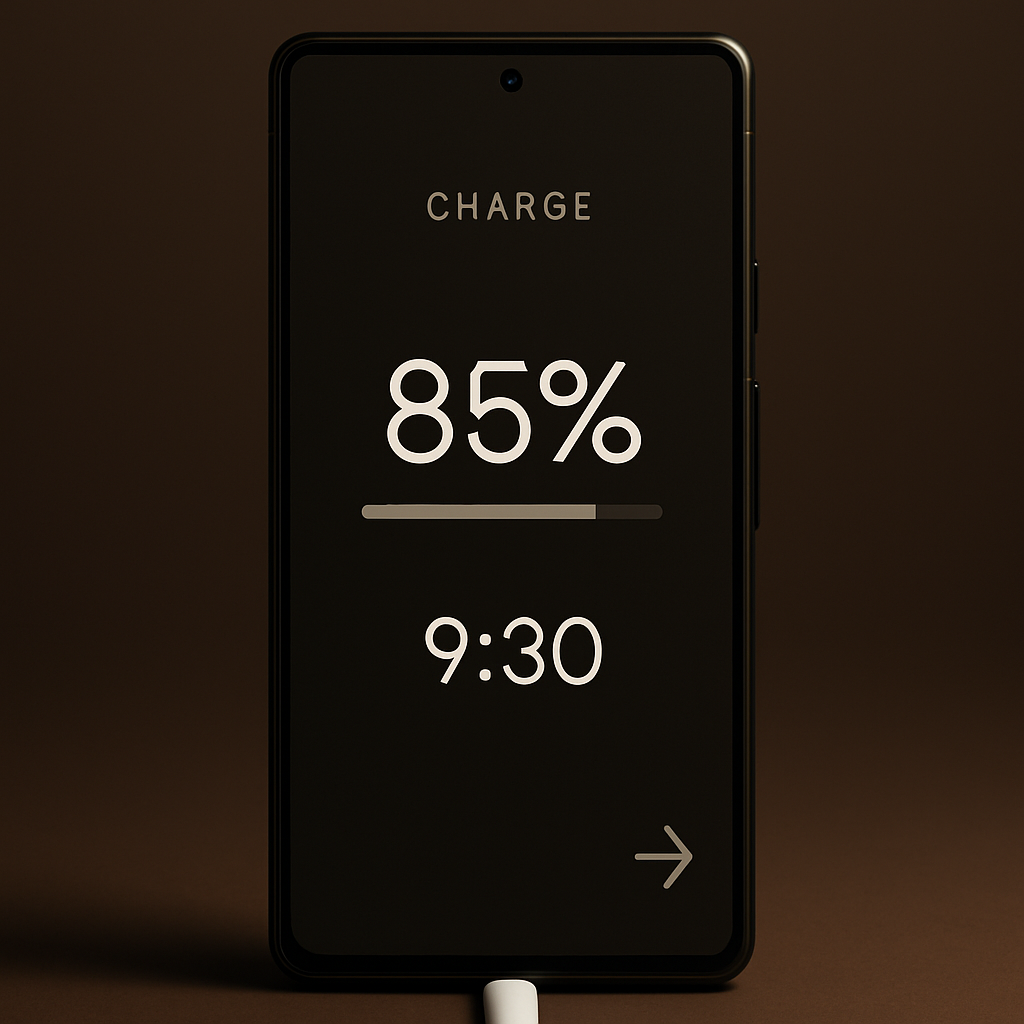
One of the standout additions is a new screen saver style called “Charge.” It displays the battery level prominently across the screen, with a time readout at the bottom. There’s also a visual battery bar with markers for 80% and 100%, reflecting when fast-charging typically slows. Estimated times for charging to those levels are also shown, offering users useful real-time insights.
Clock Screen Saver Gets More Customizable
Google has also revamped the existing Clock screen saver, fusing together digital and analog watch faces into a unified style that can be extensively customized. Users will recognize design cues drawn from the lockscreen clocks first introduced with Android 14. This update provides options to tweak brightness, design, and display format, letting users better match the screen saver’s look to their preferences.
These improvements are already included out of the box on Pixel 11 devices. It’s expected that older Pixel models will gain access to these features in a subsequent software update, though timelines weren’t specified.
Why it matters: This move puts Google closer to offering what users often point to in Apple’s ecosystem—dynamic display features that blend utility and visual appeal. Enhancing screen savers beyond ornamentation towards something potentially informative (like battery status) may set a new baseline for what people expect from always-on or idle displays. Keep an eye on how this feature is received by users and whether it spurs similar designs across Android OEMs beyond the Pixel line.