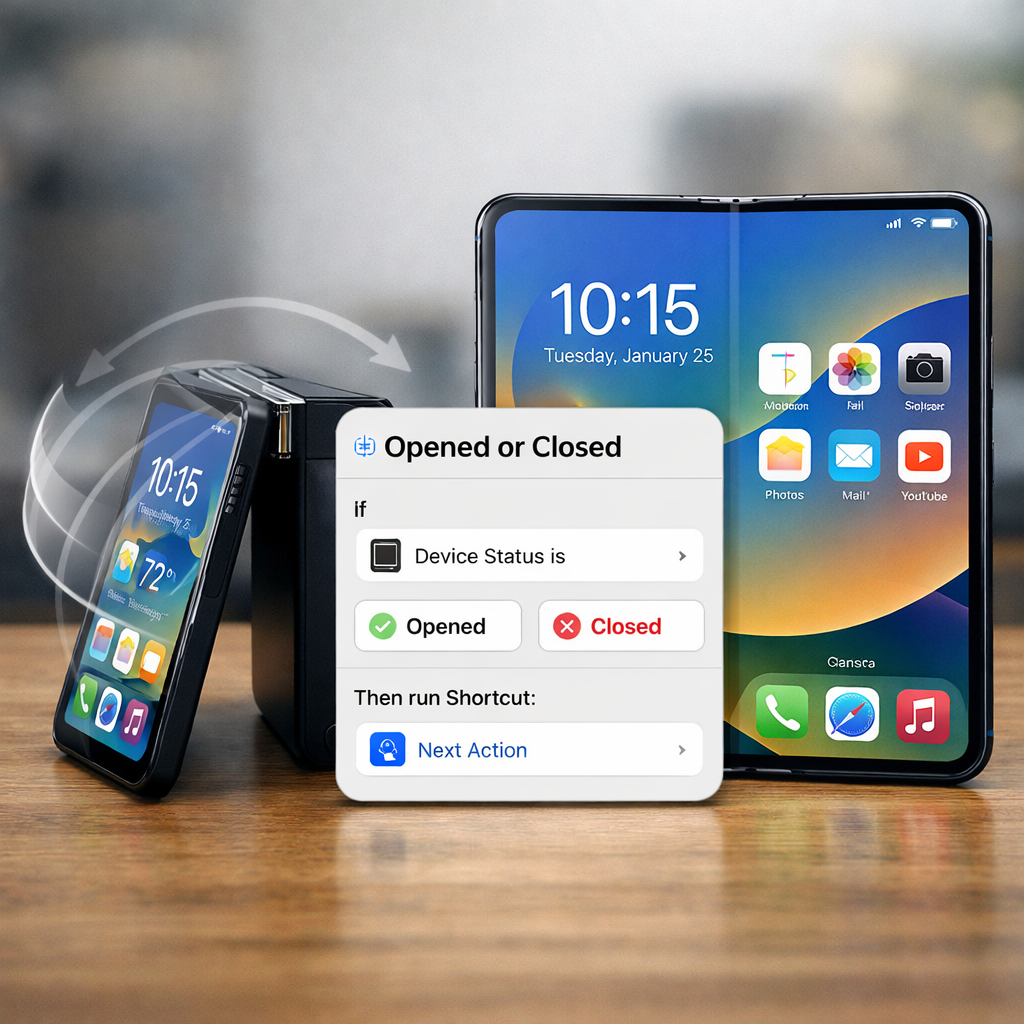
Apple’s latest foldable handset, the iPhone Duo, introduces a shortcut automation trigger based on whether the device is opened or closed. This new feature joins the Display category of Shortcuts automations, enabling actions to fire automatically when the Duo changes its hinge state. The automation was first spotted in an iPhone Duo simulator last month, and only now is being confirmed on shipping hardware.
The trigger, named “Opened or Closed,” allows users to associate custom behaviors with the Duo’s physical posture. For example, one demonstrated use case is having the phone swap wallpapers on its cover display upon opening, then revert when closed. The potential goes deeper: more complex hinge-dependent routines—such as switching sound modes, activating different app layouts, or changing UI behavior—could emerge once developers and power users begin exploring the feature.
Background: Why this matters
Stand-alone triggers tied to device physical state represent a meaningful step forward in automation capabilities. Until now, automations in Shortcuts could respond to events like opening or closing an app, connection or disconnection of Wi-Fi or Bluetooth, battery thresholds, NFC tags, etc. But hinge-based triggers tied to a foldable device’s open/closed state are nearly unique in Apple’s ecosystem. This positions the Duo as more than just a scaled display—it becomes a contextually aware device that can adapt behavior based on its form factor.
Availability and exploration
The Opened or Closed trigger appears now on actual iPhone Duo units. While it was first uncovered via a simulator in September, reviewers and early users (including YouTuber Stephen Robles) have confirmed its presence under the Display automation section. Notably, MacStories’ Federico Viticci has expressed intent to begin experimenting with what he calls “hinge automations,” looking for creative ways to make the Duo adapt to its physical configuration.
What remains unclear is how limited or rich the set of actions tied to this trigger may be, and whether the system will support deep integration (for example, altering internal display layouts, or switching hardware modes). Also, power users are watching to see how reliably the trigger fires—especially when opening just slightly or partially, or folding/unfolding in rapid succession.
This hinge trigger adds to several new Shortcuts tools introduced in recent iOS versions—including automations tied to app states (open/closed), devices (e.g. chargers, NFC), battery levels, focus modes, and system toggles. These offer increasingly fine-grained control over how the phone responds automatically to both external inputs and physical form changes.
What this means: The iPhone Duo’s hinge-aware automation underlines Apple’s push toward more ambient and reactive devices—hardware that not only senses what you do but pre-emptively adjusts. For users, that could mean phones behaving more intuitively (wallpapers, sound settings, or UI tweaks) without asking. For developers and automators, it’s a fresh playground to explore. Keep an eye on how this layer interacts with existing triggers (apps, NFC, battery), and whether Apple may extend similar open/closed or hinge detection features to future foldables or dual-screen devices. The richness of the ecosystem depends on reliability, ease of use, and the limits of what actions can be tied to the hinge state.