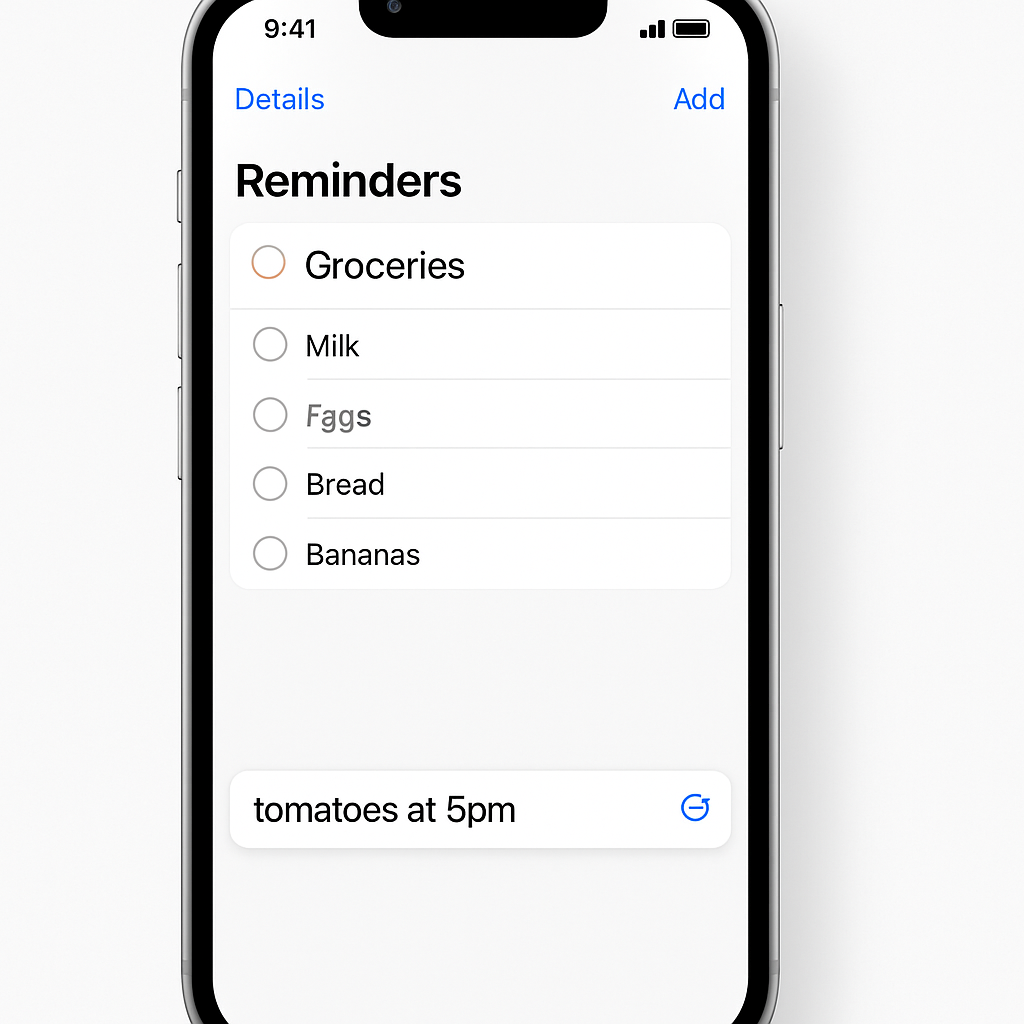
With the rollout of iOS 27, Apple’s Reminders app receives upgrades that sharpen natural language recognition, enhance metadata tools, and boost grocery list automation. These changes are part of Apple Intelligence’s broader effort to make task management feel more intuitive and responsive.
Describe Reminders in Your Words
Previously, creating reminders using natural language—things like “meeting tomorrow at noon”—worked, but often required manual tweaks afterward. In iOS 27, Apple Intelligence has expanded that capability significantly. Now when you type a reminder, the system parses time-related data more accurately, suggesting due dates right above the keyboard. Additionally, this “Describe” functionality carries into the reminder’s detail screen: you can write in plain language and have metadata like date, time, or location auto-assigned based on what you type.
A Sweeter Metadata Workflow
The process of editing tasks inside lists has been overhauled. In earlier versions, metadata options—such as date, location, and tag—were visible but spread across different parts of the interface. Now, iOS 27 wraps all metadata controls into one box surrounding the active reminder. Within this new UI, you can access options for date, time, urgency (“urgent”), repeat schedules, location, tags, flags, and camera attachments without navigating elsewhere. Of course, the full metadata view under the “i” icon is still available for deeper adjustments.
Smarter Sorting for Grocery Lists
Grocery lists have always been a part of Reminders, but now they’re more powerful. Thanks to the stronger Foundation Models in iOS 27, item sorting is improved to better predict how things should be grouped and ordered. What’s more, this enhancement isn’t limited to English—the upgraded auto-sorting works across multiple languages, making grocery lists easier to review no matter your preferred tongue.
These updates build on Apple’s push to make task and list management less frictioned. Natural language input and stronger metadata tools reduce the small tasks that often keep you from actually getting things done. With grocery workflows getting smarter too, Reminders is edging closer to being a tool that adapts to you, rather than forcing you to adapt to it.
For users, these changes mean less time fiddling after creating a reminder and fewer steps to make lists useful. Watch for how these features fare in real-world usage—especially how accurately Apple Intelligence captures date/location details, and whether grocery-list sorting handles the complexities of different languages. These tweaks might seem modest, but together they signal Apple’s refining priorities: making everyday tools smarter and more anticipatory.