With the rollout of iOS 27’s Release Candidate build this Wednesday, Apple has introduced the long-awaited ability to personalize the Camera app’s onscreen controls. Rumored earlier this year, this feature finally arrives after initial reports that it would be reserved for newer hardware — but it’s now confirmed available for all iPhones supporting iOS 27. Apple plans to publicly release the update on Monday, September 14.
New Edit Feature Unlocks Control Customization
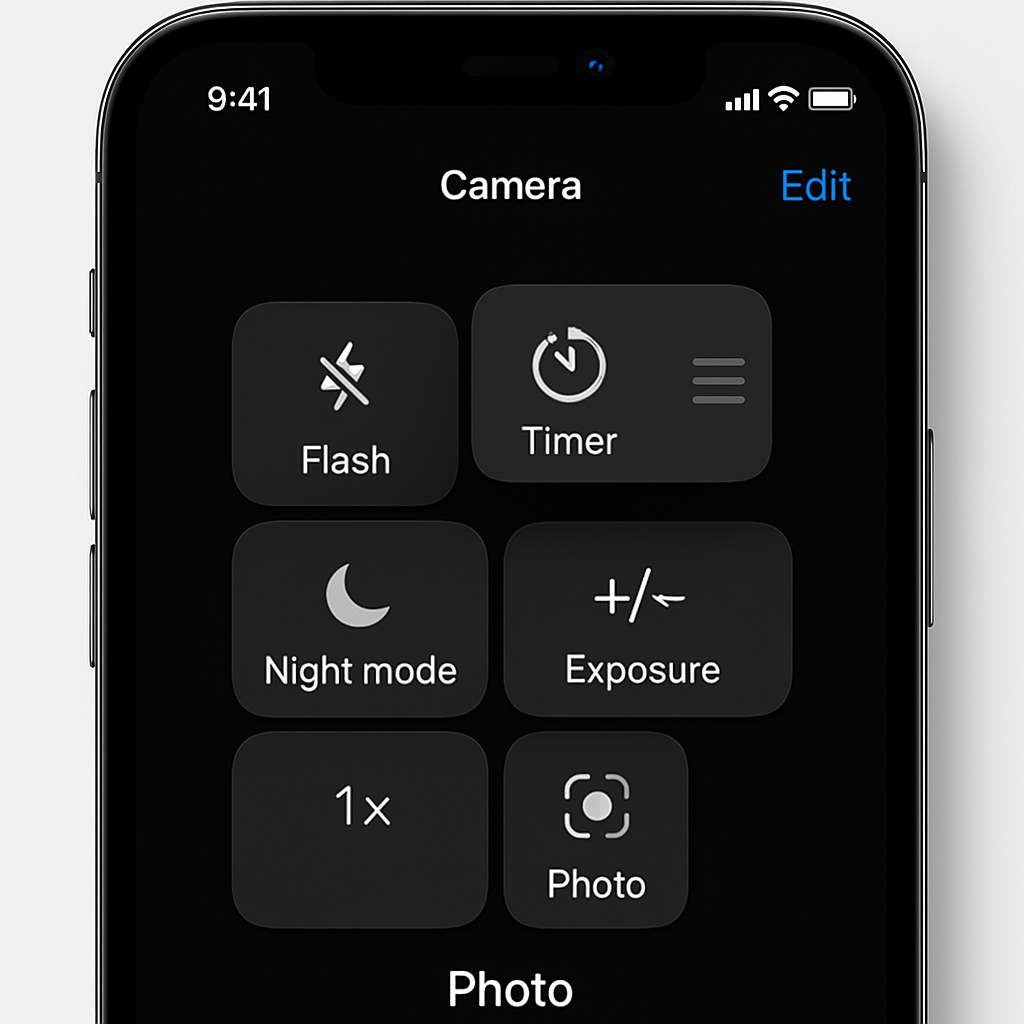
A new “Edit” mode appears under the Camera app’s control tray, accessible via the six-dot icon in the lower right. Once invoked, it opens an “Add Photo Controls” interface that allows users to add, rearrange, or remove control widgets along the top of Camera’s user interface. A “Reset to Essentials” option helps revert to the default layout. Users can toggle controls like Flash, Live Photo, Aspect Ratio, Timer, Exposure, Styles, Filters, Depth Control, Night Mode, Center Stage, File Format, and Shared Library, depending on iPhone model.
Available System-Wide; Not Just for New Devices
Initially, this customization feature was expected to arrive alongside the iPhone 18 Pro lineup, especially as its absence sparked speculation back in June. While preview builds shared at WWDC didn’t include it, insiders speculated the delay was tied to preparing for the new high-end models. Now, with the RC release, customization is available on all devices that can run iOS 27. Not just the latest flagships.
This also clears up questions about whether users on older iPhones would be left out — they won’t be. As long as the device is compatible with iOS 27, it can access the new Camera control editing tools.
The public release date for iOS 27 is set for September 14. That day will mark the feature’s wide availability to consumers — assuming the RC proves stable.
What this update reflects is Apple’s gradual shift toward giving users more control over features that were once fixed. By allowing control over Camera UI elements, Apple joins competitors that already offer similar customization. It’s a win for users who crave simplicity or want to tailor their camera to their workflow — whether that means fewer distractions or quick access to frequently used tools.
Analysis: This move gives Apple more credibility among power users who have long requested deeper system-level customization. It helps address criticisms that Apple’s UI is too rigid. On the flip side, it creates a new challenge: balancing flexibility with design consistency. Developers and designers will need to account for a wider variety of Camera layouts in app workflows and visual tutorials. And for users, it may still take several iOS 27 updates post-release for the feature to fully mature and smooth out any UX rough edges. Watch for tweaks to the available control list, performance on older iPhones, and how seamless restoration to default really feels.