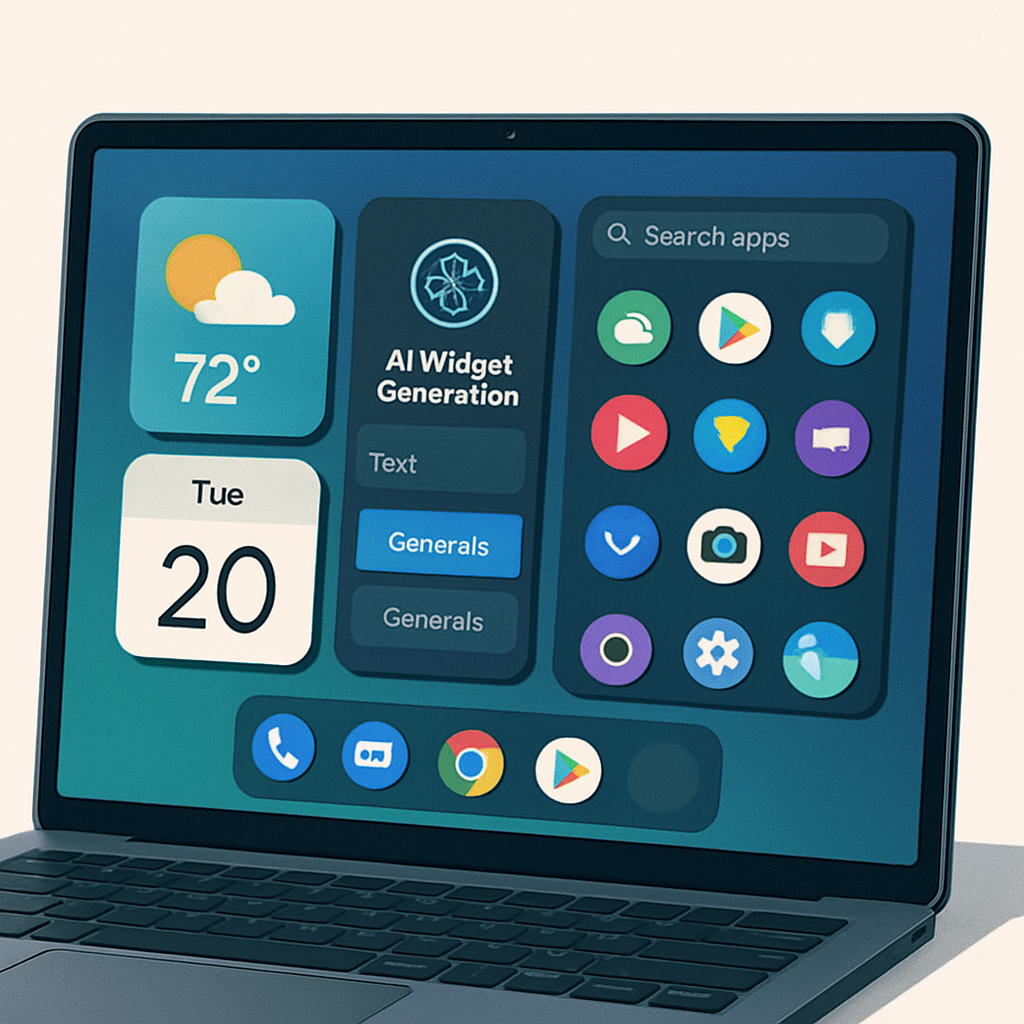
Google’s newest operating system for its laptop line—Googlebook OS—leans heavily into Android rather than following the traditional ChromeOS path. Though it visually echoes ChromeOS with its dock and desktop layout, Googlebook OS borrows deeply from Android, reshaping many user expectations around what a laptop OS can be.
Feels Like Android, Works Like ChromeOS
The first thing users will notice is how familiar Googlebook OS feels if you’ve used an Android phone—especially a Pixel. Things like Quick Settings, notifications, the Settings menu, even standard widgets mirror Android’s design. Widgets and files can be placed on the desktop, something ChromeOS notably lacks. The app drawer mimics the Pixel Launcher, and basic navigation feels lifted from Android, not ChromeOS. These changes, though subtle, significantly alter the rhythm of laptop use.
Web Apps Take Center Stage, With Android Under the Hood
Despite Android’s strong influence, many core apps like Gmail and Calendar don’t run as Android apps but instead operate as Trusted Web Activities (TWAs), designed for web-first performance with some native-like features. Google sees this as intentional—letting developers decide whether to offer web versions or Android apps. The Chrome browser on Googlebooks retains its full power, including extension support and vertical tab lists.
Integrated AI and New Functionality
AI plays a central role. Gemini Nano, an on-device model, powers features such as screenshot-based searches, the Magic Pointer overlay, the Rambler panel, and a widget creation tool called Create My Widget—allowing widgets to tap into live data sources. The Rambler panel, triggered by a new Quick Insert key in place of the Caps Lock, offers shortcuts to clipboard history, recent screenshots, emojis, and Gemini suggestions. Magic Pointer aims to change mouse interaction with the system, while Create My Widget introduces generative UI capabilities.
Unified Platform, Predictable Updates
Unlike many Android devices that rely on OEMs to manage updates, Google will control Googlebook OS updates—both major and security ones—across all partners. The OS will follow the Android Quarterly Platform Release schedule for feature updates, and security patches can drop anytime. Partners can preload apps, but cannot deeply customize key UI elements like status bar icons. The idea is for Googlebooks to deliver a consistent experience regardless of manufacturer.
There are always challenges. Some feel that Googlebook OS could have pushed first-party desktop-grade Android apps more aggressively. Others note that essential communication tools like Messages still run primarily as web versions rather than native apps.
Why This Matters: Googlebook OS is a pivotal attempt to redefine what a laptop built by Google can do. If this blend of Android UI, AI-powered features, and web-first apps holds up in everyday work, it may lure users who wanted more from Chromebooks. This could shift the laptop OS landscape—if Google nails performance and developer support. Keep an eye on how third-party apps adapt and how seamless updates play out in real-world use.