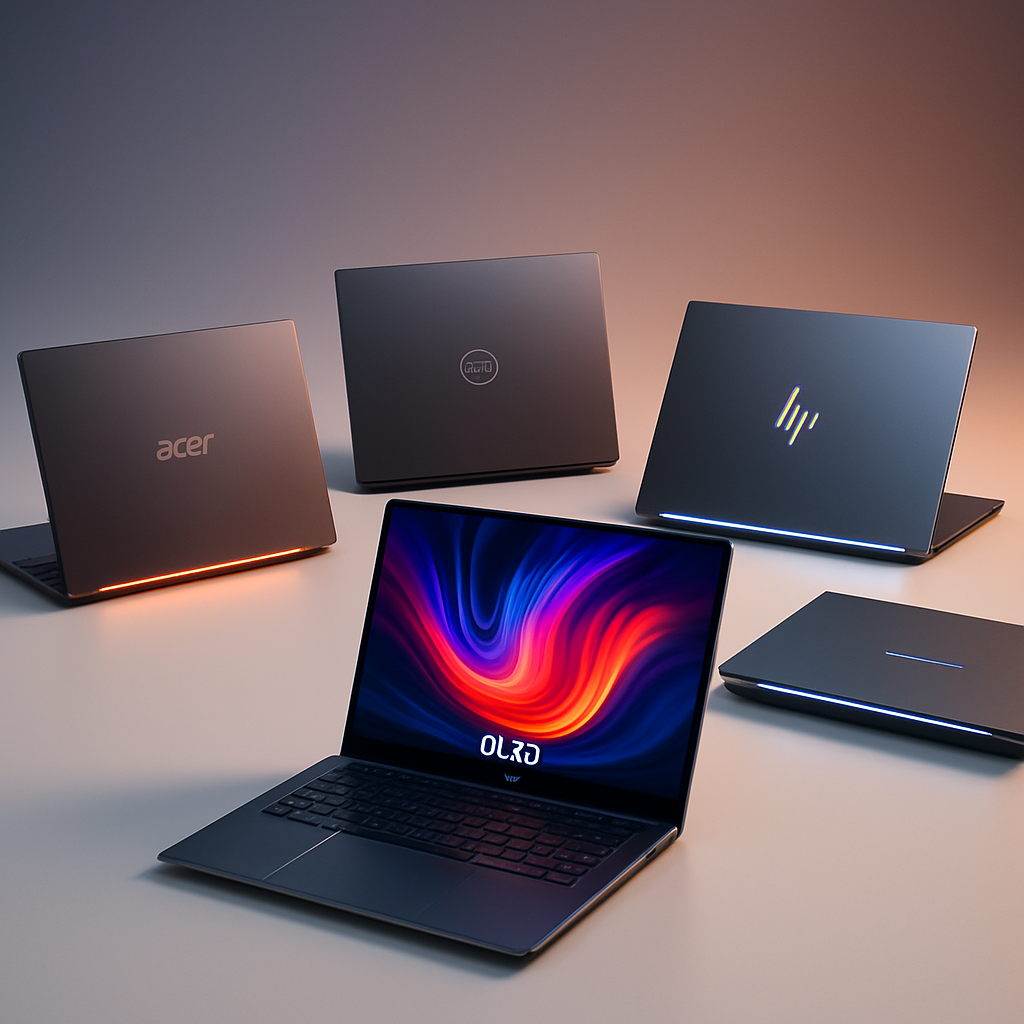
Google has officially launched Googlebook OS, a desktop-grade operating system built atop Android and infused with ChromeOS’s most trusted form-factors. It’s a full-stack effort to bridge phones, tablets, and laptops under one unified experience. Hardware partners Acer, ASUS, Dell, HP, and Lenovo are leading the charge, offering premium Googlebooks ranging from $899 to $1,299. These devices will reach store shelves in the U.S. on October 4, and globally on October 5. The starting package includes 12 months of Google AI Pro (with 5 TB storage and Gemini Advanced tools), plus additional perks like YouTube Premium and Adobe Photoshop.
Hardware and Experience: Specs That Push Boundaries
Every Googlebook model ships with at least 16 GB of RAM, with select models offering up to 32 GB. Storage starts at 256 GB or 512 GB depending on the region and model. Processors range from Intel’s Core Ultra Series to Qualcomm’s Snapdragon X Elite, each backed by NPUs delivering more than 45 TOPS of on-device AI power. Battery life is rated up to 14 hours for video playback and 16 hours for web browsing. Displays are touch-enabled—some OLED (up to 2.8K), others IPS—and builds mix materials like aluminum, magnesium alloy, and carbon fiber. All models include Microsoft-style productivity features like backlit keyboards, precision trackpads, and Google’s new Glowbar lighted lid element. Notably, the Acer unit is the only convertible in the lineup.
Android, Chrome, AI: Software’s Best Features
Googlebook OS marries Android’s foundations with desktop traits drawn from ChromeOS. Docked apps, a full file browser, and native Android UI elements make Googlebook OS feel instantly familiar. Widgets can be placed freely on the desktop, matching Android phones; Settings and the app drawer feel like Pixel phones; Quick Settings and Notifications are top-right, not bottom.
Many of Google’s apps will instead run as Trusted Web Activities (TWAs)—web versions wrapped in a web-app shell—rather than Android binaries. The Gmail and Calendar apps, for instance, were shown as web versions that still benefit from homescreen widgets. That said, full support for Android apps is present via the Play Store, alongside Chrome browser extensions and Linux tools for power users.
AI features lie at the core of Googlebook OS: the “Magic Pointer” lets Gemini interact contextually with screen content; “Create My Widget” builds widgets from plain language; “Rambler” transforms voice notes into organized documents. Charging hard into AI-rich workflows, Googlebooks seem to be designed with intent for creators, students, and Android loyalists.
Even the update model follows Google’s Android-driven philosophy: quarterly feature drops aligned with Android’s QPR (Quarterly Platform Release), with security patches in between. Partners can preload apps, but core system elements like status icons or the system interface remain uniform across all devices. The aim is a consistent experience regardless of which OEM made your unit.
Google isn’t positioning Googlebook as an education-sector Chromebook sham. Instead, it’s meant to stand up to MacBooks and Windows ultrabooks, especially for users who move fluidly between phone and laptop. With administrator and OEM support, Googlebooks may also force legacy desktop OS makers to reckon with the rising expectations of on-device AI and seamless cross-device continuity.
Already, app developers are being asked to adapt their software: adaptive layouts, multipane UI, full keyboard and mouse support, and form-factor scaling are being emphasized. Developers’ apps that pass Google’s quality checks will be featured more prominently in the Play Store, and apps optimized for Googlebook OS will be badged accordingly.
The appeal is strong—but risks remain. The entry price already places Googlebooks in premium territory. To outshine Chromebooks, Windows, and Mac, Google needs third-party developers to bring serious desktop apps; it needs to prove battery life in real-world usage; and it needs to ensure that the AI features don’t feel gimmicky. If these pieces align, Googlebook may represent Android’s big desktop moment—finally delivering on years of speculation about what Android could be beyond phones.
Analysis:Googlebook OS marks Google’s most ambitious attempt yet to unify the Android ecosystem across all form factors. By leaning into AI, requiring flagship hardware, and insisting on consistent software experiences, Google is hoping to leapfrog beyond the piecemeal Android desktop efforts of the past. What to watch: whether users accept web-based first-party apps in place of native ones, how app developers respond to Google’s optimization push, and whether Googlebook’s hardware justifies its premium pricing in the field.