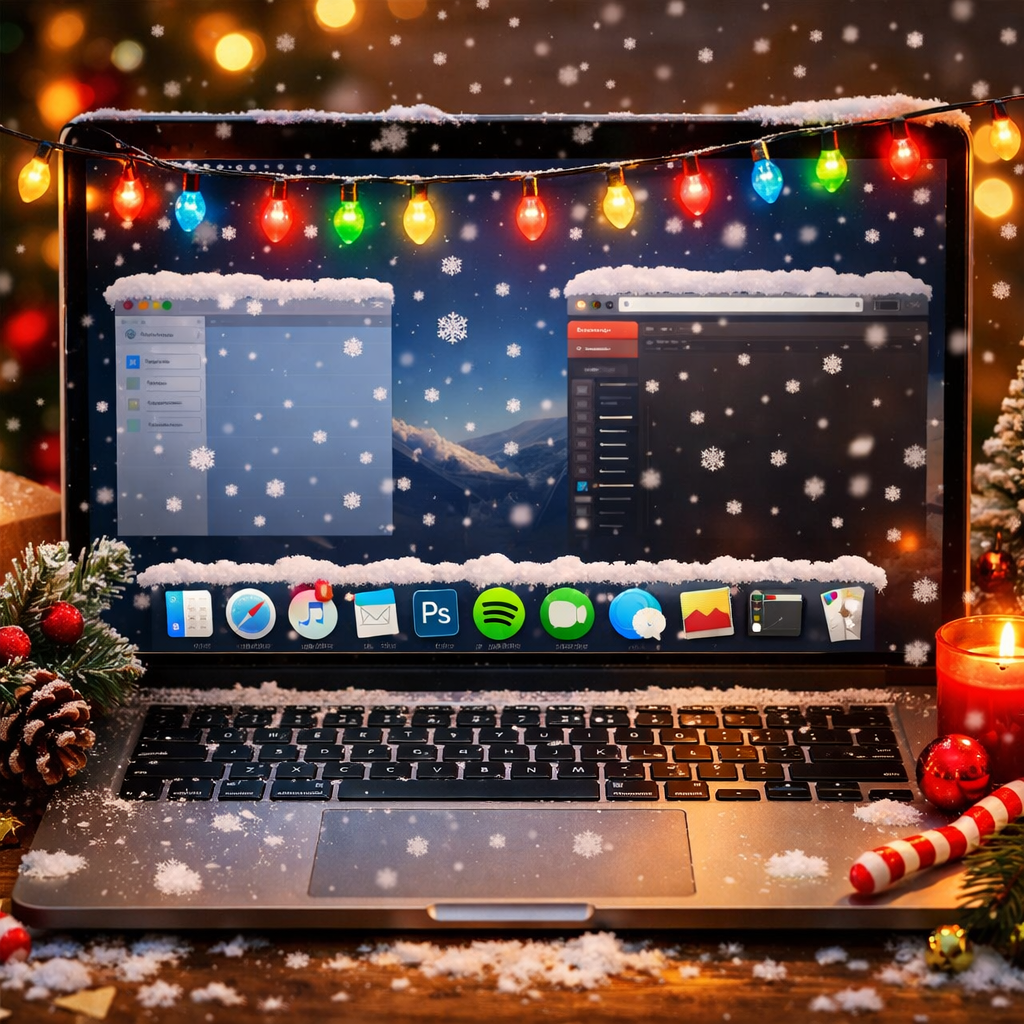
Festivitas, the holiday-themed app for macOS, iPhone, and iPad, just dropped its 2026 update packed with ways to decorate your hardware with wintry flair. The free update adds highly customizable options for lights, snow, pointer effects, and widgets—turning your desktop into a festive celebration.
New Ways to Deck the Halls
For the first time, users can upload custom bulb shapes: any PNG with a transparent background works best, and complex images retain their original colors when converted into bulbs. Other tweaks include adjusting bulb size, color, opacity, cable thickness, drop height, and more. Lights can now animate with styles like pulse, twinkle, chase, or wave, offering dynamic effects beyond static strands.
Snow effects also got a major visual boost. Falling snow can now accumulate atop application windows, creating a more immersive seasonal scene. Granularity over appearance has been improved—you can fine-tune snow rate, flake size, density, and whether effects float over app windows or just on the desktop. Additional pointer decorations have been added too, from bubbles and confetti to a Christmas tree or wreath motif.
Widgets, Permissions & Pricing Changes
The iPhone and iPad versions now support fully transparent animated widgets without needing the old screenshot trick. Accessibility permissions on Mac still matter: effects like lights in the Dock or snow resting on windows require System & App Protection Override access, while menu bar lights, pointer effects, and snow without overlapping windows work without it.
As for pricing, the Mac app adopts a “fair pricing” model starting at €4.39, while the iOS and iPadOS apps remain free to download but offer optional pricing between $3.99 and $9.99. Existing users receive the new features at no extra cost.
Festivitas was created by developer Simon Støvring and launched roughly two years ago. It’s become a favorite for users who want to add decorative effects like lights to the Dock and menu bar, or seasonal flourishes like falling snow without overhauling interface basics.
The 2026 release makes the tool far more flexible and expressive. If you’ve ever wanted to turn your cursor into bubbles, have snow pile up on open windows, or use custom shapes for lights, this update delivers.
Why it matters: Holiday apps are usually cheesy novelties, but Festivitas stands out by balancing charm with polish. Offering real customization and thoughtful permission handling means it’s more than just eye candy—it plays nicely with your workflow and your system’s security. Users should watch how these permissions evolve under future macOS updates, and whether these kinds of interface flourishes become an expected part of customization tools beyond the holidays.