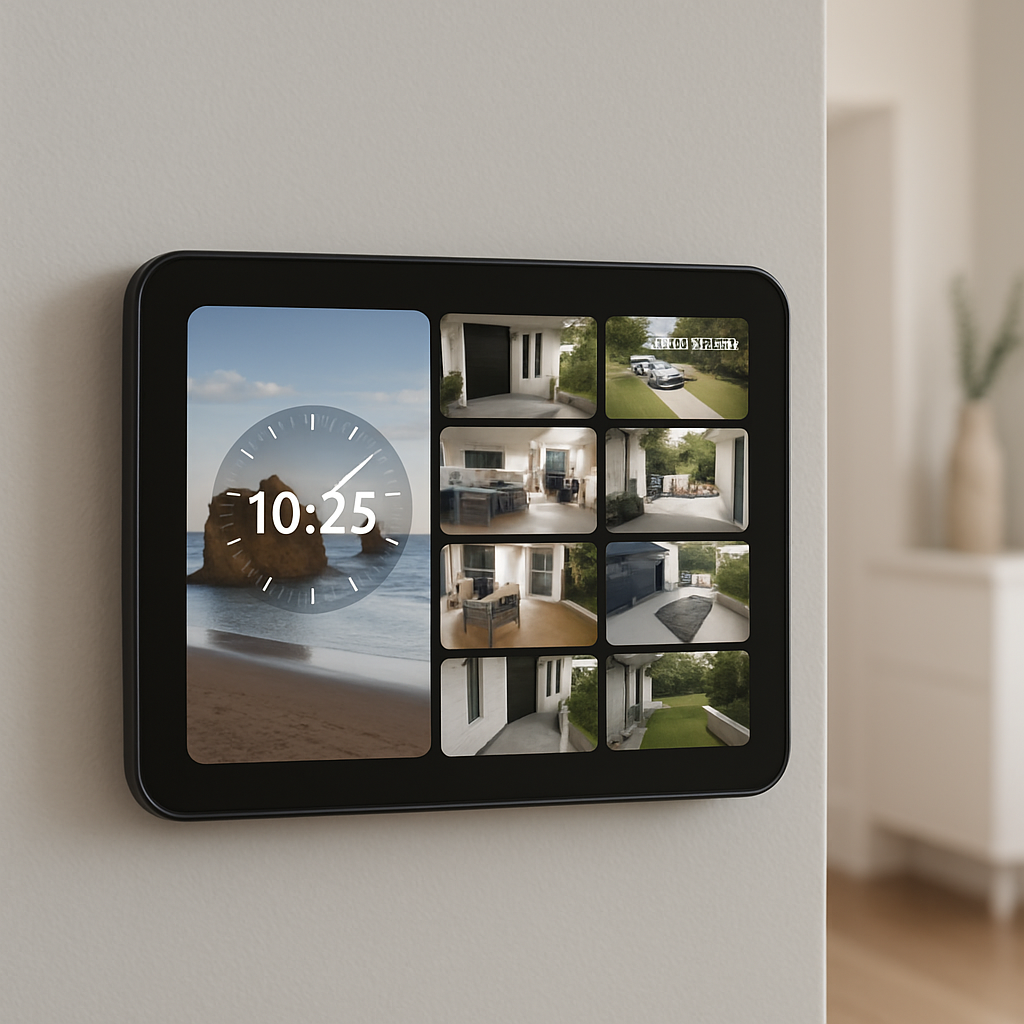
Apple’s HomeView just got a lot more interesting. In our hands-on time with the device, we spotted several details beyond the basic specs: how live camera feeds are handled, how photos from shared albums are displayed, how recipes from Safari integrate, and even an optional wall mount that can replace a light switch.
Seeing more: Cameras, faces & photo sharing
The HomeView’s Camera face can display nine live video feeds at once, rather than just static thumbnails. In Apple’s demo, the feeds updated in near-real time, though actual home network conditions might affect performance. While many of Apple’s new Home accessories are Matter-compatible, the cameras on HomeView are not using that standard. Apple says the current version of Matter’s camera spec lacks reliability and security, and opted to go another route for its own models.
On the photography front, HomeView does more than just show your personal photo library. Its Photos face supports iCloud Shared Albums, letting others contribute photos that appear automatically. So, someone could give a HomeView to a family member and have that person’s shared album update without manual transfers. That makes the device a strong contender for replacing dedicated digital frames, especially in homes already using iCloud’s album sharing.
Interactive faces & hands-free help
The display includes clock faces beyond time-and-date basics. The “Flow” face, inspired by Apple Watch, reacts to movement around the room using HomeView’s camera. Another design called “Fade” changes its display according to the time of day—clock numerals fade in and out, reminiscent of how a sundial shifts with daylight.
Recipes from Safari can now be viewed in HomeView with step-by-step instructions. Siri supports voice commands to move through recipe steps—ideal when your hands are busy—or dirty. Users can also pin favorite recipes for quicker access later. For now, recipe content comes via Safari and Apple News; integration with third-party cooking apps isn’t available yet.
More than a screen: Mounts and pricing
HomeView offers both tabletop and wall-mounted versions. The wall-mount option includes a wired mounting accessory that connects directly to household electrical wiring inside a standard single-gang switch box. It uses continuous USB-C power to avoid visible cords and costs $79.95. However, the home’s existing wiring must meet requirements, and installing it in place of a light switch raises potential electrical and lighting circuit issues—Apple recommends using a licensed electrician.
The device starts at $299, preorders are open, and it’s set to launch on November 13. Apple hasn’t confirmed whether those live-camera feeds and shared-album experiences will stay as smooth and responsive in everyday conditions as in their demos—but the settings suggest what it’s aiming for.
These finer touches matter because they show how Apple imagines HomeView integrating into daily life. The ability to see multiple cameras, display family photos, follow recipes hands-free, and mount it neatly in a wall or switchbox suggests this device aims to be more than just a smart display. What remains to be seen is how well it handles varied home Wi-Fi setups, camera quality differences, and user expectations for privacy and reliability. As HomeView arrives in homes this November, watch for how these details actually perform.