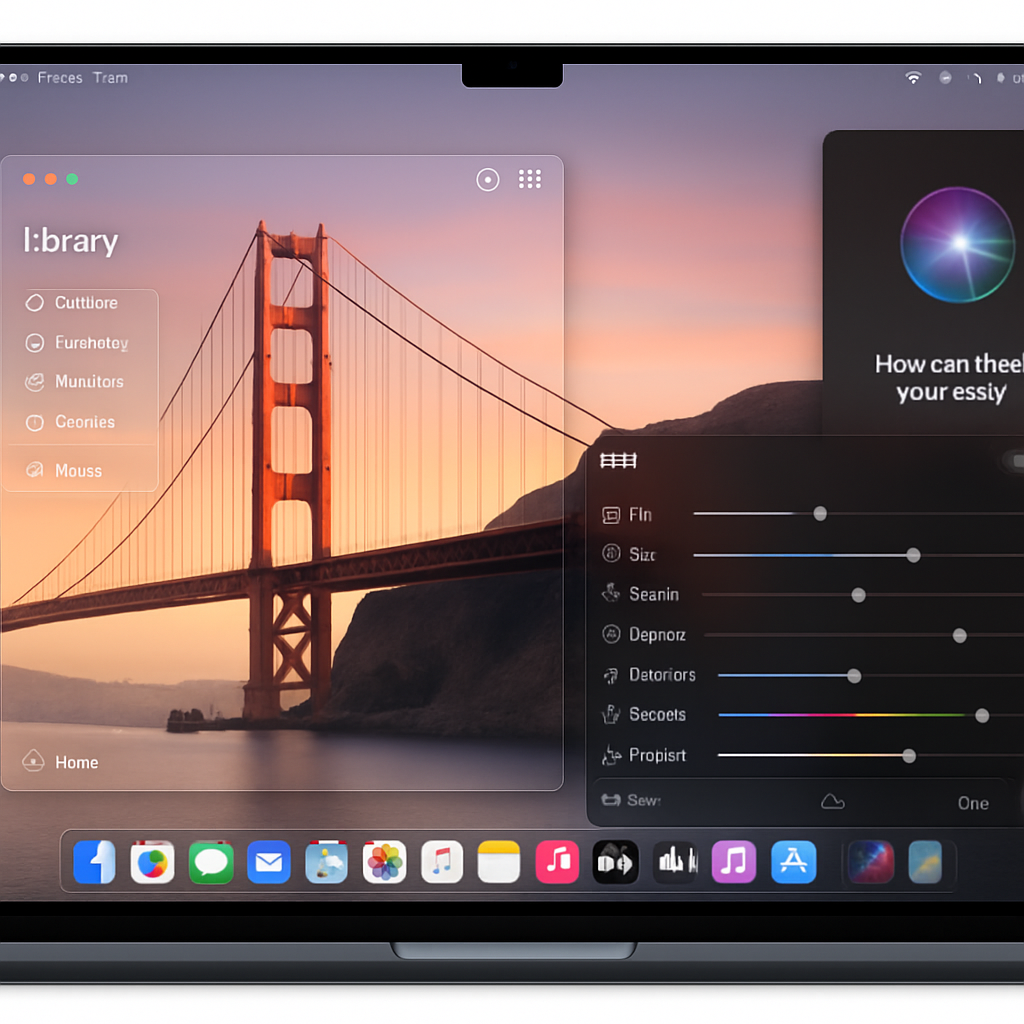
Apple has unleashed macOS 27—named Golden Gate—bringing Siri AI, Visual Intelligence, fresh photo tools, and visual polish to Macs with Apple silicon. The update, released on September 14, 2026, is free but not compatible with Intel-based Macs. Major new features and design tweaks aim to make macOS more responsive, intuitive, and visually rich.
AI-Powered Enhancements Get Center Stage
The headline addition is Siri AI, a far more capable iteration of Apple’s voice assistant. This version draws on what Apple refers to as “Apple Intelligence,” allowing users to ask Siri for info based on personal context—think messages, mail, photos—and request actions across multiple apps. Siri AI is embedded throughout the system, including Spotlight, where you can now search for answers right from the system-wide search tool. There is also a dedicated Sirius app for revisiting past conversations, and everything syncs via iCloud across Apple devices.
Alongside Siri AI, Golden Gate introduces Visual Intelligence. This allows users to select any window on the screen and have Siri answer questions or take actions based on what’s shown—such as adding a calendar event from text in that window. A new shortcut (Command-Shift-Space) brings up this mode quickly.
More Editing Muscle, Smarter Surfing, Safer Family Features
Macs gain enhanced photo editing tools that were previously more common in mobile or cloud-based apps. Spatial Reframing lets users adjust the framing after shooting, or enlarge images with a new Extend tool. The Clean Up tool also gets more powerful infill capabilities for removing distractions in complex scenes.
Safari gets several refinements. Tabs can now be auto-grouped by topic for better organization. A feature called Notify Me lets users get alerts when web pages change—useful for tracking price drops or restock updates. And if you’ve ever wanted a browser extension but lacked coding skills, Describe an Extension lets you generate one using natural language commands—for example, adding buttons for your favorite tasks.
Automations get simpler: Describe a Shortcut lets users outline a task in plain language—like texting a partner when you’re heading home—and the system builds all necessary steps.
Polishing the Look, Strengthening Safety, and Boosting Performance
The look and feel of macOS continue to evolve. Liquid Glass, the visual style introduced last year, has been refined to balance clarity and tint—you’ll be able to adjust how translucent or opaque elements appear. Toolbars are more uniform, sidebars expand to span full height, and app icons have been redrawn with more detail.
New child safety tools are woven throughout. Parents have more control over what content kids see, whom they communicate with, and when they access apps. A feature called Ask to Browse requires permission before visiting unfamiliar websites. Communication Safety has been expanded, Time Allowances help manage app-use by category, and schedules allow parents to limit access by times of day and week.
Golden Gate also delivers system-wide improvements. Search in Spotlight and Mail is smarter, AirDrop and network file browsing are faster, and the overall user experience is aimed at being more fluid and pleasant.
Who Can Install macOS Golden Gate?
This update is compatible only with Macs running Apple silicon. If you have an M-series or later chip, you can download Golden Gate from System Settings → Software Update. Intel-based Macs are not supported.
Release date:Monday, September 14, 2026.
Price:Free for all supported machines.
Golden Gate marks a notable shift in macOS: AI isn’t just a feature—it’s woven into the way people interact with their Macs. It’s not just about smarter assistants but about context, visual understanding, and effortless automation. This is Apple doubling down on device intelligence. What to watch: how third-party apps leverage Visual Intelligence and whether performance holds up on older Apple silicon. In short, Golden Gate sets a new baseline for what modern macOS should feel like.