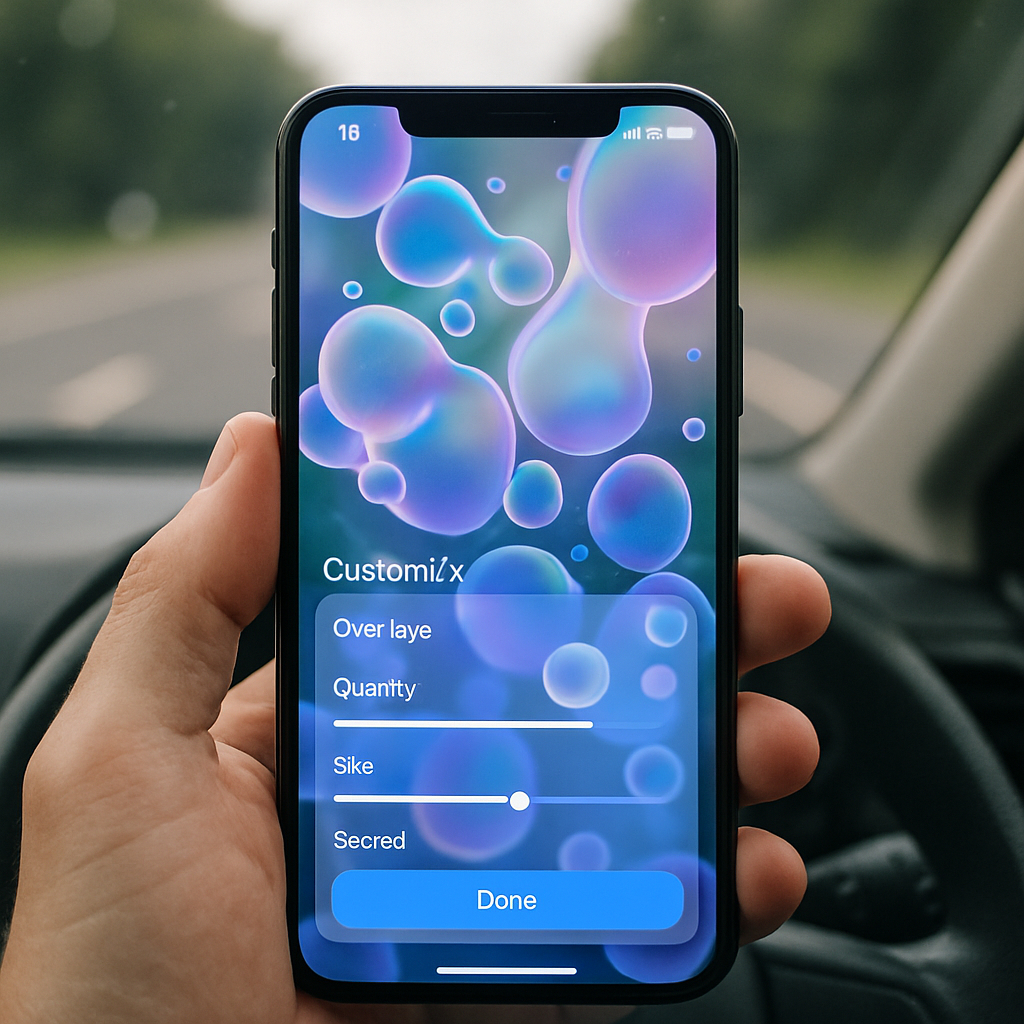
Google is officially rolling out a new feature called Motion Assist to Pixel phones and Samsung devices running Android 17. Designed to ease motion sickness during travel—car rides, buses, or any vehicle in motion—the feature overlays moving bubbles on screen that shift in response to device movement. The update arrives via Google Play Services version 26.33.32.
How Motion Assist Works & Where to Find It
To use Motion Assist, simply search for “motion assist” inside Settings. On Pixel phones, you can also enable it through the Quick Settings editor under “From system apps.” Another route is navigating to Settings → Google → All services → Personal & device safety → Motion Assist. This tool is grouped alongside other safety features like Advanced Protection and Theft Protection.
Once enabled, Motion Assist gives you the option to let it start automatically whenever you’re in a moving vehicle. For those who want control, adding a Quick Settings tile is possible—this allows toggling the feature on or off from any screen. A silent notification will also appear when the overlay is active, offering quick disable access. The screen displays two columns of shapes—one on each side—that react to your motion. You can fully customize this overlay by selecting your preferred color (including Dynamic Color, Red, Yellow, Green, Blue), shape (circle, square, pentagon, diamond), opacity through a slider, and whether colors or shapes change every few seconds.
Which Devices & Where It’s Available
Motion Assist is now widely available for Google Pixel and Samsung Galaxy devices (including the Fold 8 series) running Android 17. If your device hasn’t received the feature yet, a restart may help trigger the rollout. Users have reported seeing it after updating to Google Play Services 26.33.32.
This isn’t Google’s first move toward enhancing comfort during transit. Previous efforts, like reducing HUD jitter or refining UI animations, have also focused on lessening discomfort in motion. Motion Assist builds on that by offering tangible, customizable visual cues that move with you.
What this Means & What to Watch Next: Motion Assist is a meaningful upgrade for those who experience motion sickness while using their phones in transit. The flexibility through Quick Settings and deep customization ensures it’s useful without being intrusive. Upcoming updates to Android 17 or Google Play Services may introduce fancy extras—imagine more overlay types or refined movement detection. Also worth watching: whether this feature expands beyond Pixel and Samsung into more Android 17‐devices—or even older versions in time.