XREAL’s latest wearable, Aura, marks a milestone: Android XR experiences no longer require a full headset to get that mixed reality, floating-app magic. But the device isn’t for everyone.
What Aura Is & How It Works
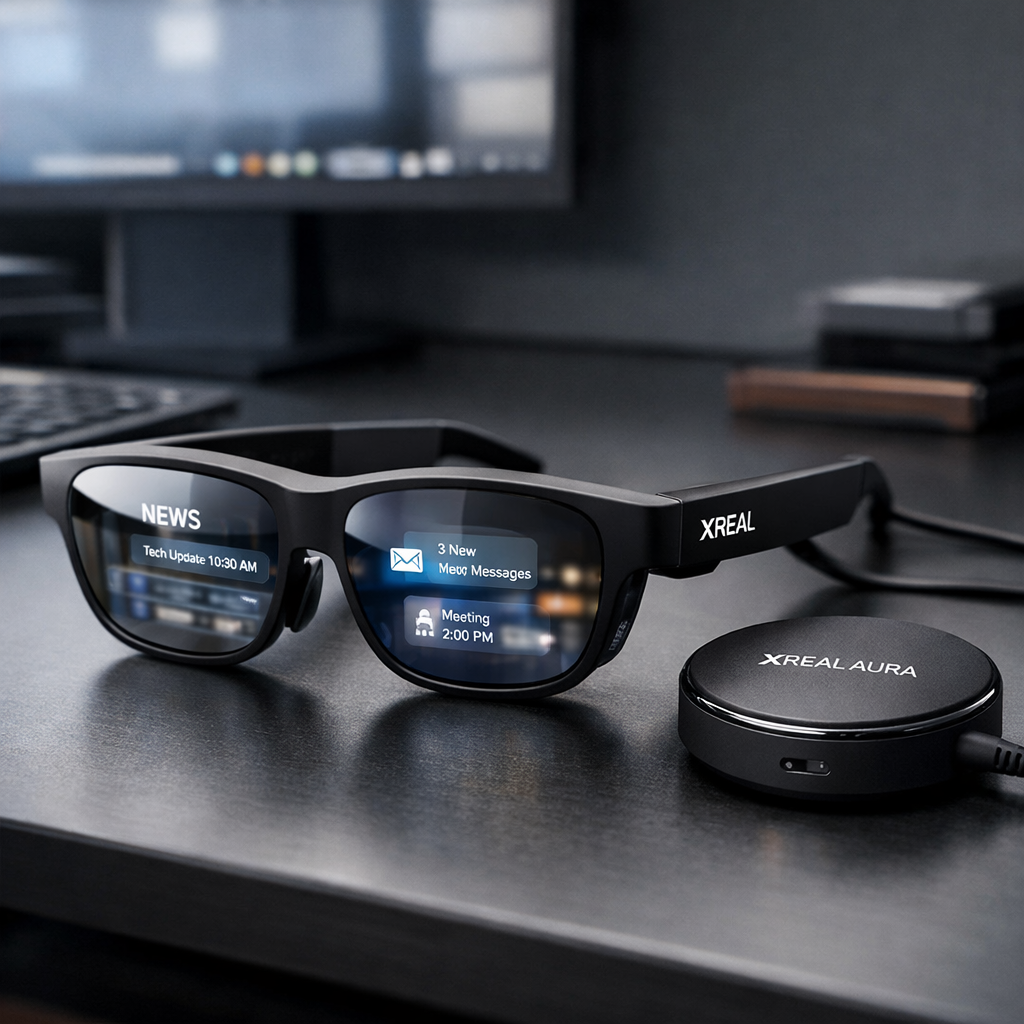
Aura combines a pair of see-through glasses with a separate “puck” module that together deliver an untethered XR experience. The glasses have dual micro-displays—one per eye—and electrochromic dimming lenses that let you control ambient light. There are world-facing cameras built in for hand and spatial tracking, plus QR scanning, picture taking—and yes, some optical privacy blur, but no light bulb that signals recording; the design itself is bulky enough to imply the function. On the puck you’ll find the processing, a fingerprint sensor, a touchpad as alternate input, power connections, and USB-C passthrough for visuals. It serves as the brains and the battery.
Display quality impresses indoors: bright enough in most lighting (though extreme sunlight probably isn’t its friend), with a sharp 120Hz refresh rate. But text at small sizes can strain the eyes. Seeing the real world through dimmable lenses is one of Aura’s strongest mixed reality tricks. Nothing here matches full VR’s total immersion—you’ll still see the physical room—but the balance of immersion and awareness feels more refined than what camera-feed headsets currently deliver.
Experience, Performance & Limitations
Running on Google’s Android XR platform—first seen earlier this year in the Galaxy XR headset—Aura offers floating windows, hand gestures, spatially anchored UIs, and support for about 150 apps so far. The experience is polished, for the most part. Gesture driven navigation works well, though going back home with a gesture that requires looking down at your own hand feels awkward. A dedicated home button helps. Gemini voice tools live on Aura too, letting you ask questions and even share what you see. But ending sessions can be needlessly protracted thanks to confirmation prompts.
Under the hood sits a Snapdragon Reality Elite chip and 12GB of RAM, delivering smooth and responsive performance. Storage starts at 256GB—enough for downloaded media during travel. Built-in speakers work well; image quality holds up indoors. However, field of view tops out at around 70 degrees, and dark visuals with light sources nearby are less convincing. For outdoors use, brightness may not suffice.
Best Use Cases & Trade-Offs
Aura shines for wired mirroring—connecting a laptop or tablet via USB-C to mirror its display—and for media consumption. Watching movies onboard flights, keeping reference apps or documents open while working, using Gemini Live for quick searches or voice queries all make the most sense. Productivity boosts are subtle: Aura works with a keyboard and physical input, but virtual keyboards remain limited to simple tasks.
Gaming is less compelling in Aura outside of stationary setups. The glasses are lighter and more comfortable than traditional headsets like Meta Quest or Apple Vision Pro, but big movements risk dislodging them. Also, Android XR is still built mostly around mobile apps, meaning many are not yet optimized for immersive dual-arm or room-scale interactions. Aura doesn’t yet replace dedicated VR headset gaming ecosystems.
At $1,279, Aura is undeniably costly—roughly double the price of earlier XREAL models—but it does bundle in more components (puck, cameras, storage) and delivers a more complete out-of-the-box mixed reality platform. There’s a temporary price cut through the end of December bringing it to $1,099, which makes the value proposition stronger.
All in, Aura and Android XR together resolve much of what worked inconsistently in past versions of XREAL glasses. The battery puck and native XR platform add versatility, and the see-through lenses deliver a more “real” mixed reality. Those who long felt previous models were just glorified displays will find a lot more here.
My takeaway: Aura is ideal for tech enthusiasts, frequent travelers, and productivity or media lovers who want a lighter, visually immersive experience. It’s not yet a universal XR tool—gaming, outdoor use, and wider software optimization remain slip-ups. But it turns the corner on what wearable XR could be.