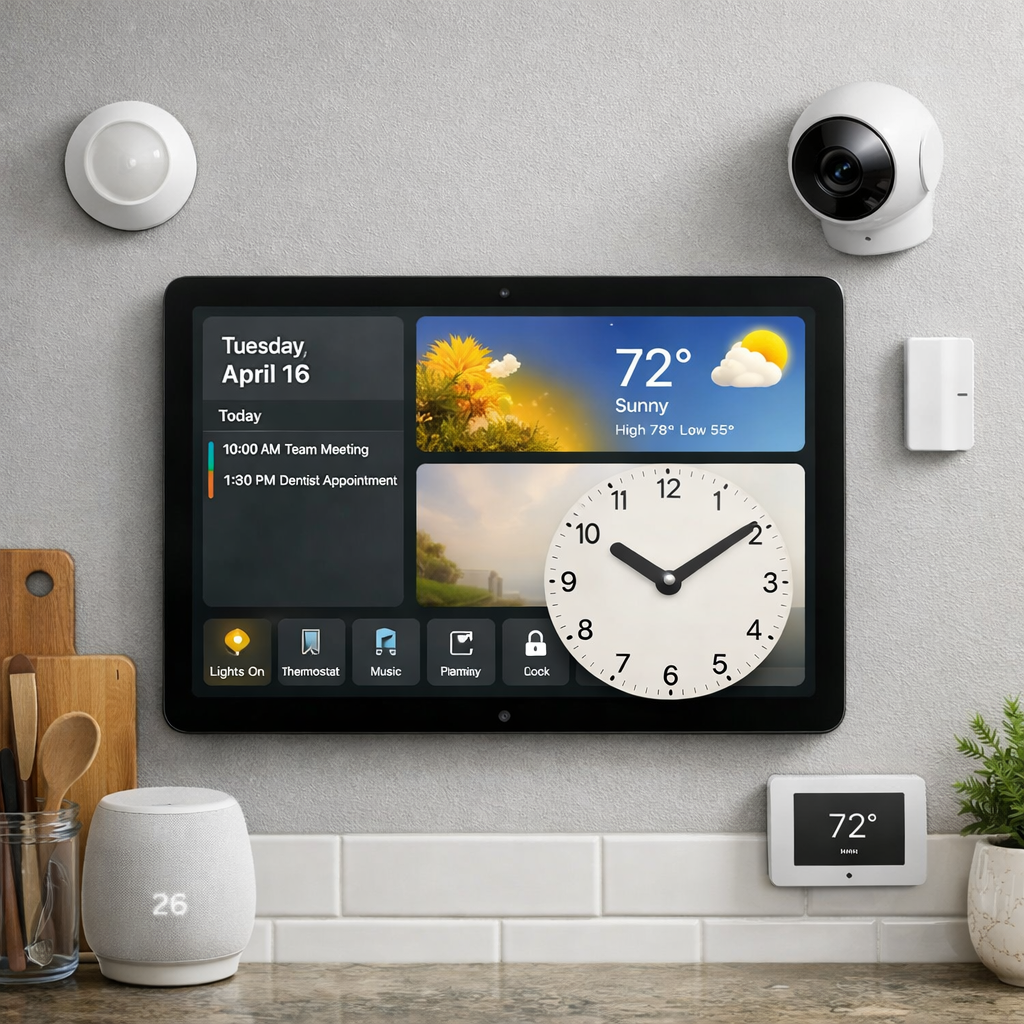
Apple’s HomeView is an ambitious new entry into the smart home ecosystem, delivering glanceable controls, widgets, and a modular face on a kitchen wall or desk. After several weeks of hands-on use, it’s clear that while the device nails many fundamentals, it also has missed chances that could push it from clever to essential.
Better Ways to Face Time & Widget Layout
The options for HomeView’s faces span about a dozen styles—ranging from traditional clock displays to photo-based designs and smart home-centric layouts. They’re attractive, but constrained. Only the Modular face allows widgets, and even that is limited to four of equal size. There’s no ability to give a single widget full-screen display or mix widget sizes—like placing two tall widgets side by side, or one large alongside smaller ones.
Another gap: the Calendar app’s presentation. A dedicated face with a full schedule view would deliver real utility—more than the date-only layouts currently offered. Also missed is Health data. Overnight sleep trackers, vitals, or Activity Rings would be especially useful for those using HomeView by the bedside. Finally, smart automation of face switching—tied to time of day, Focus modes, or even like Smart Stacks—could deliver the dynamic context other Apple products are embracing.
Home Controls, Presence, and Intelligence Still Waiting
Smart home control is HomeView’s highlight. Siri works well, and Control Center’s suggestions and Smart Stack anticipations feel spot on. Yet, the built-in Center Stage camera isn’t leveraged for presence detection or security—which feels like a missed opportunity. Having it act as a motion or occupancy sensor in the Home app could enable automations (lights on entering the room, for example) or even function as a security camera when the home is empty.
There’s also demand for Shortcut support beyond voice—widgets or Control Center buttons could make things like pet feeders or smart plugs easier to manage without having to speak. Passive sensors too—temperature, humidity, contact sensors—should be usable directly on faces, not just “controllable” devices. Some limited home notifications would also make sense—doorbell rings, porch motion, things that matter—but tightly controlled so they don’t overwhelm.
The Third-Party App Dilemma
Inviting third-party apps brings both promise and risk. On the plus side, streaming, news, calendar, cooking, and ecosystem-specific smart home apps could transform HomeView’s versatility. Perhaps even lightweight AI chatbots, given Apple’s internal hints, could jump in soon. But too much opening could lead to distractions. The ideal balance looks like selective categories—quick interactions rather than full scale gaming or heavy multitasking to preserve HomeView’s identity.
Still Rough Around the Edges, But Full of Potential
HomeView launches with bugs—voice controls sometimes fail, Third-party widget behavior uneven—and its feature roadmap is incomplete. But this isn’t just a device with shiny hardware; its foundations are sturdy. Using it feels like looking back at early Apple Watch or Apple TV days—hardware that becomes truly great only through incremental improvements.
Looking forward: Apple’s December 2026 27.3 update could bring many of these adjustments. What’s needed most is attention to flexibility—of layouts, sensor use, app support—and ways to make HomeView responsive to context, not just static in presentation.
What This Means (& What to Watch For)
HomeView illustrates a broader shift in smart home tech: moving from hubs and remotes into ambient displays—devices always present, always ready. The tweaks above aren’t small extras—they define whether this device becomes a fixture or just another gadget.
Apple has a history of shipping ambitious products that get refined significantly post‐launch. What to watch in the coming months is whether the software updates unlock the features users guessed were missing. If Apple lets layout flexibility, sensor integration, and dynamic app categories flourish, HomeView could reshape how we interact with our homes. But if it’s locked into the functions it launched with, it risks being outpaced by rivals quicker to adapt to daily life needs.