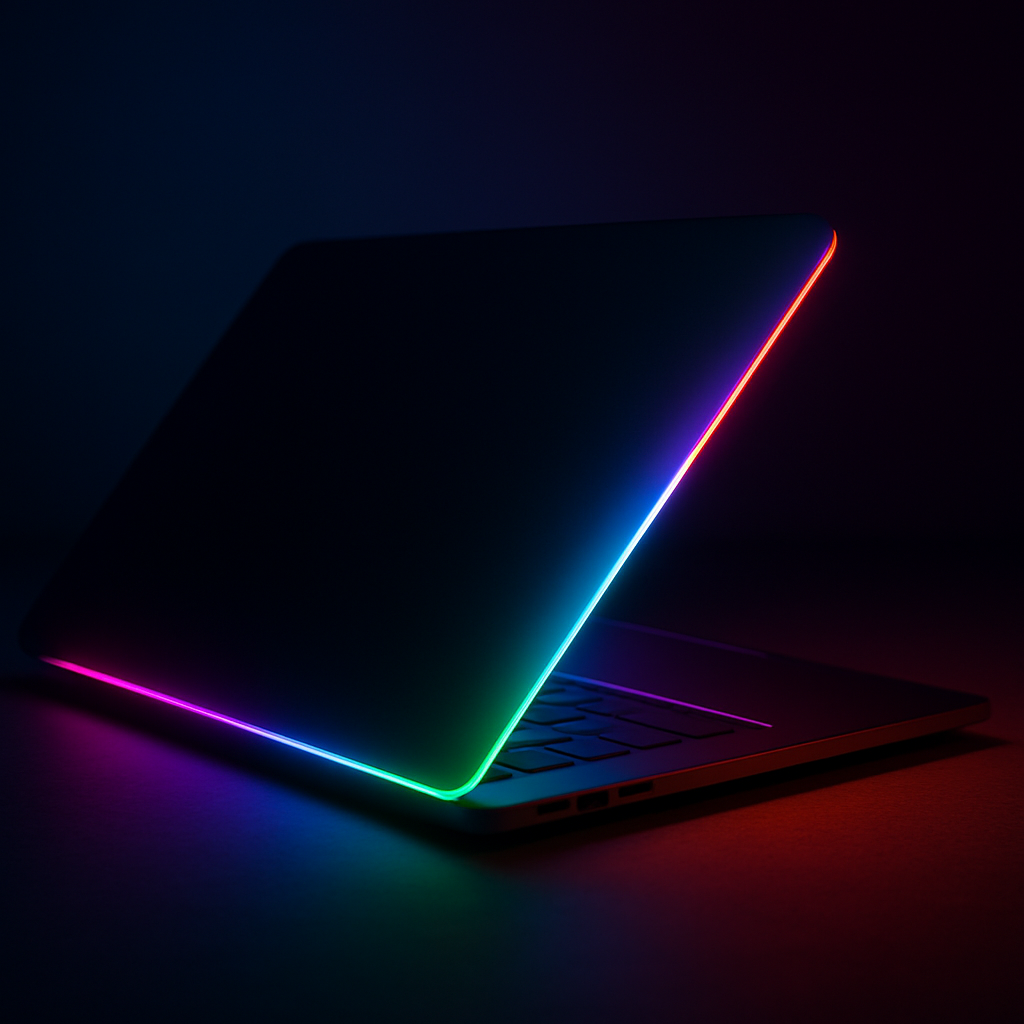
Among the deeper settings of the new Googlebook lies a playful feature called “Glowbar Disco,” an Easter egg that turns the laptop’s lid LEDs into a customizable light display. Though most users assume the Glowbar only lights up during charging or acts as a subtle accent, Disco unlocks a fuller spectrum of functionality. It lets users select solid colors, preset animations, gradients, or even sync the Glowbar with music — and keeps it illuminated whenever the laptop is powered on and the Disco app remains active.
What is Glowbar & What Glowbar Disco Adds
The Glowbar system builds on the legacy of the colored light strip found on previous Google hardware, notably the original Chromebook Pixel, which included the quirky “knock knock” gesture to check battery status. While Glowbar replicates the aesthetic, it doesn’t include that gesture-based battery check — yet it still lights up when plugged in and serves as a visual accent. Glowbar Disco, however, elevates it beyond those functions by keeping the LEDs active more broadly along with artistic and audio-reactive modes.
How to Find and Use Glowbar Disco
Accessing Glowbar Disco isn’t straightforward. It isn’t surfaced in the regular settings menu. To launch it, users need to go into Settings → Apps, enable system apps visibility in the search bar, then type in “Glowbar Disco” and open the resulting app. Anything else — closing the app or shutting down the display — disables the effect. It must be reopened each session to remain active.
The app comes with several modes: constant color, animated presets, color-gradient transitions, and even music synchronization. These unlock creative uses for the Glowbar, making the lid more expressive than ever. But because Google hasn’t made it a top-level option, this remains something users must dig into.
Google’s internal staff recognize some of the friction. An engineer publicly noted that “Glowbar Disco” may be “too hard to find,” highlighting that most users won’t stumble on it without guidance.
It’s also worth noting what the Glowbar does notdo: it doesn’t restore the “knock-knock” gesture. That uniquely playful battery indicator from earlier models is still absent in Glowbar.
Why This Matters (And What’s Next)
While this Easter egg currently feels like a gimmick, it reflects broader ambitions to make Googlebook’s hardware more distinctive. The possibility of integrating Glowbar Disco’s features more visibly into Settings (or making it permanent) could give users a customizable personality panel for their laptop. Because closing the app disables the effect, there’s room for improvement in usability. Googlebooks need ongoing updates, and this seems tailor-made for future enhancements.
For now, Glowbar Disco is a delightful hidden gem that rewards exploration. As surface appeal and personalized effects become key in the laptop market, small features like this may influence buying decisions more than raw performance. What to watch next: whether Google turns Disco into a permanent feature, or adds the old gesture back — resurrecting the full nostalgia of historical flagship hardware. Either way, this hidden app shows that even in polished products, there’s room to surprise users.