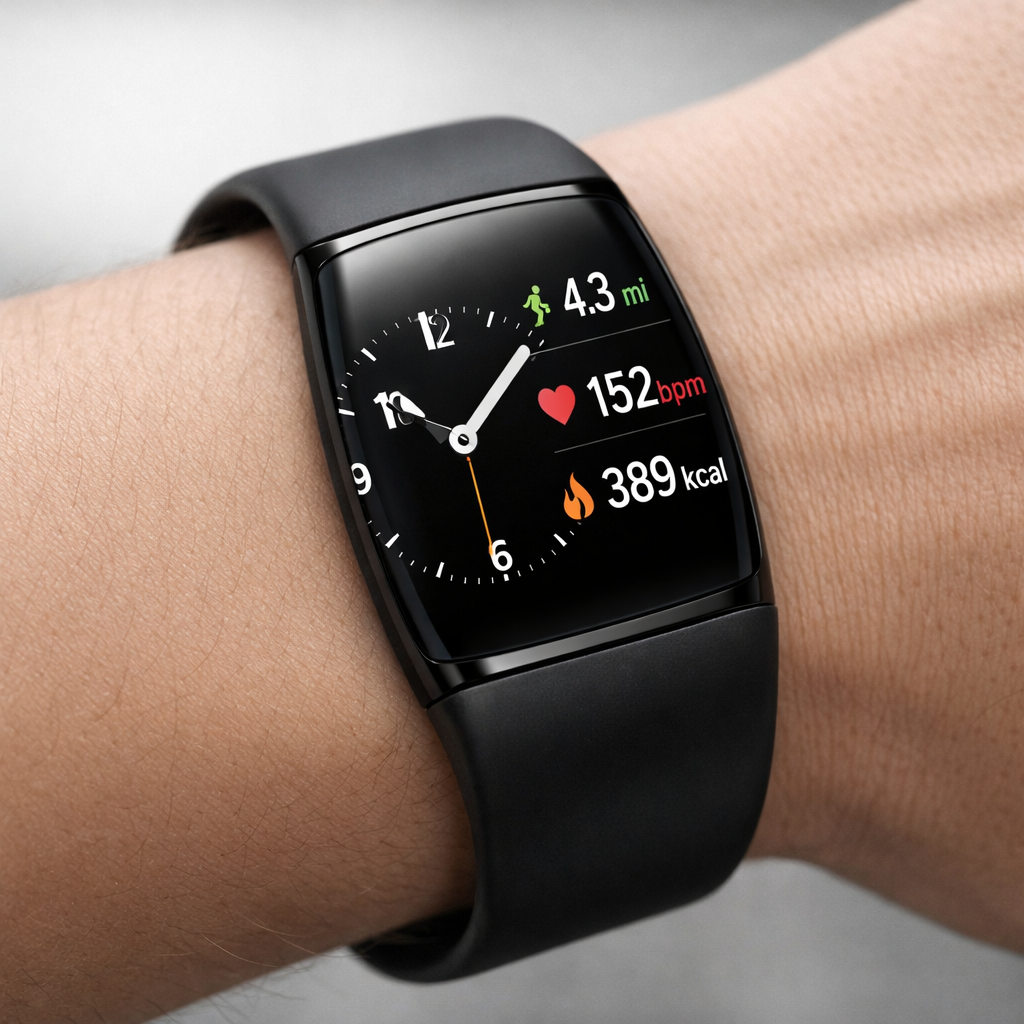
Google’s new Fitbit Edge lands in stores October 27 at $179, sitting between the ultra-basic Fitbit Charge line and full-featured smartwatches. It blends a tracker’s simplicity with a screen and a few smartwatch traits — but ultimately ends up feeling neither here nor there. While it improves on many Fitbit Air shortcomings, the Edge still falls short of echoing what Pixel Watch users might expect.
A Visual & Software Lift, But Still Barebones
The Edge gets a makeover that makes it look more modern. New clock faces with Pixel Watch-style complications allow users to see fitness stats, weather data, and time at a glance. However, customization is limited: critical data like UV index or sunset times are missing. The interface remains built like traditional Fitbit trackers — sluggish and not deeply integrated into Google Health — delivering smoother animations but clunky navigation.
Notifications are another mixed bag. They’re better than on older Fitbit trackers, yet significantly constrained. You can’t scroll through full messages unless you tap into them, and multiple alerts overlapping in the interface make interaction awkward. Worse, reviewers experienced inconsistent behavior; notifications failed to work reliably throughout the testing period. A fix is expected in an upcoming Health app update.
Fitness Tracking & Features: Solid, but Paywalled
When it comes to fitness tracking, the Edge performs well. Worn for two weeks with the always-on display off, battery lasted about a week. Routine treadmill and strength training stats aligned closely with previous Fitbit Air and Pixel Watch 5 benchmarks. For general trends and day-to-day workout guidance, it’s capable.
Many advanced features, though, are behind a paywall. Without Google Health Premium — bundled in the AI Pro plan — users get basic step counting, heart rate tracking, and workout detection. To unlock insights, workout planning, and personalized coaching via “Coach” (Gemini-powered), the subscription is required.
Hardware: Lightweight But Fragile
The Edge’s hardware shares DNA with Fitbit Air. It’s featherlight and comfortable, especially with the default Active band (despite it attracting pet hair). The Magnet Band, however, got critiques for being fiddly and difficult to wear properly. Most vexing was repeated failure of the band connector — during walks and even overnight — causing the device to slip off accidentally.
A welcome change is its physical side button — a step up from the haptic “button” on past models. Though it doesn’t feel premium, it’s solid and more satisfying to use. Other features include GPS, Google Maps mirroring (but no full on-device navigation), a stopwatch, basic weather (lacking outdoor essentials like UV exposure), and quick access to recent workouts via Tiles.
Positioning & User Fit
The Edge tries to serve as a middle path between fitness straddling and smartwatch functionality. But it doesn’t convincingly fulfill either role. For people who want minimalism — just tracking steps and time — the Fitbit Air still wins. For those expecting a true smartwatch experience — with robust apps, advanced notifications, richer data — Pixel Watch series remains the go-to. The Edge is caught in between.
If you already own an Air or a Pixel Watch, adding Edge doesn’t bring much that isn’t already covered. It’s a capable fitness accessory, and in many ways an evolution of what Fitbit trackers do well. But for anyone hoping it would bridge the smartwatch gap, the Edge will feel underwhelming.
Fitbit Edge makes some meaningful improvements — better screen, cleaner design cues, longer battery — yet its identity crisis limits its appeal. It’s more connected and complex than the Air, yet far less expansive than the Pixel Watch. If you’re after comprehensive fitness analytics and don’t mind paying for premium services, it can work. But anyone wanting a full smartwatch experience should still aim higher.