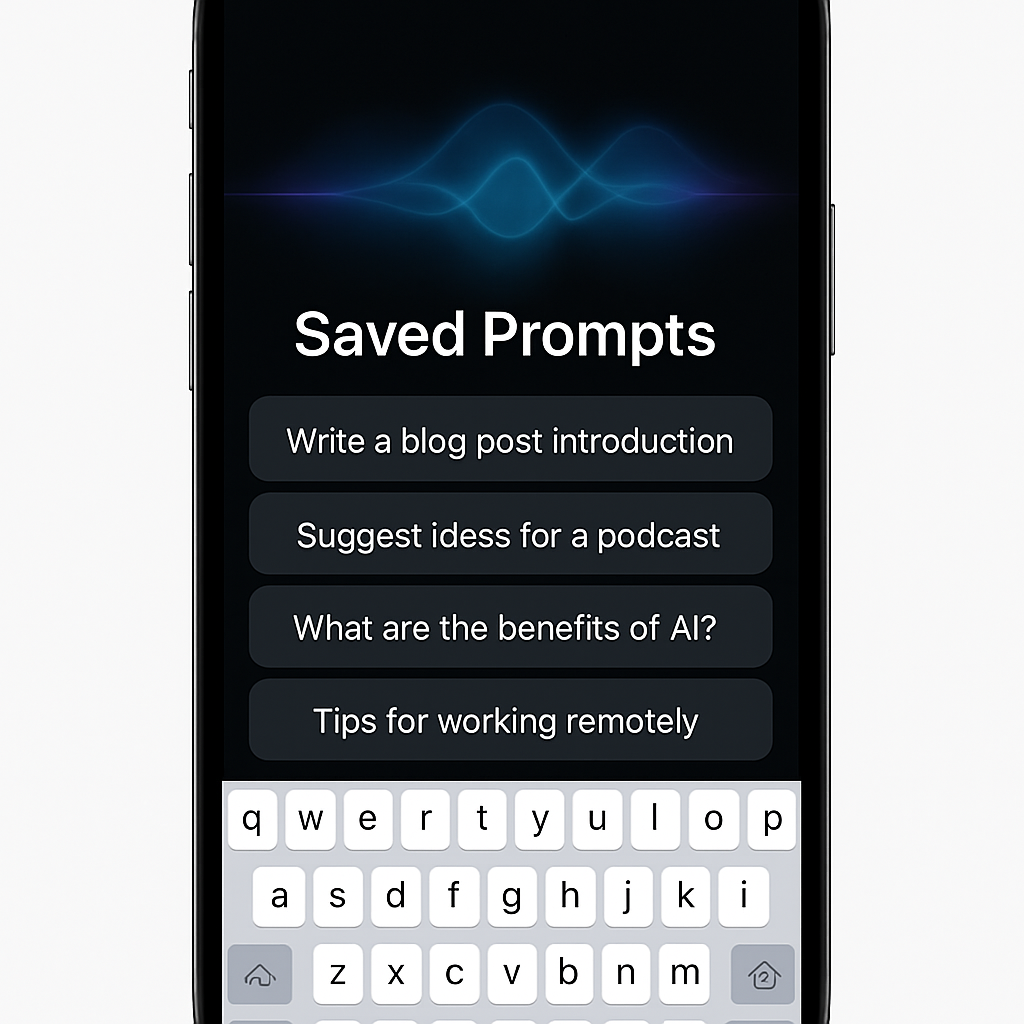
With the arrival of iOS 27, Apple’s Siri AI introduced major upgrades — but many users still find they repeatedly issue the same requests. A new indie app called QuillCue cuts through the redundancy by letting you save your favorite prompts and access them easily via a custom keyboard.
QuillCue creates a separate keyboard on iPhones running iOS 27 or later, letting you store fully written prompts and send them directly to Siri AI without retyping them. To use, you swipe down from the top of the screen to the custom keyboard, pick a prewritten prompt, and tap send. It streamlines interactions you carry out frequently — like finding nearby laptop-friendly coffee shops — and opens up flexibility for more complex routines. The app also allows organizing prompts into folders, so you don’t end up scrolling through a long list just to find what you want.
What’s Included & How It Works
You can save any prompt that Siri AI supports, whether it’s simple or multi-step. This can be a major time saver, especially since Siri AI currently lacks a native ability to recognize or learn “routine” prompts. QuillCue also includes tools for importing and exporting prompt collections, which means you can share your library with friends or move it across your devices.
The app is available free on the U.S. App Store, with no ads or in-app purchases to unlock features. It requires iPhones running iOS 27. At present, it’s only available to users in the United States.
QuillCue expands what Siri AI can practically deliver by filling a usability gap — stored prompts and a quick-access keyboard mean less friction and repetition. For anyone who finds themselves asking the same questions of Siri again and again, it can feel like teaching Siri a “skill” without needing deeper AI customization.
Broader Context & Implications
Siri AI, heralded as one of the centerpiece features in iOS 27, has made strides in integrating generative AI directly into Apple’s device ecosystem. The excitement around these new capabilities has focused mostly on content-generation, conversational quality, and performance. What often gets overlooked is workflow and efficiency — areas where convenience tools like QuillCue become valuable complements.
By offering saved prompts and a custom input method, apps like QuillCue could hint at a future where user-defined templates and prompt libraries are standard for voice assistants. That would help bridge the gap between occasional AI use and more habitual productivity with Siri AI.
For now, QuillCue shines as a lightweight, no-cost utility for U.S. users with iOS 27. Keep an eye on how it evolves — whether it adds multilingual support, broader region availability, or richer integration with voice-based AI. Such features might determine how central prompt-reuse tools become in users’ AI workflows.