Paste, a widely-used clipboard manager for Mac, has introduced Paste MCP, a feature that integrates clipboard history with AI tools like Claude, Codex, and Cursor. This integration is facilitated through the Model Context Protocol (MCP), a standard developed by Anthropic in late 2024 to connect AI assistants with traditional platforms.
MCP has been adopted by numerous companies, including Zapier, Notion, Google, Figma, OpenAI, and Salesforce. By incorporating MCP, Paste enables users to securely transfer clipboard contents to their preferred AI tools, enhancing productivity through various workflows.
With Paste MCP, users can:
– Retrieve context from clipboard history using AI tools.
– Compile notes, links, screenshots, and research accumulated over time.
– Transform saved content into drafts, summaries, or project research.
– Maintain AI workflows while accessing clipboard history.
– Connect Paste to AI tools supporting MCP.
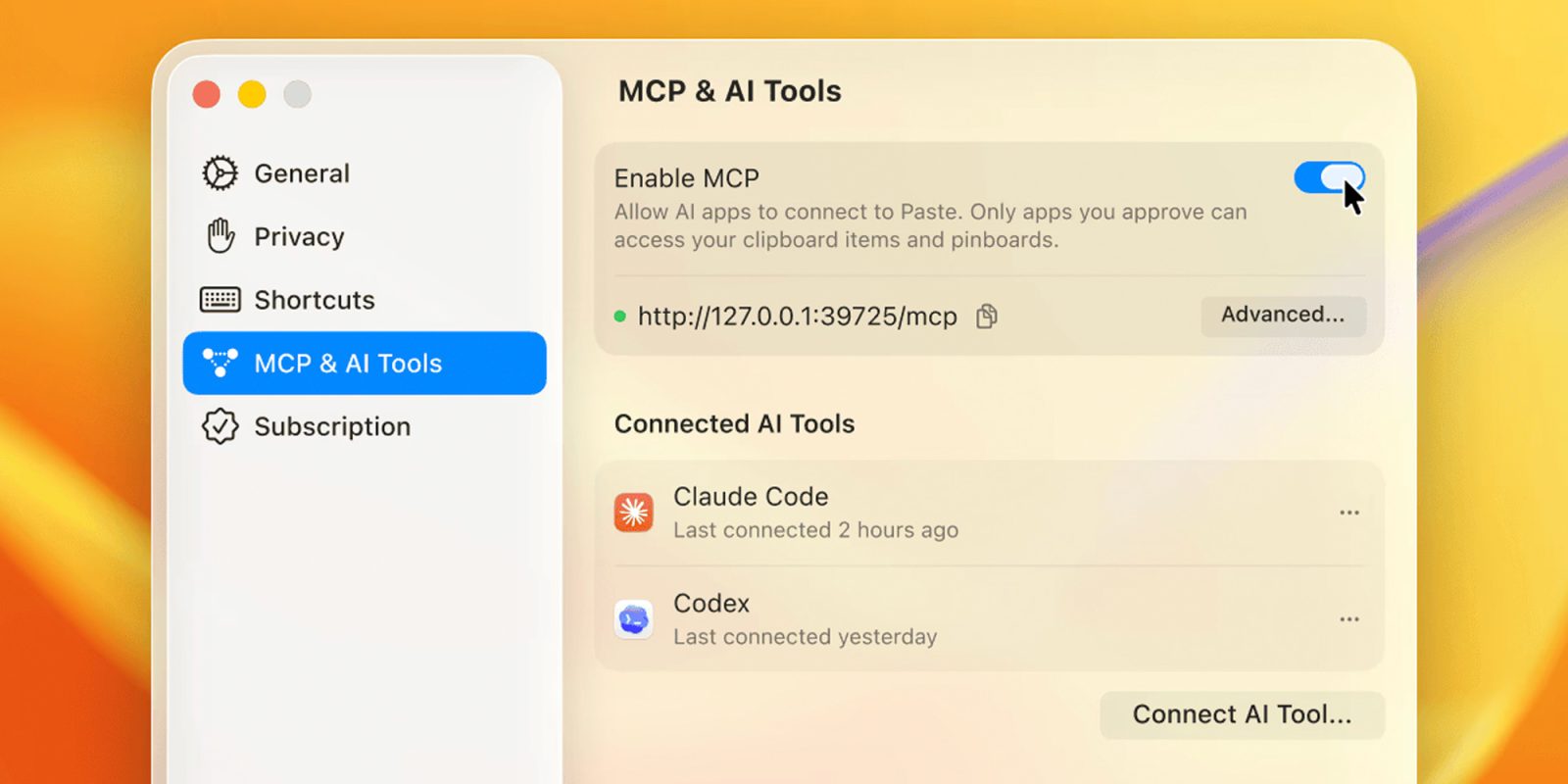
To activate Paste MCP, users should navigate to MCP settings in Paste, enable the ‘Enable MCP’ option, select their AI tool, and follow the setup instructions. Paste emphasizes user control over which tools can access the clipboard, with the option to revoke access at any time.
This development signifies a significant advancement in integrating clipboard management with AI capabilities, offering users a more streamlined and efficient workflow.
Enhance your productivity with Paste MCP! Seamlessly connect your clipboard history to AI tools like Claude and Codex. #PasteMCP #AIIntegration #ProductivityBoost
Paste MCP AI integration
Article X Post:
Hashtags:
Article Key Phrase:
Category: Apple News