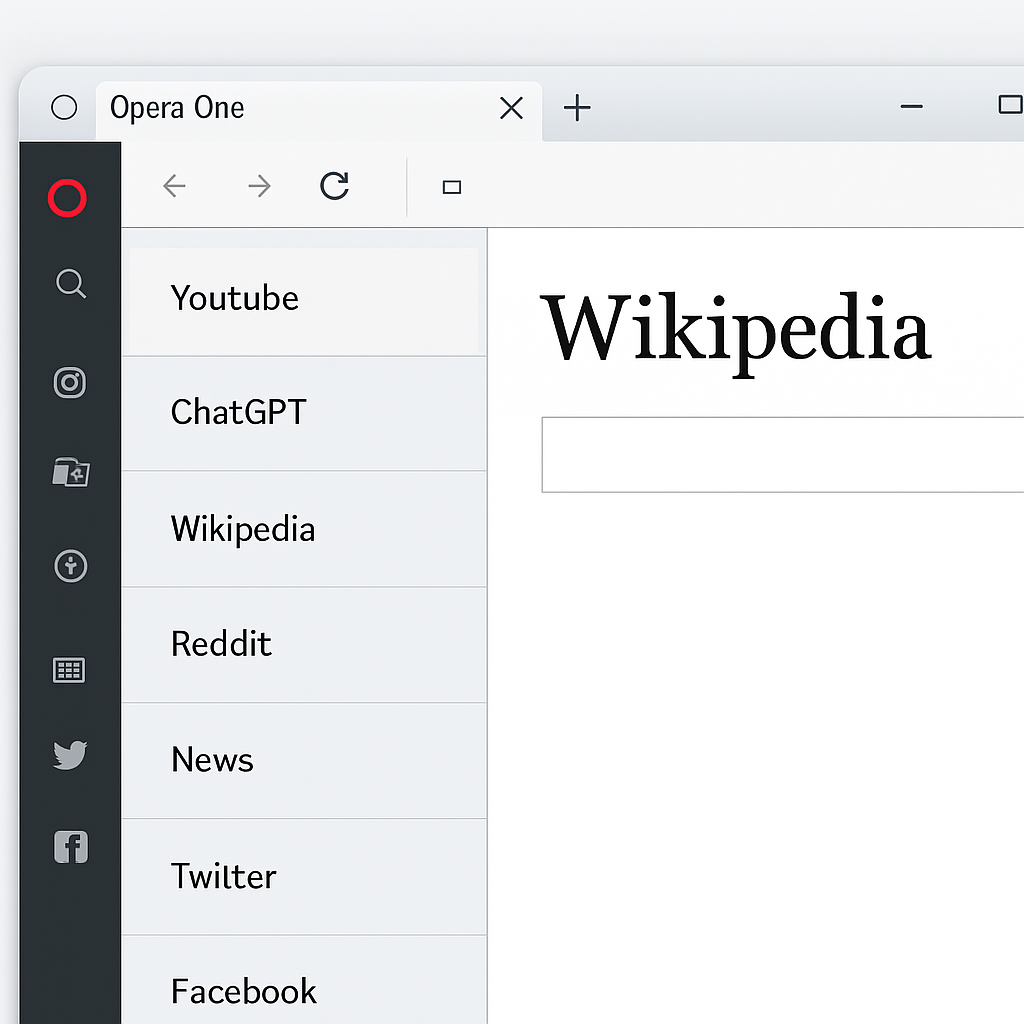
Opera One has recently introduced a vertical tabs feature, allowing users to display their open tabs in a resizable panel along the left side of the browser window. This design addresses the common issue in horizontal tab layouts where numerous open tabs shrink to the point that their titles become unreadable. With vertical tabs, page titles remain legible, enhancing navigation efficiency.
To activate vertical tabs in Opera One, users have three options:
- Right-click any tab in the current tab bar and select “Use vertical tab strip” from the context menu.
- Open the Easy Setup panel (represented by three horizontal bars on the right of the browser’s toolbar) and toggle “Use vertical tab strip” on.
- Navigate to Settings (opera://settings) → Browser → Tabs, and toggle “Use vertical tab strip” on.
Once enabled, the vertical tab strip offers several functionalities:
- Positioning: Tabs shift to the left-hand side of the browser window, situated between the sidebar and the content area.
- Resizing: Users can adjust the width of the vertical tab strip by dragging its right border, ensuring optimal visibility of tab titles.
- Collapsing and Expanding: The tab strip can be expanded for full visibility or collapsed to maximize screen space, depending on user preference.
- Tab Islands: This feature groups related tabs into collapsible sections, streamlining workflow and reducing clutter.
- Pinned Tabs: Pinned tabs appear at the top of the strip as a grid of icons, which can be rearranged as desired.
- Search in Tabs: A magnifying glass icon at the top right of the vertical tab strip allows users to search for specific tabs by keyword.
- Google Meet Integration: An active Google Meet session is indicated by a new circle recording icon, making it easier to locate ongoing meetings.
In addition to vertical tabs, Opera One has integrated Google Lens into the start page search field. This integration enables users to perform image searches directly from the browser’s home page by uploading a file, dragging and dropping, pasting from the clipboard, or entering a URL.
Opera’s introduction of vertical tabs aligns with a broader trend among web browsers to offer more flexible and user-friendly tab management options. Microsoft Edge introduced vertical tabs in May 2021, and Mozilla Firefox followed suit in March 2025 with a redesigned sidebar featuring vertical tabs. Google Chrome began rolling out vertical tabs in April 2026, enhancing readability and tab group management. While Apple’s Safari browser offers Tab Groups navigable from the sidebar, it has yet to implement a dedicated vertical tabs mode.
The addition of vertical tabs in Opera One reflects the company’s commitment to enhancing user experience by providing customizable and efficient browsing tools. As other major browsers adopt similar features, it underscores the growing importance of adaptable tab management systems in modern web navigation.