OpenAI has recently updated its ChatGPT application for macOS, addressing user concerns by improving the accessibility of chat functionalities. This update follows a significant redesign that integrated ChatGPT, Codex, and the newly introduced Work agent into a unified platform.
The initial overhaul, launched last Thursday, replaced the native Mac client with an Electron-based application. This change introduced a complex interface where users had to navigate through a prominent drop-down menu to switch between Codex and Work. The standard Chat experience was relegated to a less conspicuous button, opening a floating window that lacked access to existing conversation histories or projects.
Users quickly expressed dissatisfaction with these changes on OpenAI’s Community forums and social media platforms. In response, Thibault “Tibo” Sottiaux, leading the integration efforts, acknowledged the feedback and committed to restoring chats and projects to the sidebar, clarifying distinctions between ChatGPT Work and Codex, and addressing other usability issues.
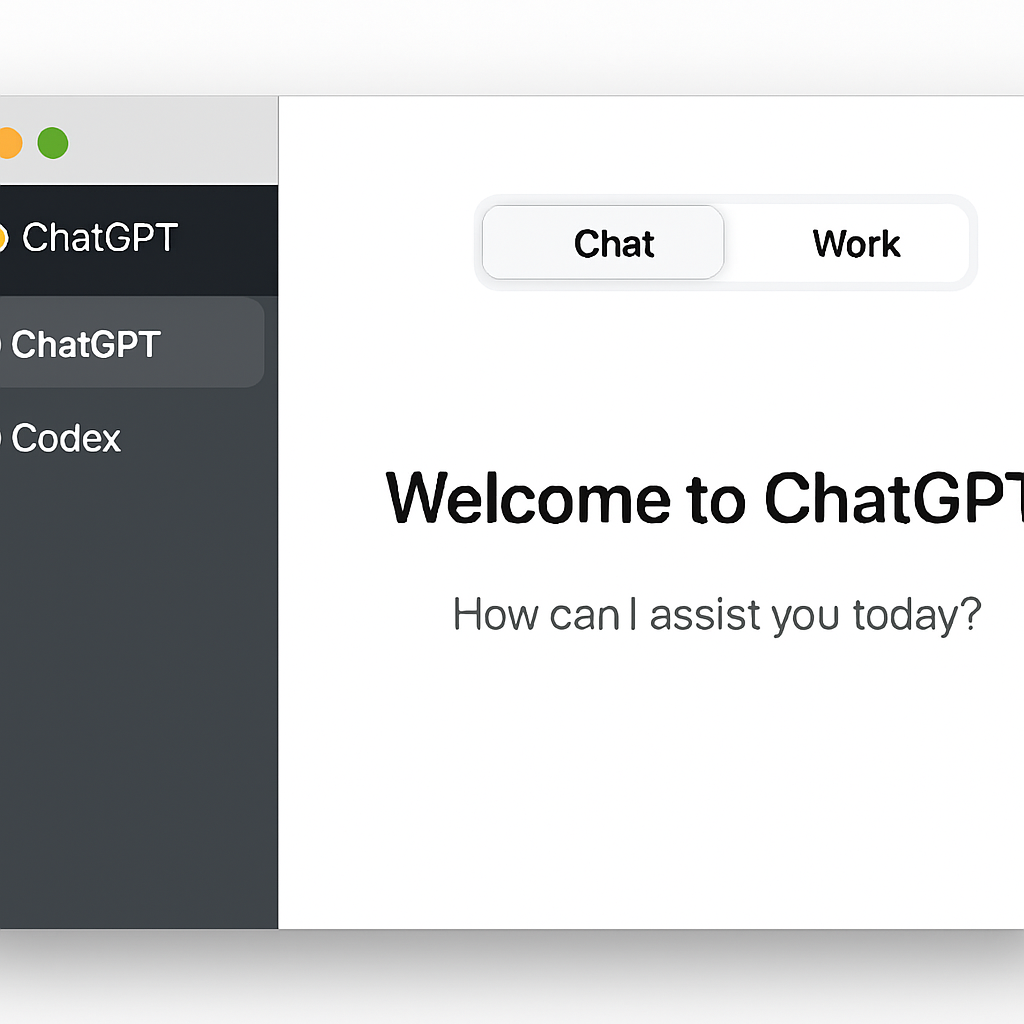
The latest update implements these promised improvements. Users can now seamlessly switch between Chat and Work using a prominent toggle at the top of the application window. Additionally, a sidebar drop-down menu allows for easy selection between the standard ChatGPT and Codex modes, enhancing the overall user experience.
While the interface has been refined, some users may still find it complex. However, those primarily using the application for ChatGPT can now access the chatbot more intuitively. This update underscores OpenAI’s commitment to responding to user feedback and continuously enhancing its applications to meet user needs.