Apple’s not yet public iPhone Duo is leaking clues. While pre-orders don’t kick off until October 16, new code surfacing in the iOS 27.1 beta suggests fresh options are headed for its StandBy mode—many of which users haven’t been told about. These include new watch-face-style displays, widgets, layout choices, and more customization. The changes seem substantial, especially for those who expect StandBy to be more than just a passive screen.
New Faces & Layouts on the Way
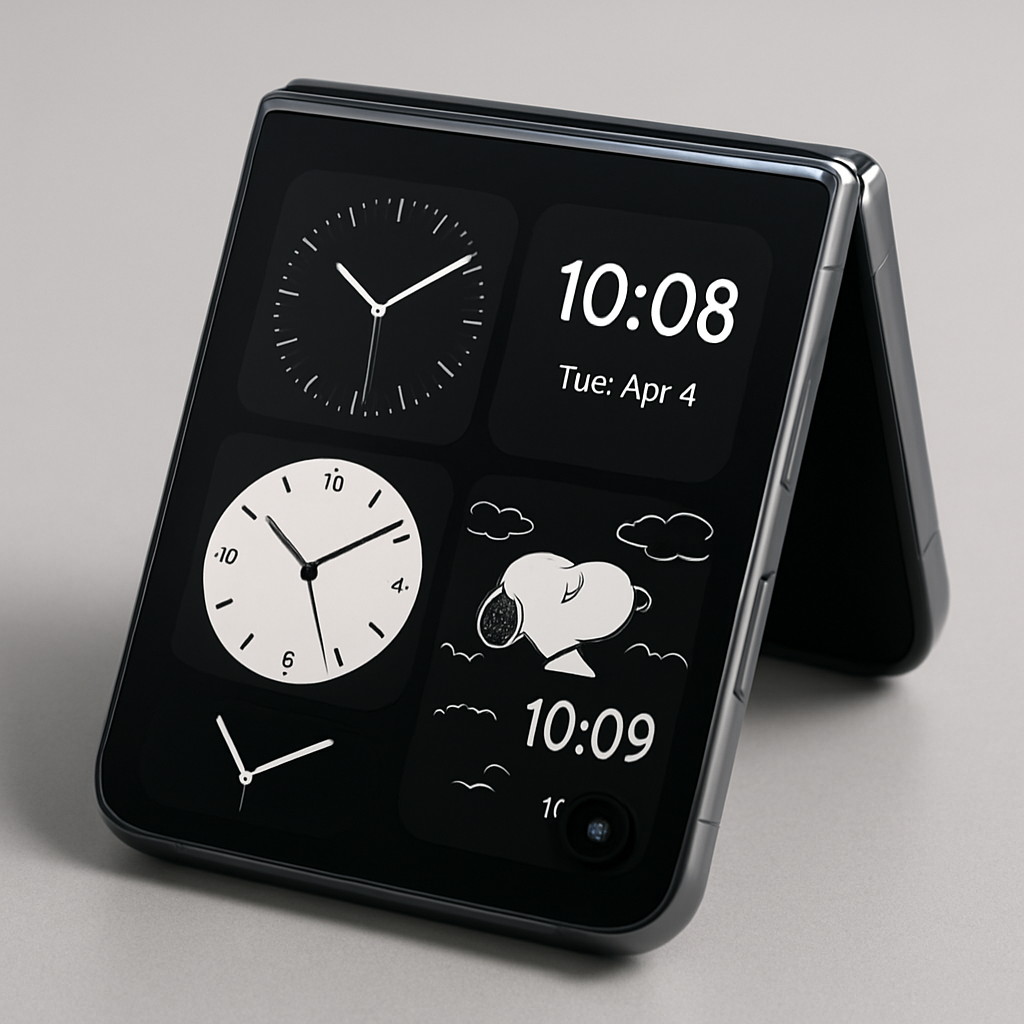
The iPhone Duo’s StandBy mode appears set to debut “Rushmore,” a formerly hidden app that will power revamped faces. The simulator in the iOS 27.1 beta is missing this app, but the localization strings within it hint at several new display faces. Among the new options shown in experimental rendering are variants of the usual clock and calendar faces, plus five entirely new styles: Home Camera (offering up to nine camera views), Home Module, Flow, Fade, and Snoopy. Of those, Flow seems to include “ResponsiveArt,” implying at least some degree of animation.
Enhanced Customization & Widget Flexibility
On the editorial front, the StandBy face editor will let users tweak much more—closer in experience to the flexibility seen on Apple Watchfaces. Customization will include analog vs digital clock style, light or dark modes, numeral design, and colors for both face and hands. Some faces will offer space for two widgets, with layout options that depend on how the phone is folded or displayed.
Specifically, there are five layout styles found in the code: StandBy, Stacked, Top, Middle, and Bottom. StandBy is likely the default for when the phone is closed or laid flat; the others may activate when the phone’s outer screen or hinged area is opened.
These findings come via developer “pdfu,” who has uncovered multiple parts of the Duo’s feature set through the Xcode 27.1 simulator. Past leaks attributed to this developer have included confirmation of Touch ID on the Duo, and shifts in Siri integration toward AI models like Claude or ChatGPT.
What This Means & Why It Matters: For users of the iPhone Duo, StandBy isn’t just a static glance — Apple is clearly investing in making it a dynamic display hub. The new faces, widget slots, layouts, and a finer face-editor will boost personalization significantly. These features position the Duo as a more versatile device for passive interaction—useful whether it’s docked, folded, or open.
The broader takeaway: Apple seems to be pushing StandBy from a novelty toward a central feature. By leaning into animated or responsive displays and layouts that adapt with usage modes, Apple bets there will be meaningful value in consistently visible displays. For users and developers alike, it’ll be worth watching both iOS 27.1’s public betas and Apple’s pre-launch promos to see which of these features make the cut, and how well they perform under real conditions.