Microsoft has unveiled a transformative update to its Outlook application by introducing the Copilot Agent Mode, an advanced AI-driven feature designed to autonomously manage users’ inboxes and calendars. This innovation aims to alleviate digital fatigue and enhance productivity by automating complex, ongoing tasks within the Microsoft 365 ecosystem.
Revolutionizing Inbox Management
Traditionally, Copilot in Outlook functioned as a drafting assistant, aiding users in composing emails or summarizing threads. With the advent of Agent Mode, Copilot evolves into a proactive digital agent that continuously operates in the background to streamline email management.
Key functionalities include:
– Prioritization of Incoming Messages: Copilot assesses and ranks emails based on urgency and relevance, ensuring that critical communications are promptly addressed.
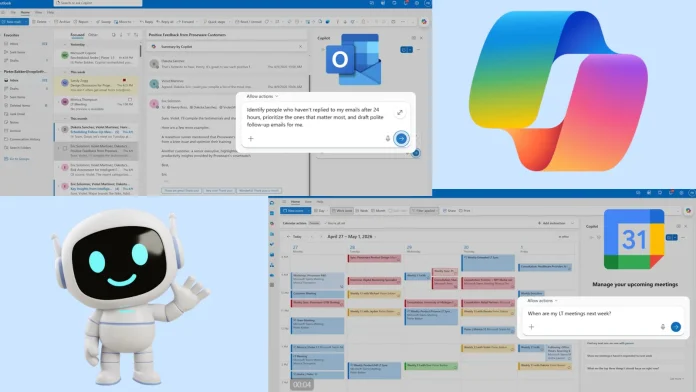
– Automated Follow-Ups: The AI identifies unresponded messages and drafts follow-up emails, reducing the likelihood of overlooked communications.
– Custom Inbox Rules: Users can instruct Copilot to establish complex rules, such as tagging emails from specific senders as High Priority, thereby organizing the inbox more effectively.
For professionals returning from leave, Copilot offers a comprehensive summary of missed emails, highlights urgent matters, drafts concise update emails, and suggests archiving non-essential messages. Transparency is a cornerstone of this feature; users can review, modify, or halt any AI-driven actions, maintaining control over their communications.
Intelligent Calendar Automation
Beyond email management, Copilot’s Agent Mode extends to calendar functionalities, addressing the often time-consuming task of scheduling and rescheduling meetings.
Notable features include:
– Conflict Resolution: Copilot autonomously identifies and resolves scheduling conflicts, reschedules overlapping meetings, and rebooks conference rooms as needed.
– Focus Time Allocation: The AI proactively blocks out periods for focused work, ensuring that users have dedicated time for high-priority tasks.
– Agenda Preparation: Users can prompt Copilot to draft detailed meeting agendas based on specific objectives, pending issues, and assigned responsibilities.
– Off-Hours Protection: Copilot safeguards personal time by automatically declining or rescheduling meetings that fall outside of standard working hours.
Strategic Time Management
Copilot’s capabilities are not limited to reactive tasks; it also offers strategic time management features to align users’ schedules with their professional priorities.
These include:
– Unreplied Email Tracking: The AI monitors sent emails and drafts polite reminders for those that have not received responses within a specified timeframe.
– Project Data Compilation: Copilot gathers relevant project information from the past week to draft comprehensive update emails for stakeholders.
– Meeting Optimization: The AI analyzes upcoming meetings and recommends which ones to decline, delegate, or convert into asynchronous updates, optimizing the user’s schedule.
– Client Meeting Preparation: Copilot compiles context and identifies potential risks to help users prepare effectively for upcoming client engagements.
Ensuring User Control and Security
As AI assumes more autonomous roles in managing corporate communications, maintaining user control and data security is paramount. Microsoft has designed these agentic features to keep the human in the loop for final approvals, ensuring that sensitive information is handled appropriately.
The introduction of Copilot Agent Mode in Outlook signifies a significant leap forward in integrating AI into daily workflows, offering users a more efficient and less burdensome digital experience.