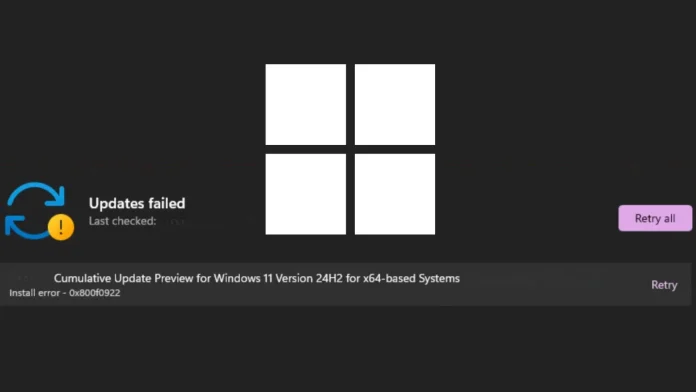
Microsoft has officially acknowledged a critical installation failure affecting its May 2026 Patch Tuesday cumulative update for Windows 11, KB5089549. Users attempting to install this update have encountered error code 0x800f0922, with some also facing errors 0x80240069 and 0x80240031. This issue was added to the update’s change log on May 15, 2026, just three days after its release.
Released on May 12, 2026, KB5089549 is a mandatory cumulative update for Windows 11 versions 25H2 and 24H2, advancing OS builds to 26200.8457 and 26100.8457, respectively. The update includes the latest May 2026 security fixes, non-security quality improvements from April’s optional preview release (KB5083631), and critical Secure Boot infrastructure changes. As a required security update, Windows attempts to install it automatically, making the installation failure particularly disruptive for affected devices.
The root cause behind error 0x800f0922 is insufficient space in the EFI System Partition (ESP), a reserved, low-capacity partition on the device’s drive that stores critical boot files. KB5089549 introduces significant Secure Boot infrastructure changes, including a new SecureBoot folder under `C:\Windows` on eligible devices, along with sample automation scripts designed to help IT administrators manage certificate updates across enterprise fleets. These additions expand the footprint of files written to the ESP during installation, triggering the failure on systems with insufficient free space on the partition.
A central feature of this update is the phased rollout of new Secure Boot certificates, which adds high-confidence device targeting data to increase coverage of eligible devices. Devices only receive the new certificates after demonstrating sufficient successful update signals, maintaining a controlled rollout. Additionally, the update ships example scripts under the new SecureBoot directory, enabling IT professionals in Active Directory environments to automate Secure Boot certificate deployment via safe rollout mechanisms.
Beyond the Secure Boot improvements, KB5089549 addresses several significant issues:
– BitLocker Recovery Loop Fixed: The update resolves a known issue where devices running April 2026’s KB5083769 could enter BitLocker Recovery after boot file updates, particularly on systems with invalid PCR7 (Platform Configuration Register 7) TPM validation settings.
– Boot Manager Reliability: Improvements to startup reliability ensure devices boot normally after boot file updates without entering recovery mode.
– SSDP Service Stability: Reliability improvements to Simple Service Discovery Protocol (SSDP) notifications prevent the service from becoming unresponsive.
– Daylight Saving Time: The update adds DST support for the 2023 change affecting the Arab Republic of Egypt.
Mitigations
Microsoft is actively rolling out a fix for affected devices. System administrators managing enterprise environments can leverage the new Secure Boot automation scripts available after installing the update to monitor certificate update status and manage phased deployment via Active Directory. Organizations should monitor the Windows Release Health Dashboard for the latest remediation status.
In summary, the May 2026 cumulative update KB5089549 for Windows 11 has encountered installation failures due to insufficient space in the EFI System Partition, leading to error code 0x800f0922. Microsoft is addressing the issue and providing tools for IT administrators to manage Secure Boot certificate updates effectively.
Twitter Post: Microsoft acknowledges Windows 11 update KB5089549 installation failures with error 0x800f0922. Issue linked to insufficient EFI System Partition space. Fixes underway. #Windows11 #UpdateIssue #SecureBoot
Focus Key Phrase: Windows 11 update KB5089549 installation failure
Article X Post:
Hashtags:
Article Key Phrase:
Category: Security News