Microsoft is revamping how Android users back up their one-time passwords and account connections in its Authenticator app. Beginning January 2027, the service will drop its native backup system tied to Microsoft Accounts in favor of using Google One’s backup functionality. This shift impacts Android users who rely on Microsoft Authenticator to safeguard their two-factor authentication (2FA) data.
What’s Changing
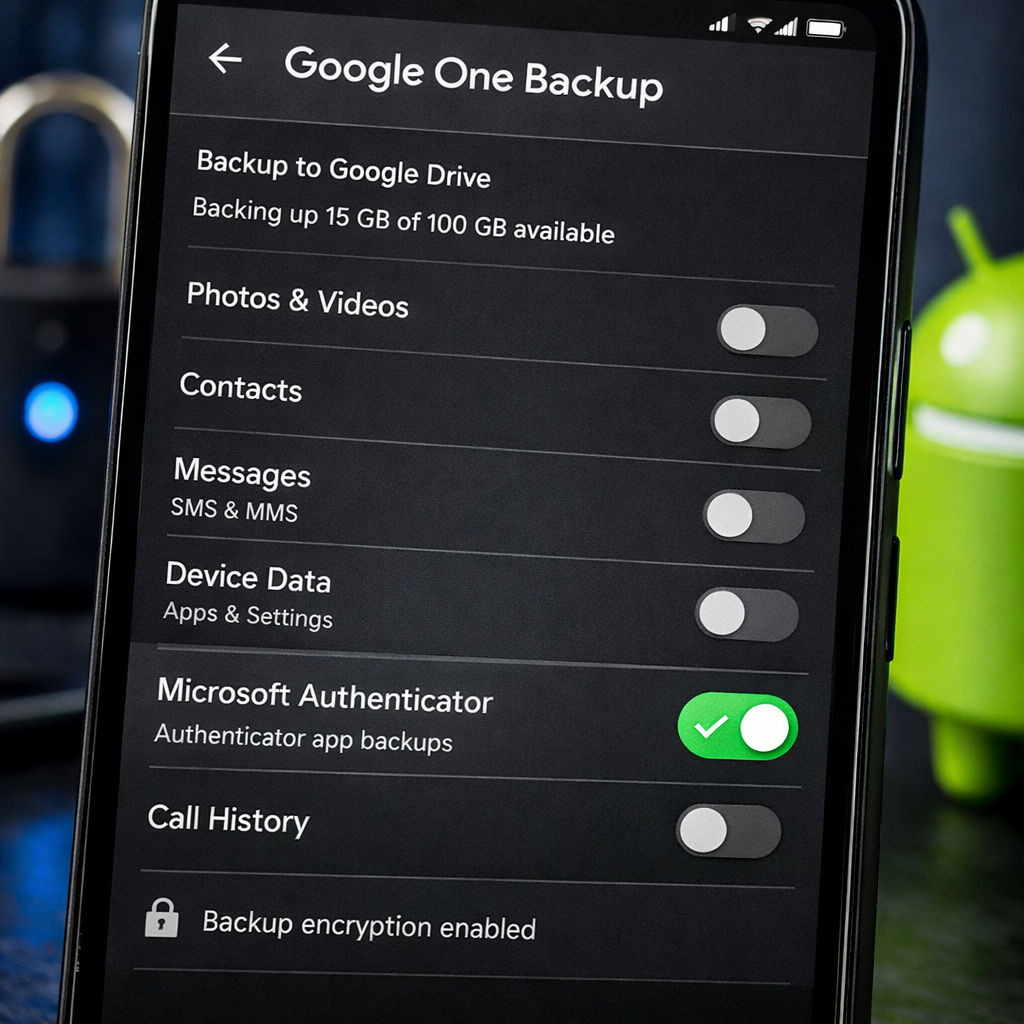
Currently, Microsoft Authenticator allows Android users to back up their one-time-passwords (OTPs) and accounts directly to their Microsoft Accounts. In early 2027, this backup capability will be discontinued. Instead, users will need to enable Microsoft Authenticator in Google One’s backup settings to continue preserving their credentials and 2FA configurations.
Meanwhile, iOS users have long been using Apple’s iCloud Backup service to store Authenticator data, and that will remain unchanged. The new policy applies solely to Android devices.
Why This Matters
For users, this change means an extra step: making sure Google One backup is turned on—and specifically including Microsoft Authenticator in those settings—to avoid losing OTPs or account access. Failing to do so could leave credentials unrecoverable if the phone is lost, replaced, or reset.
Administrators and security-conscious individuals should also take note: this signals Microsoft’s growing reliance on existing platform backups rather than maintaining separate, proprietary solutions. While it may streamline things for Android users already invested in Google’s ecosystem, it also introduces new dependencies.
Looking Ahead
This move fits within a broader trend among app makers consolidating backup infrastructure—using platform-native tools instead of juggling multiple systems. For Microsoft Authenticator users, the big question is how seamless the integration with Google One will be in practice. Will restores happen smoothly? Will there be delays? How well will it protect sensitive OTP data?
In the weeks leading into January 2027, users should double-check their backup settings, test restores if possible, and ensure that Google One has enough storage. Paying attention to these details can mean the difference between maintaining uninterrupted account access and being locked out during a crisis.