Microsoft 365 Users Face Access Issues with Google Chrome Version 147
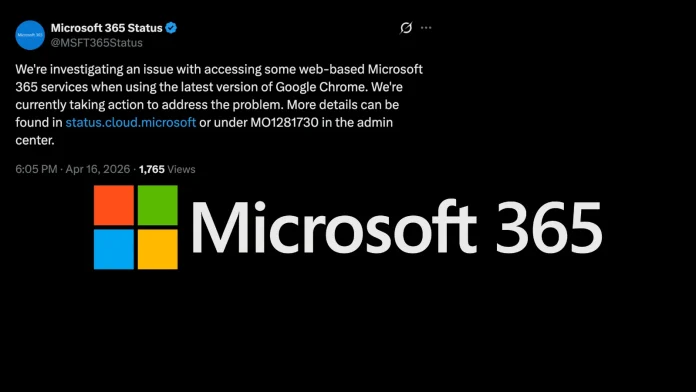
On April 16, 2026, Microsoft began investigating a widespread authentication problem affecting users attempting to access Microsoft 365 web services via Google Chrome version 147. This issue has resulted in numerous users being unable to load or interact with Microsoft 365 applications through their browsers.
Understanding the Compatibility Issue
The core of the problem lies in specific authentication configurations that are incompatible with Chrome’s latest release. Microsoft has identified that these configurations hinder the browser’s ability to complete authentication processes correctly, leading to failures in signing in or loading web-based Microsoft 365 applications. The company is actively working to pinpoint all affected authentication setups and implement necessary fixes.
Official Acknowledgment and Ongoing Efforts
Microsoft’s official service health dashboard has acknowledged the issue, noting that users on Google Chrome version 147 are experiencing difficulties accessing Microsoft 365 web services. The company has been providing regular updates throughout the day, with status notices issued at various times on April 16. These updates indicate that Microsoft’s engineering team is diligently working to resolve the problem.
Impact on Users and Services
The disruption specifically affects users on Google Chrome version 147, which appears to have introduced changes conflicting with Microsoft 365’s authentication infrastructure. Services accessed through the browser, including Outlook on the web, Microsoft Teams (web client), SharePoint Online, and OneDrive, are among those potentially impacted. Users accessing these services through other browsers or desktop clients are not reported to be affected.
Recommended Workarounds
While Microsoft works on a permanent solution, the company has suggested several temporary measures for affected users:
– Refresh the Browser Page: In some instances, simply refreshing the page may restore access as Microsoft applies backend configuration changes.
– Switch to an Alternative Browser: Users can use other browsers such as Microsoft Edge, Firefox, or Safari as a temporary workaround.
– Utilize Desktop Applications: Where available, using Microsoft 365 desktop applications can help avoid browser-dependent authentication issues.
– Monitor Service Health Dashboard: IT administrators should keep an eye on the Microsoft 365 admin center service health dashboard for real-time updates.
Technical Insights and Future Steps
Microsoft has not yet disclosed the specific technical changes in Chrome 147 that triggered the conflict, nor has it provided a definitive timeline for resolution. However, the frequency of status updates suggests that engineers are actively engaged and making progress toward a fix.
Broader Implications
This incident underscores the complexities of maintaining compatibility between rapidly evolving web browsers and cloud-based services. It highlights the importance of robust testing and collaboration between software providers to ensure seamless user experiences.
Conclusion
As Microsoft continues to address the compatibility issue between Google Chrome version 147 and Microsoft 365 web services, users are encouraged to follow the recommended workarounds and stay informed through official channels. The situation serves as a reminder of the dynamic nature of technology and the need for continuous adaptation to maintain service reliability.