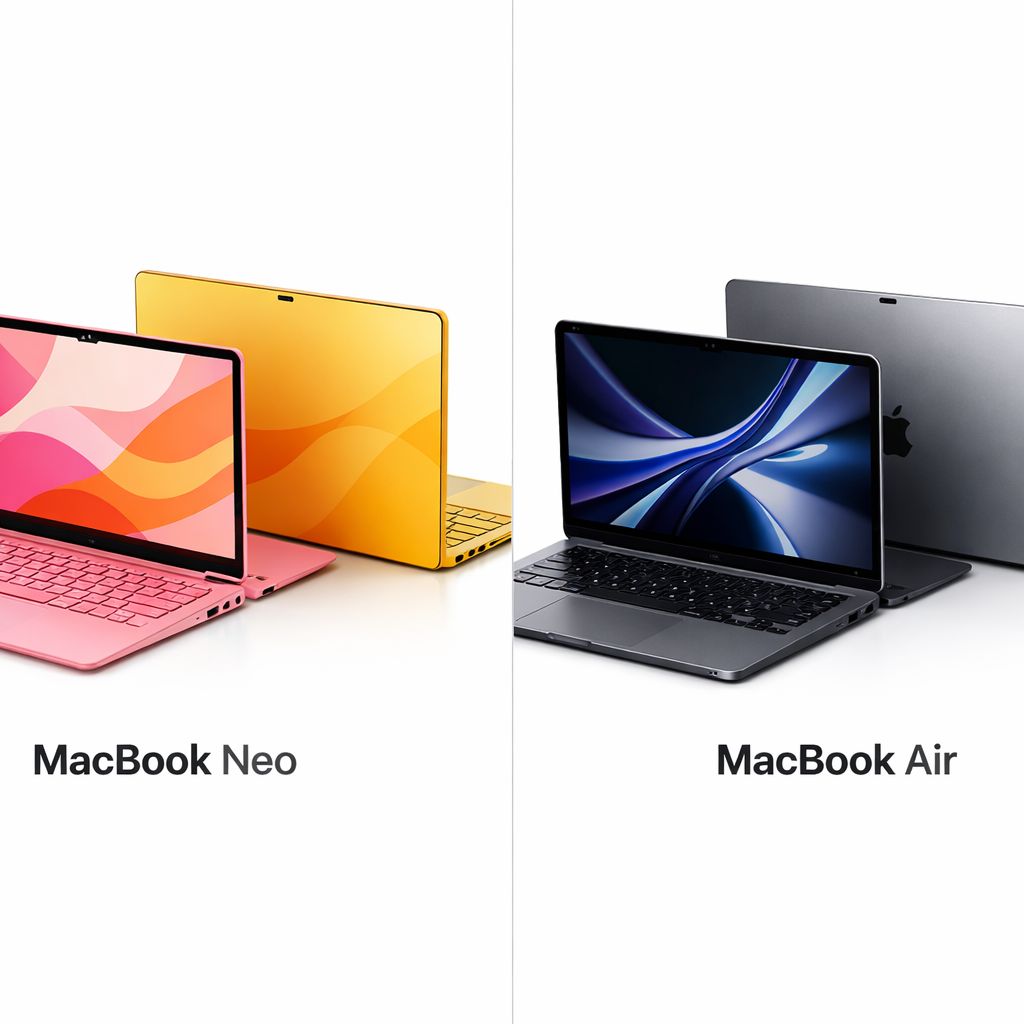
Apple’s laptop family just got more compelling with the addition of the MacBook Neo. Priced to grab attention, the Neo brings a budget-friendly alternative to Apple’s MacBook lineup. If you’re trying to decide between the hyper-affordable Neo and the beefier MacBook Air this holiday season, here’s a detailed comparison of what each delivers.
What the MacBook Neo Brings to the Table
The MacBook Neo stands as Apple’s most affordable Mac ever, with its starting price of $699 — currently discounted to $599 — for the base model. Its lightweight aluminum build comes in playful finishes like Silver, Blush, Citrus, and Indigo. Instead of an M-series chip, the Neo uses Apple’s A18 Pro processor (shared with the iPhone 16 Pro), featuring 6 CPU cores and 5 GPU cores.
Memory and storage are minimal but comes as advertised: 8GB of unified RAM with no upgrade paths, and storage options of 256GB or 512GB. The 512GB version also adds Touch ID. However, to keep costs down, certain compromises exist: the Neo drops the backlit keyboard, MagSafe charging, and a force touch trackpad. Port selection is limited, and it can only support one external display.
Your media experience on the Neo includes a 13-inch display, up to 16 hours of video playback, a 1080p FaceTime camera, and the full suite of macOS features.
Why MacBook Air Might Be the Smarter Investment for Power Users
The MacBook Air, refreshed earlier this year, upgrades things considerably. It starts at $1,299 but often sees deals dropping the price to around $999. In return, you get Apple’s newer M5 chip with significantly more muscle—a 10-core CPU, up to a 10-core GPU—as well as starting memory and storage of 16GB and 512GB respectively. Higher configurations push up to 32GB RAM and 4TB of storage.
The Air also wins across several other categories: it offers up to 18 hours of video playback and 15 hours of wireless web usage, compared to Neo’s 16 and 11 hours respectively. Display options include 13.6-inch and 15.3-inch sizes, each with features like P3 color, True Tone, and brighter brightness. Extras like MagSafe charging, a backlit keyboard, Touch ID across all models, a Force Touch trackpad, better speakers and camera—these are all staples on the Air.
Fans of larger screens will appreciate the 15-inch model of the Air, which is still thin and light but offers more visual real estate. For those with heavier workloads—editing media, coding, multitasking—Air’s superior RAM, storage, and GPU performance will make a noticeable difference.
Head-to-Head Snapshot
Here’s a side-by-side comparison:
- Price: Neo starts at $699 (sale at $599); Air starts at $1,299 (often on sale around $999).
- Processor: A18 Pro in Neo vs M5 in Air—Air delivers more power, especially under sustained load.
- Memory & Storage: Neo capped at 8GB/512GB. Air starts at 16GB/512GB, with upgrade options up to 32GB/4TB.
- Build & Features: Air adds True Tone, P3 display, backlit keyboard, Touch ID on all units, better webcam/speakers; Neo omits many of these.
- Ports & External Displays: Neo is limited; Air supports multiple external displays and has premium connectivity like Thunderbolt, MagSafe.
- Battery & Usage: Air leads in video and web endurance.
Who Each Is Best For
If your needs are basic—web surfing, email, streaming, light productivity—the Neo delivers excellent value. It’s a solid choice if you want an Apple laptop without breaking the bank. But if your routine involves heavier tasks—photo/video editing, coding, large spreadsheets, or lots of multitasking—the MacBook Air offers features, performance, and flexibility that are hard to beat.
Bottom line: The Neo excels for everyday light use and tight budgets. The Air is a better long-term investment for those needing extra horsepower, storage, and premium features.
Why this matters: The arrival of the MacBook Neo shifts the entry point for Apple’s laptop ecosystem downward—and for many, that’s a game changer. It lowers the barrier to entry without sacrificing macOS itself, but at a noticeable cost in performance and premium features. Keep an eye on pricing deals of both models, and consider what your day-to-day tasks really require before choosing. The choice you make now will shape your computing experience for years.