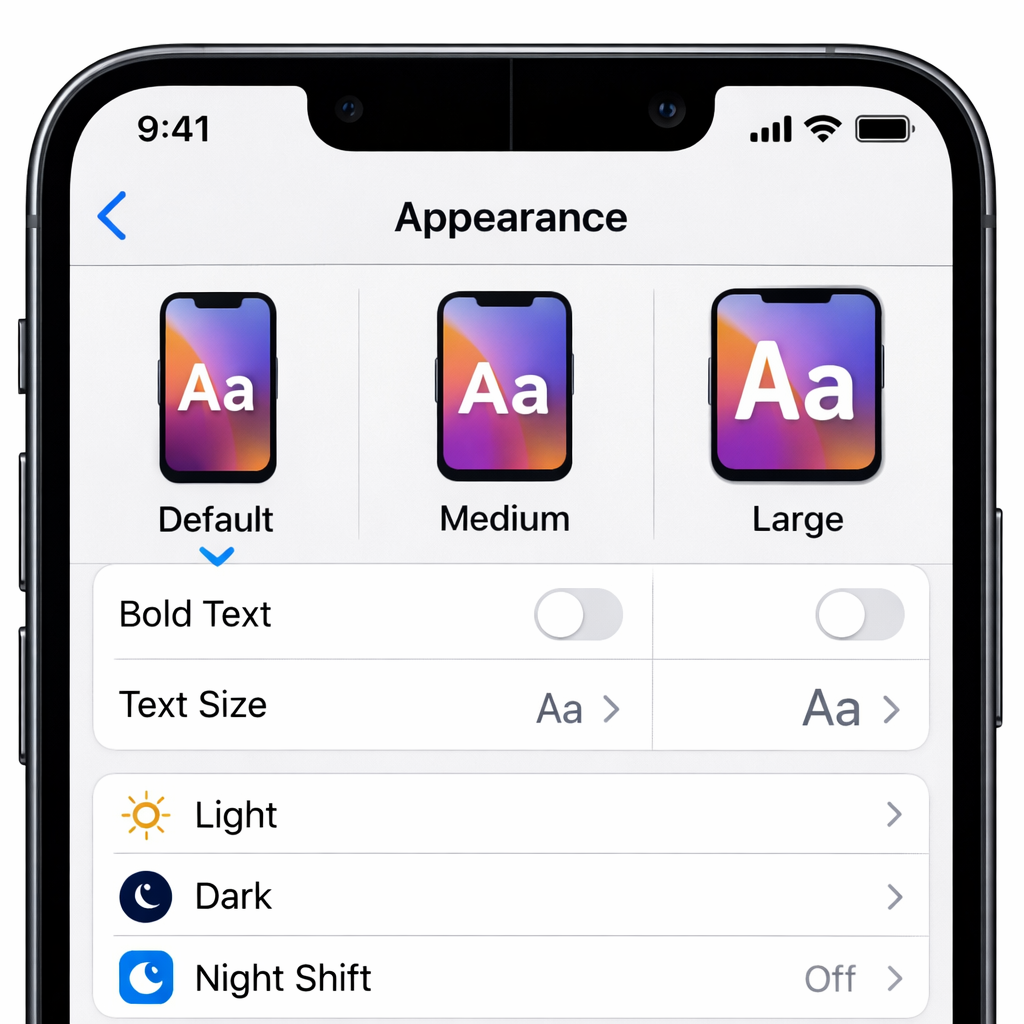
Many early adopters of the iPhone Duo—a first foray by Apple into foldable phones—are discovering that the Display Zoom setting, which adjusts icon and text size, can’t be changed once the device is set up. This omission specifically impacts the “Display Zoom” option under Settings → Appearance. While every iPhone traditionally offers three Appearance choices—Default, Medium, or Large—this option is only selectable during initial device setup on the iPhone Duo.
What’s missing, why it matters
When you first power up any new iPhone, you’re asked to pick your preferred appearance size at setup. Usually, that setting isn’t locked in; users can return to Settings → Appearance and modify how items appear on the screen at any time using Display Zoom. On the Duo, however, that entry point simply doesn’t exist post-setup. Once setup is complete, your appearance choice becomes permanent unless you reset the device and start over.
Reddit users were among the first to flag the issue. One user noted the missing option during regular use, and on forums, someone relayed that an Apple Support senior advisor confirmed there is no way to adjust display zoom after setup without erasing the Duo and doing a fresh setup. That feedback matches internal testing as well: on devices running iOS 27.2, Display Zoom remains absent. The setting is simply not present in the menu options. Apple has been contacted for comment.
Context & implications
Display Zoom has long been a staple for iPhones—especially helpful for users who prefer larger text or have vision considerations. Without this adjustability, people stuck with a smaller or larger view than desired may find the experience suboptimal. Because the iPhone Duo introduces new screen dynamics—foldable displays with unique layouts—options around screen scaling and layout are especially important.
As of the latest software version, iOS 27.2, there is no patch or workaround that restores Display Zoom functionality after setup on the Duo. The only current route to change appearance involves erasing the device and walking through the setup process again—a significant inconvenience for those who only later realize their preference.
This issue doesn’t affect older iPhones. They retain the familiar flexibility: appearance can be adjusted freely after setup via Settings → Appearance → Display Zoom. For Duo users, however, that freedom appears lost—at least until a future software update.
What this means: Apple’s decision to omit a post-setup Display Zoom toggle on the iPhone Duo could lead to a frustrating experience for users who realize too late that their setup choice isn’t ideal. It raises questions about whether this is a design oversight, a software limitation tied to the folding hardware, or an intentional product decision. Moving forward, keep an eye on whether Apple restores the missing setting in iOS 27.3 or through a dedicated hotfix—something many users will find essential.