Apple’s iPadOS 27.2, released this week, brings two standout features that make multitasking and media streaming more personalized and efficient for iPad users.
Siri gets smarter with contextual text selection
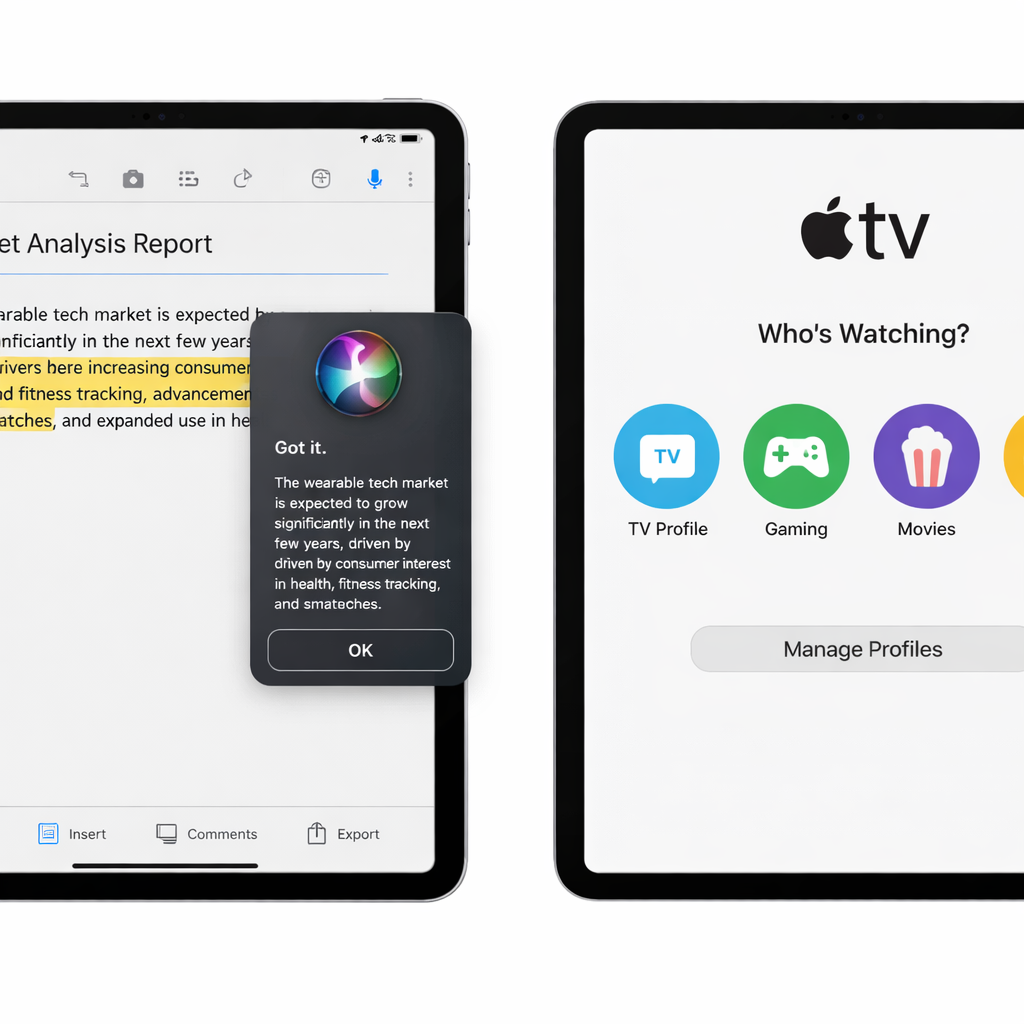
One of the marquee upgrades in iPadOS 27.2 is a new Siri popup that appears whenever you highlight text using a trackpad or mouse. This popup, located just to the left of your selection, reveals a Siri icon which, when hovered over, expands into an interactive “Ask Siri” field. It offers suggestions like “Proofread,” “Rewrite,” and “How does this sound?” enabling quick edits or feedback without leaving your workflow.
Siri’s intelligence has also been enhanced behind the scenes. The assistant can now remember past interactions—such as recommendations given in previous conversations—allowing follow-up questions to build on that history. Siri also pulls from more context: content from photos shared in Messages, event attendee info from Calendar, voicemails, and your reading history in Safari and the Reading List all contribute to more informed responses.
Personalized TV with profiles in Apple TV app
iPadOS 27.2 borrows a feature already found on Apple TV 4K by adding profiles to the Apple TV app on iPad. When the app opens, users are prompted to select which profile is watching—this lets each person have personalized recommendations, viewing history, and watchlists.
For families, parental controls are built in: a child profile will only present content that aligns with your age settings. And if profiles aren’t your thing, there’s a setting to skip the profile prompt on startup.
These additions signal Apple’s push to make iPadOS more adaptive to how people use their tablets in diverse scenarios—editing, research, family viewing—and not just as standalone mobile devices. The Siri contextual popup bridges the gap between traditional keyboard-based work and fluid touch/cursor interaction, while profiles in the Apple TV app transform shared devices into multi-user personalized spaces. For users wondering what to try first: test out the new Siri tools with a trackpad, and set up profiles if you share content with kids or other adults. iPadOS 27.2 is more than another incremental update—it reflects Apple’s focus on context, identity, and smarter assistance in its ecosystem.