With the arrival of iOS 27, Apple is giving users more nuanced control over location sharing in the Find My app, alongside visual refinements and Apple Watch improvements.
Greater Control over Sharing
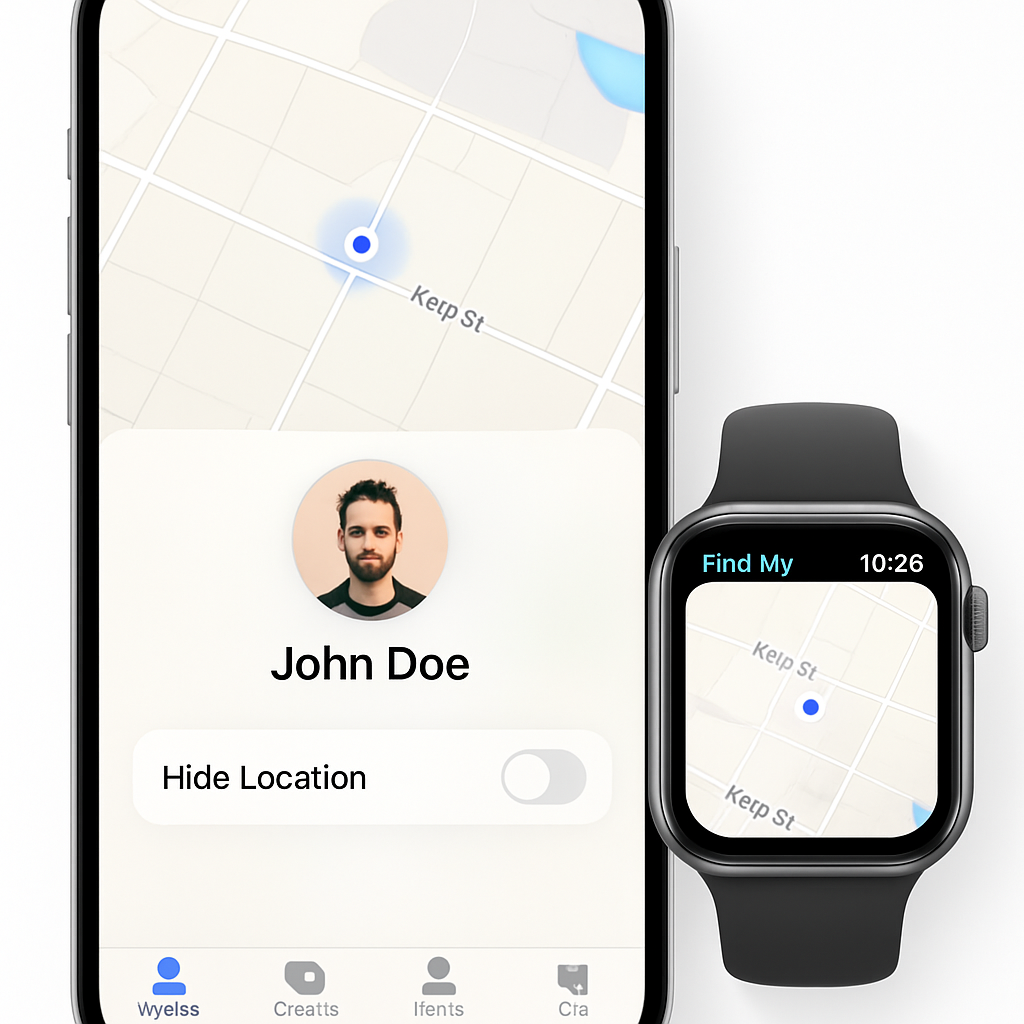
One of the major additions is the ability to customize how and when you share your location. Users can now limit sharing to a set duration or until a specific date and time. Equally important: you can now pause sharing with individual contacts without alerting them in any way. There’s a new toggle on each person’s Find My profile labeled “Hide Location,” enabling you to stop sharing solely with that person. Those who are hidden from won’t receive any notification; their view will simply show “No Location Found.”
Photo-Fresh UI Enhancements
Find My’s interface has been injected with a visual makeover under iOS 27. It now features a refreshed tab bar and the new “Liquid Glass” design language that better aligns it with Apple’s other core apps. One notable change: the main page now displays detailed location information—such as street names—for contacts without requiring extra taps. Iconography has also been overhauled. The “Items” tab, for example, now uses a design inspired by AirTag.
Upgrades for Apple Watch Users
For those with a cellular Apple Watch, location sharing gains greater flexibility: your watch can now serve as the source of shared location when your iPhone or iPad is unavailable. Additionally, the Find My app on Apple Watch has been redesigned, bringing together people, items, and devices into a unified interface.
These changes mark a significant shift in how Apple handles location privacy and multitasking across devices. Being able to hide your location from selected people, combined with more context in the UI and better Watch integration, gives you finer-grained control over privacy while keeping functionality smoother.
What this means: iOS 27’s updates are about striking balance—protecting privacy without sacrificing usability. Keep an eye on how users adapt to the new sharing features—especially the “Hide Location” toggle—and whether this pushes forward industry norms around location control and transparency.