iOS 27 Empowers Users to Dismiss Now Playing Widget from Lock Screen
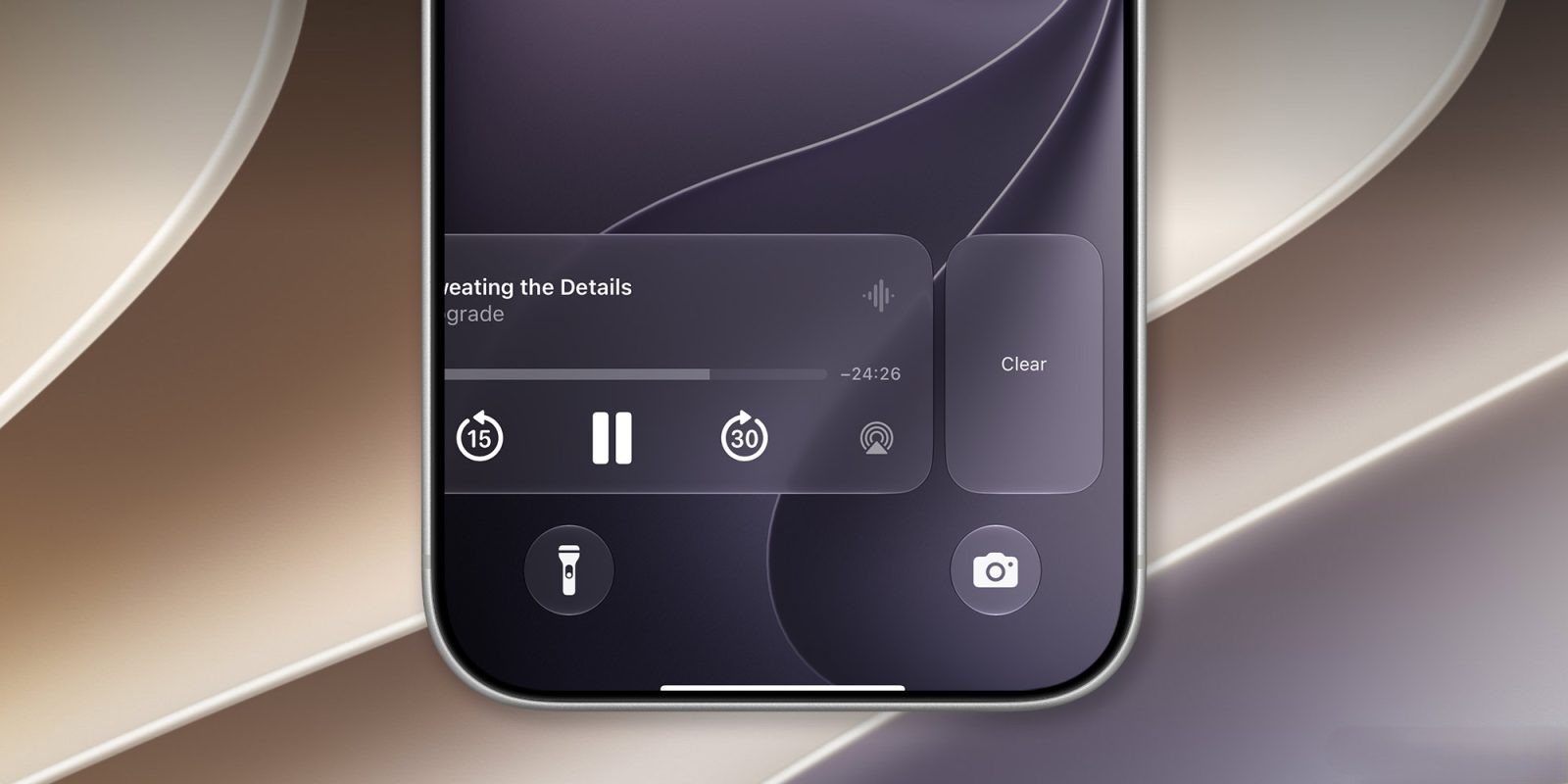
Apple’s upcoming iOS 27 introduces a long-awaited feature: the ability to remove the Now Playing widget from the Lock Screen. This enhancement addresses a common user request for greater control over Lock Screen elements.
Swipe to Dismiss Now Playing Widget
In previous iOS versions, the Now Playing widget remained fixed on the Lock Screen during media playback, with no option for removal. iOS 27 changes this by allowing users to dismiss the widget with a simple swipe, similar to clearing notifications. This functionality extends to the Notification Center, providing a consistent user experience.
Impact on Dynamic Island
The dismissal of the Now Playing widget also affects the Dynamic Island feature. When the widget is swiped away from the Lock Screen, it disappears from the Dynamic Island as well. This integration ensures a unified interface across different iPhone features.
Reactivating the Now Playing Widget
Currently, reactivating the Now Playing widget after dismissal isn’t straightforward. The primary method involves pausing playback, waiting a few minutes, and then resuming. This process may be refined in future updates to offer a more immediate solution.
App-Specific Behavior
The behavior of the Now Playing widget varies depending on the application in use. For instance, if a user dismisses the widget while listening to a podcast in Overcast and then starts a video in YouTube, the widget reappears for YouTube. However, returning to Overcast doesn’t necessarily bring back its Now Playing widget, especially if it was recently dismissed.
User Feedback and Future Updates
The introduction of this feature in the iOS 27 developer beta has been met with positive feedback, as it grants users more control over their Lock Screen content. Apple is expected to refine this functionality based on user input before the official release.
Conclusion
iOS 27’s new capability to dismiss the Now Playing widget from the Lock Screen marks a significant step towards enhanced user customization. This feature, along with other anticipated updates, reflects Apple’s commitment to improving the iPhone user experience.