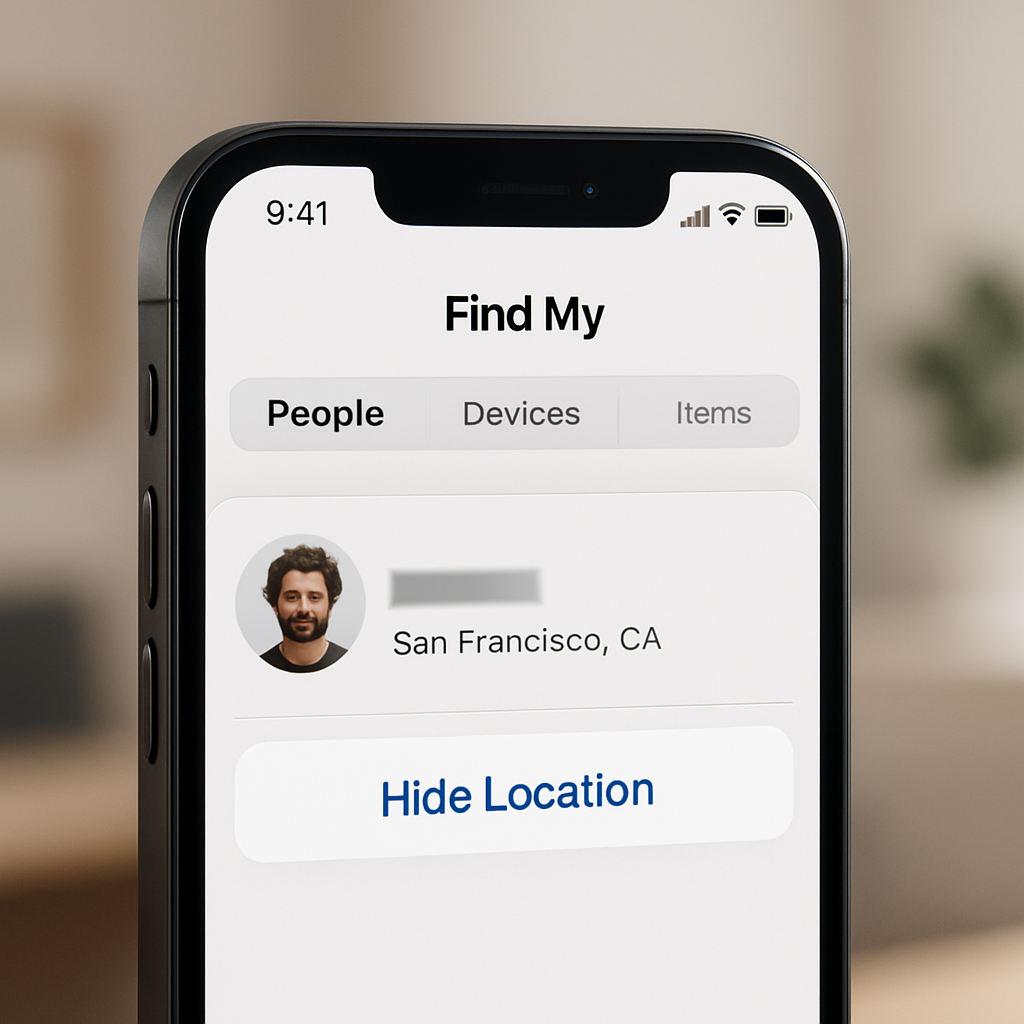
iOS 27’s initial developer beta has introduced a privacy feature in Apple’s Find My app that allows users to temporarily stop sharing their location with specific people without sending any alerts or notifications. The tool, called “Hide Location,” appears under the “My Location” section of the People tab in Find My.
When you enable “Hide Location,” Find My displays “No Location Found” to the people you’ve been sharing your location with, and there is no visible indication to them that your location has been actively hidden. This state lasts for 12 hours, after which your sharing preferences return to what they were before you enabled hiding. The “Hide Location” button switches to an “Unhide Location” control when the feature is currently active.
How It Works in Context
The “Hide Location” option is part of the ways users manage what others see in Find My. Previously, you could turn off sharing outright, stop sharing with specific individuals, or disable location services entirely—but most of these actions left a trace. With this new addition, Apple aims to give users a more discreet way to pause location sharing, even if only temporarily.
This iteration of Find My does not push notifications or messages to the other party when location sharing is paused through the Hide function. From their perspective, it just appears as though the location is unavailable.
Rollout and Availability
The “Hide Location” feature is currently live in the developer beta version of iOS 27, which was released on Monday, September 14, 2026. A public beta is slated to follow shortly, and the full public release is expected later this month as part of the broader iOS 27 rollout. Eventually, the feature will land on all compatible iPhones when the update is ready for general availability.
Find My is Apple’s built-in app for locating devices, sharing location with contacts, and keeping track of items like AirTags. As part of Apple’s annual software updates, iOS 27 brings enhancements to security, privacy, and user control, with “Hide Location” representing one of the more nuanced shifts in how location data can be managed.
Why this change matters: Many users share their location with friends, family, or in other personal or professional settings where discretion is important. Until now, disabling sharing was often abrupt or obvious. “Hide Location” lets you pause location sharing temporarily and privately, giving more subtle control over who sees you and when.
What to watch: Apple could tweak the duration, behavior, or visibility of this feature before the final release. There may also be potential for misuse, and how Apple balances user privacy with accountability may become part of the public conversation after launch.