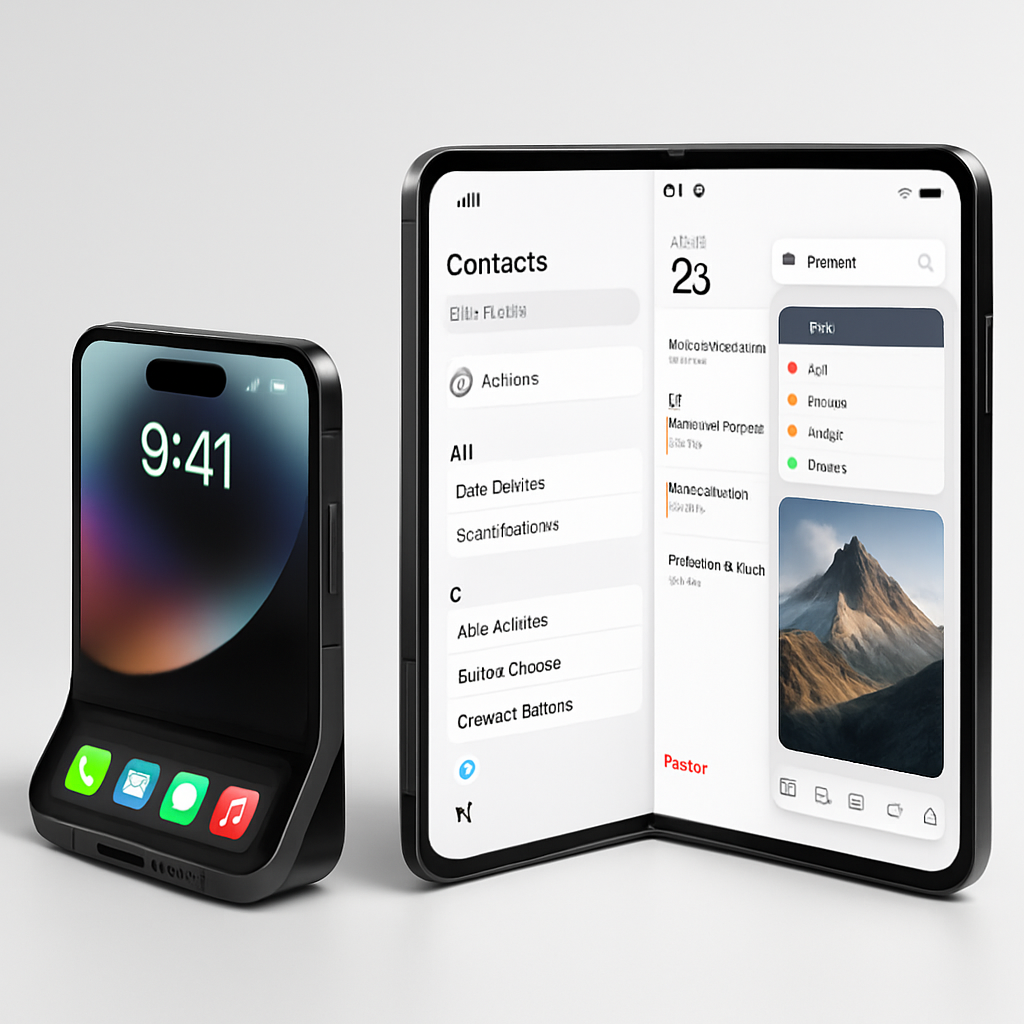
With the iPhone Duo set to launch on October 23, a fresh look at Apple’s first foldable phone shows just how its built-in apps will reshape user interfaces across both internal and external displays. Screenshots, now available on the App Store, reveal changes in layout and navigation that highlight what using the Duo every day could feel like.
Landscape, Dual Views, and Sidebar Navigation
Most apps are shown unfolded in landscape mode, adopting a design that resembles iPad layouts. In this view, several have sidebars or sections to the left for navigation while others employ full-screen views with hidden navigation that can be summoned when needed. Apps like Contacts go further: your list of contacts appears on one side, while editing or detail views appear simultaneously in an adjacent panel. Reminders, calendar, Preview, and other native apps similarly combine bottom tool palettes with navigation bar layouts in order to make the most of the wider inner display. Floating popovers for icon menus are smaller and restrained—less visually obtrusive than their iPhone counterparts.
Outer Display, Dynamic Island, and Interface Consistency
The smaller outer panel, which functions independently of unfolding, echoes many of the same interface decisions. Screenshot previews show apps fitting either full width or using compact layouts with navigation elements tucked away. The Duo leans into vertical navigation bars and a vertical dock regardless of its folded or unfolded state—except when held vertically like a traditional iPad in portrait orientation, where navigation shifts to the bottom.
Also notable: the Dynamic Island feature remains, adapting across displays. On the inner screen, it expands from a side edge for Live Activities and alerts. On the outer display, it reappears as a smaller vertical Island around the camera cutout. Meanwhile, status icons shift to the upper-right, and essential lock screen tools—flashlight, camera—move to the bottom right on the outer display. Face ID appears to be absent; the front-facing FaceTime camera is placed beneath the screen.
The Duo supports multiple folding positions beyond just open and closed. Apple’s visual materials hint at “tent mode,” work angles, and “book-style” open positions. In these modes, navigation and UI elements remain largely consistent, aiming to provide similar controls and placement of buttons whether using the outer display, inner screen, or an angled fold.
No screenshots yet show split-screen multitasking or using two windows of the same app—features like Safari tabs side by side remain only expected for third-party or future software updates. Visuals also portray transitions between displays: moving seamlessly between folded and unfolded states without losing orientation or breaking navigation logic.
The iPhone Duo introduces its redesigned home screen, too. Widgets now live on the left, with apps shifted to the right in a layout optimized for its expansive screen. The status bar changes based on orientation and display, adjusting placement to stay intuitive.
The foldable’s arrival not only marks Apple’s entry into dual-display phones but also sets a template for app behavior across foldable devices. Built-in apps are retooled to scale and adapt, and navigation elements like sidebars and docks are positioned to provide consistency whether using the inner or outer screen or switching orientations.
Apple’s foldable gamble makes sense: the Duo blends mobility with tablet-like real estate, and how well that fusion feels in day-to-day interactions will be defined by its UI. What stands out is Apple’s commitment to fluid adaptation—keeping navigation predictable, displays optimized, and app behavior consistent across folding states. As third-party developers begin updating their apps after the Duo’s debut, watch closely to see if the standards Apple sets here stick—and whether they feel intuitive in public use.”