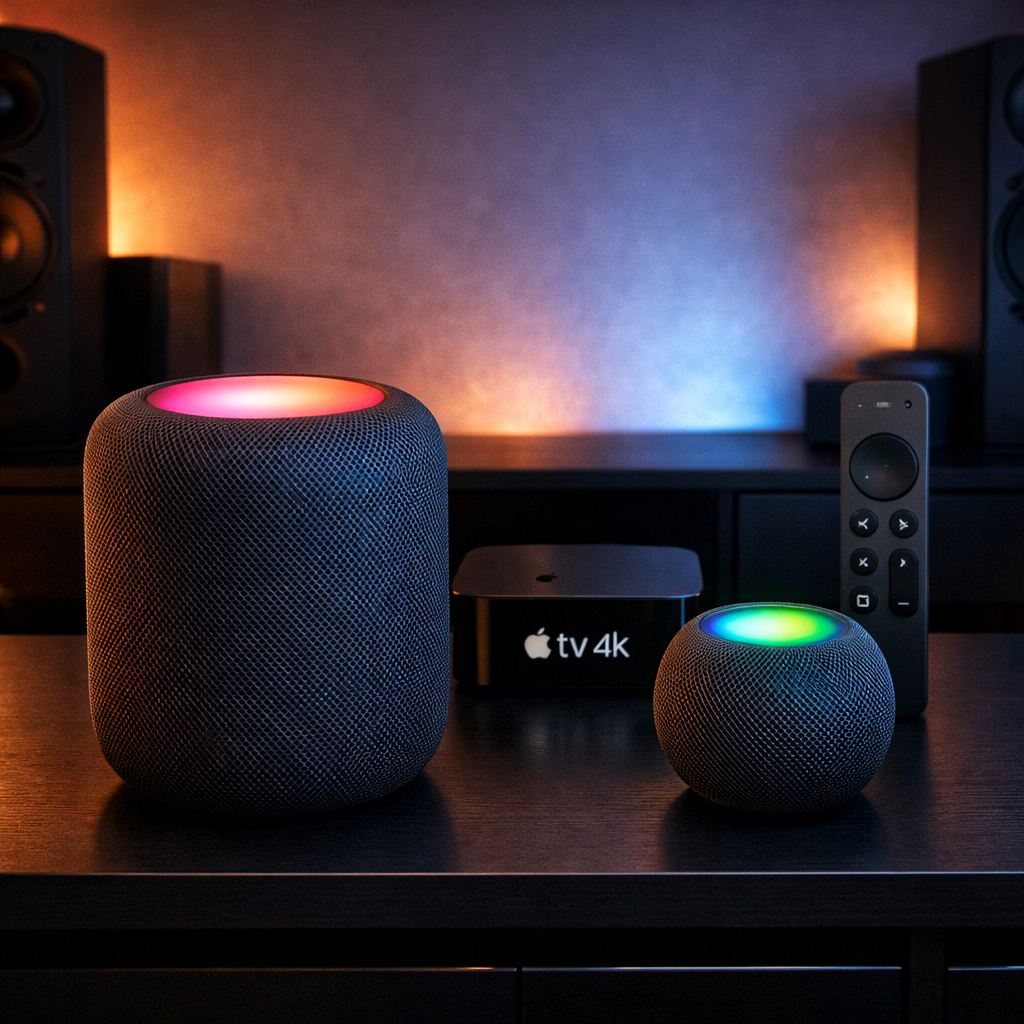
Apple has started rolling out HomePod Software 27.2 to its full-size and mini HomePods, introducing a new visual feature called Sound Glow, enhanced surround sound options for Apple TV, and improved control over touch interactions. This update is designed to expand functionality for existing devices and align them with the newest HomePod mini 2 and Apple TV 4K releases.
What’s New in 27.2
Sound Glow is the spotlight feature in this update. It causes the touch surface of HomePod, HomePod mini (2020), and HomePod mini 2 to illuminate in colors derived from the currently playing album artwork, pulsing in time with the music, podcasts, or ambient sound. The original 2018 full-size HomePod is excluded due to its different top lighting hardware. The glow effect is adjustable via the Home app once the device is updated. For Apple TVs linked to HomePods, controls for enabling or disabling Sound Glow will also appear in Control Center.
Another addition is a Lock Controls option. When activated, this setting disables most touch interactions—such as tap to play/pause, volume changes, skipping tracks, or summoning Siri via touch—on HomePods. However, it preserves functionality for alarms, Intercom, timers, Check-In, and responding to FaceTime calls.
Better Mac & Apple TV Integration
The update also brings support for setting compatible HomePods as the default speaker for Macs. In addition, HomePod Software 27.2 plus tvOS 27.2 include settings for a full four-speaker surround sound or “Whole Room Audio” mode when paired with the new fourth-generation Apple TV 4K. Surround setups require front and rear pairs of speakers, which must either both be full-size HomePod (second-generation) units or HomePod mini 2 units, or a mix provided the matching is front-to-front and rear-to-rear. Older HomePods—original models—cannot take part in surround sound setups.
Surround Sound mode provides adjustable rear speaker volume (from –8 dB to +8 dB) and can send stereo or Atmos content to both front and rear pairs. Whole Room Audio provides a more evenly distributed stereo experience throughout a room. In that mode, the front-left and rear-right speakers carry left-channel audio, while the front-right and rear-left carry the right channel, so sound remains balanced whatever direction you face.
Release Timeline
HomePod Software 27.2 is now being distributed. It’s paired with iOS 27.2 and tvOS 27.2, all seeded in release candidate form as of October 19, 2026. The new HomePod mini 2 becomes available to customers on October 30, while the new Apple TV 4K (4th gen) launches on November 13, fully enabling surround/whole-room audio setups.
Updating is simple via the Home app on iPhone, iPad, or Mac under Home Settings > Software Update. Devices set to auto-update will receive 27.2 as soon as Apple deems it stable.
What This Means: With this update, Apple has made meaningful strides in enhancing the HomePod platform’s visual flair, control, and audio integration. Sound Glow brings a fun, aesthetic element; Lock Controls address accidental touch complaints; and the four-speaker surround / Whole Room Audio options edge Apple further into serious sound system territory—if you’re willing to invest in the matching hardware. The original HomePod missing out on some features underscores how hardware design still limits software evolution. Moving forward, seeing more flexible setups or wider compatibility would mark the next leap.