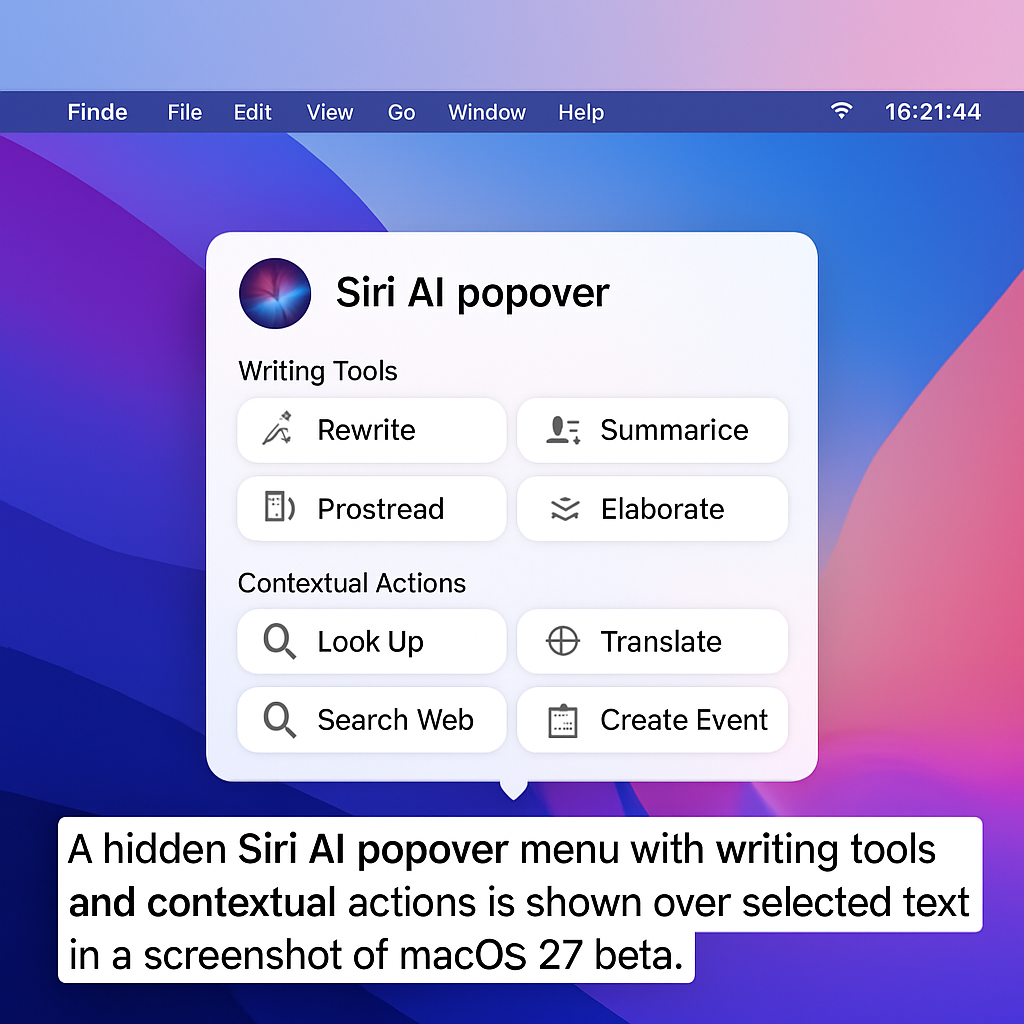
Apple is reportedly testing a concealed Siri AI interface within the macOS 27 Golden Gate beta. This hidden feature introduces a popover menu that appears when users select text, offering a suite of writing tools and contextual actions.
When text is highlighted, a floating icon emerges at the top-left corner of the selection. Hovering over this icon expands it into a compact popover, presenting options such as ‘Rewrite,’ ‘Proofread,’ ‘How does this sound?,’ and ‘Edit with Siri.’ Additionally, users can generate key points or summarize the selected text. The contextual actions adapt based on the content, enabling tasks like adding contact details, composing messages or emails, creating calendar events, displaying locations in Maps, and tracking flights or packages.
By default, this Siri popover is disabled in the current macOS 27 developer beta 3 and public beta 1. However, beta testers have discovered a method to activate it using a Terminal command. It’s important to note that the feature is still under development, with some actions not yet fully functional, indicating ongoing refinement by Apple.
For those interested in experimenting with this feature, the following Terminal command can be used, followed by a system restart:
sudo mkdir -p /Library/Preferences/FeatureFlags/Domain && sudo defaults write /Library/Preferences/FeatureFlags/Domain/WritingTools LightweightUI_macOS -dict Enabled -bool true
To disable the interface, use this command and restart:
sudo defaults write /Library/Preferences/FeatureFlags/Domain/WritingTools LightweightUI_macOS -dict Enabled -bool false
Given the feature’s unfinished state and inconsistent behavior, there’s no assurance it will be included in the final release of macOS 27 Golden Gate expected this fall.
The integration of such a contextual Siri interface could significantly enhance user productivity by streamlining tasks directly within the text selection process. If fully realized, this feature would represent a substantial advancement in macOS’s AI capabilities, offering users more intuitive and efficient interactions with their devices.