Google Introduces ‘Skills’ in Gemini for Chrome to Streamline Custom Workflows
Google has unveiled a new feature called ‘Skills’ for Gemini in Chrome on desktop platforms, designed to enhance user productivity by enabling quick execution of frequently used prompts. This addition not only saves time but also educates users on the diverse capabilities of Gemini when interacting with web pages.
Understanding ‘Skills’
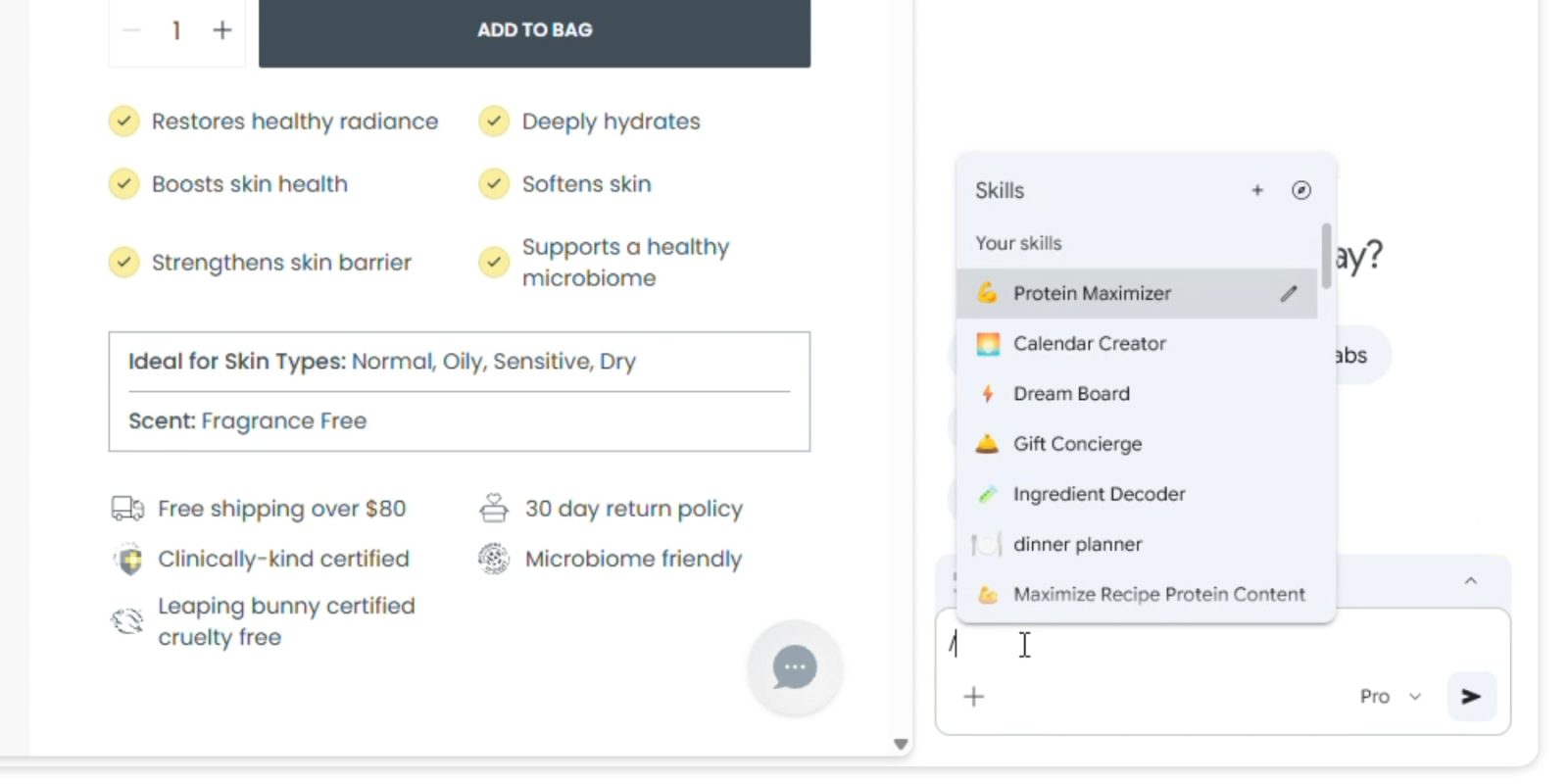
‘Skills’ are essentially one-click workflows that can be activated by typing a forward slash (/) in the Gemini prompt box. This shortcut executes the predefined macro on the current page being viewed, as well as any other selected tabs, which can be added using the ‘+’ button. By saving prompts that are regularly used, users can avoid the hassle of sifting through chat histories to copy and paste commands into new conversations. Gemini further encourages the creation of ‘Skills’ by prompting users to save them at the conclusion of chats. Users have the flexibility to name these ‘Skills’ and assign identifying emojis for easy recognition.
Accessing and Managing ‘Skills’
Google provides a comprehensive library of ‘Skills’ accessible at chrome://skills/browse. This repository includes common tasks and workflows categorized under Learning, Research, Shopping, Writing, and more. Users can save and edit ‘Skills’ that align with their needs. Examples of practical applications include:
– Health & Wellness: Quickly calculating protein macros for any recipe.
– Shopping: Generating side-by-side specification comparisons across multiple tabs.
– Productivity: Scanning lengthy documents to extract important information.
For instance, if a user wants to analyze the ingredients of a product viewed online or select the perfect gift by cross-referencing their budget with the recipient’s interests, ‘Skills’ can facilitate these processes efficiently.
Enhancing Information Processing
Beyond information retrieval, ‘Skills’ can transform data into infographics and visualizations, aiding users in better digesting and understanding complex information.
Safety Measures
To ensure user security, ‘Skills’ prompts will request confirmation before performing sensitive actions such as adding events to calendars or sending emails.
Availability
The ‘Skills’ feature is rolling out to Gemini in Chrome on desktop starting today. Saved ‘Skills’ are accessible on any signed-in Chrome desktop device and can be managed by typing a forward slash (/) in Gemini in Chrome and then clicking the compass icon.