Google Revamps Gemini Live: Say Goodbye to Fullscreen on Android
Google is introducing a significant redesign to its Gemini Live feature on Android devices, moving away from the traditional fullscreen interface to a more integrated experience within the Gemini app. This update aims to enhance user interaction by streamlining the interface and making essential controls more accessible.
Integrated Interface
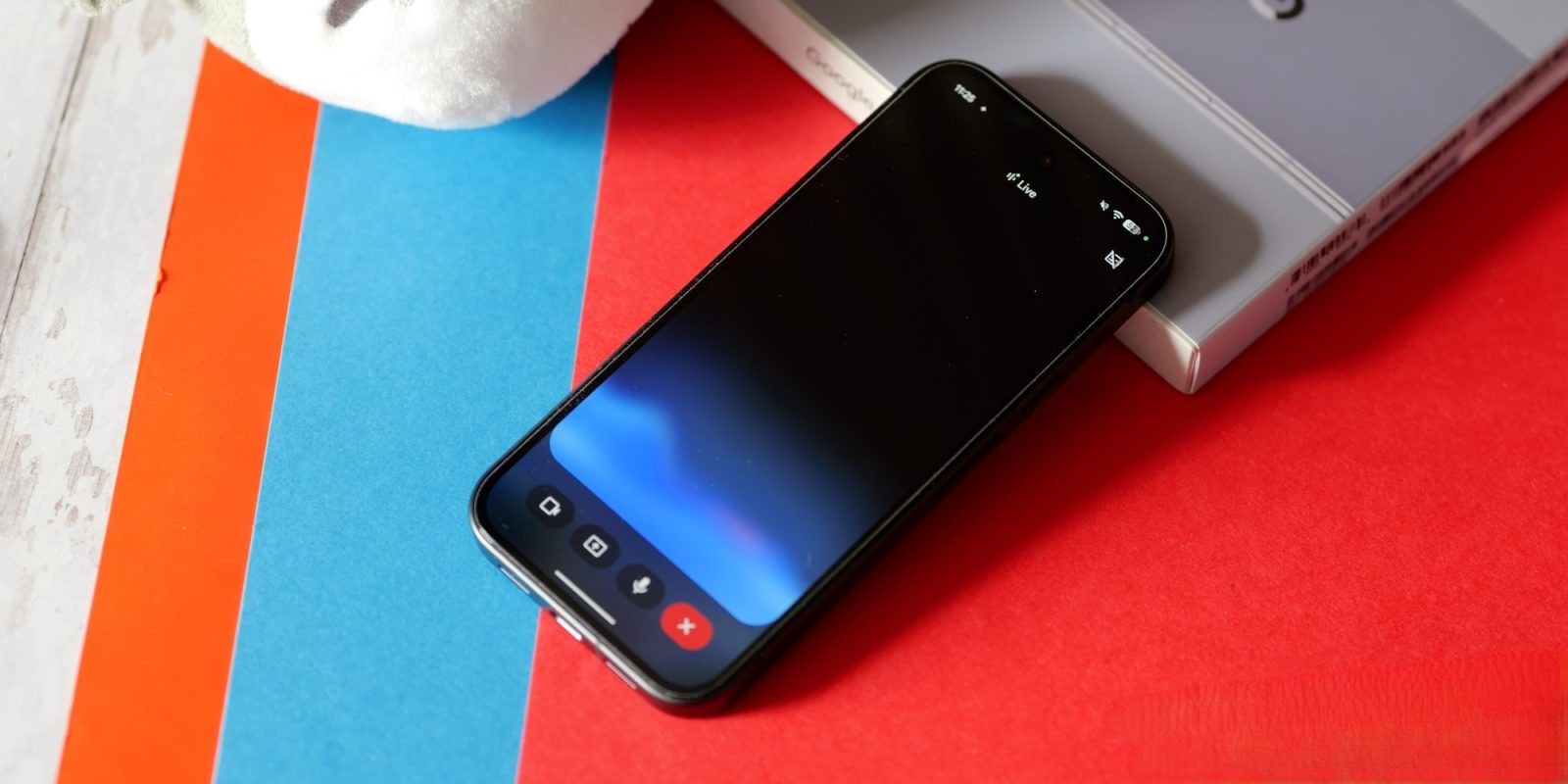
Previously, activating Gemini Live would launch a fullscreen interface, which, while immersive, could be cumbersome for users multitasking or needing quick access to other app features. With the new design, Gemini Live seamlessly overlays the Gemini app’s homepage. The top bar now displays Live with Gemini and includes a transcript button for real-time conversation tracking.
Enhanced Control Accessibility
The bottom of the screen features a pill-shaped container housing a blue waveform, indicating active listening. On the left side, users can easily share their camera or screen, facilitating more interactive sessions. On the right, a microphone mute button is readily available, allowing users to control audio input effortlessly. Exiting Gemini Live is straightforward: tapping the keyboard icon or using the system’s back gesture returns users to the standard app interface.
Evolution of Design
This redesign follows earlier tests where Google experimented with a minimalist approach, offering only camera sharing and a keyboard icon, with the mute function accessible via a double-tap on the waveform. The current iteration prioritizes clarity and user-friendliness by making all essential controls immediately visible.
Availability
The updated Gemini Live interface is rolling out to users participating in the Google app beta program, specifically those on version 17.14. Currently, this redesign is exclusive to the Gemini app, with the overlay interface remaining unchanged. However, plans are in place to extend the redesign to the overlay, ensuring a consistent user experience across all platforms.
Implications of the Redesign
Transitioning away from the fullscreen UI marks a notable shift in Gemini Live’s design philosophy. The fullscreen mode was a distinctive feature, heavily featured in marketing and recognized for its immersive experience. By integrating Gemini Live into the app’s main interface, Google aims to provide a more cohesive and less intrusive user experience, aligning with modern design trends that favor minimalism and functionality.
User Feedback and Future Developments
As with any significant UI change, user feedback will be crucial in determining the success of this redesign. Google’s decision to test this new interface with beta users indicates a commitment to refining the experience based on real-world usage and preferences. Future updates may further adjust the interface, incorporating user suggestions and addressing any identified issues.
Conclusion
Google’s redesign of Gemini Live represents a thoughtful evolution of the feature, aiming to balance functionality with user convenience. By embedding live interactions directly into the Gemini app’s homepage and making controls more accessible, Google enhances the overall user experience. As this update becomes widely available, it will be interesting to see how users adapt to and embrace the new design.