Google has launched a major redesign for the “Collections” tab in the Android version of Google Photos, introducing a more flexible, user-controlled layout for navigating albums, media types, and other key photo categories. The update is part of a broader interface refresh that started with a floating navigation bar rollout in July.
What’s New in Collections
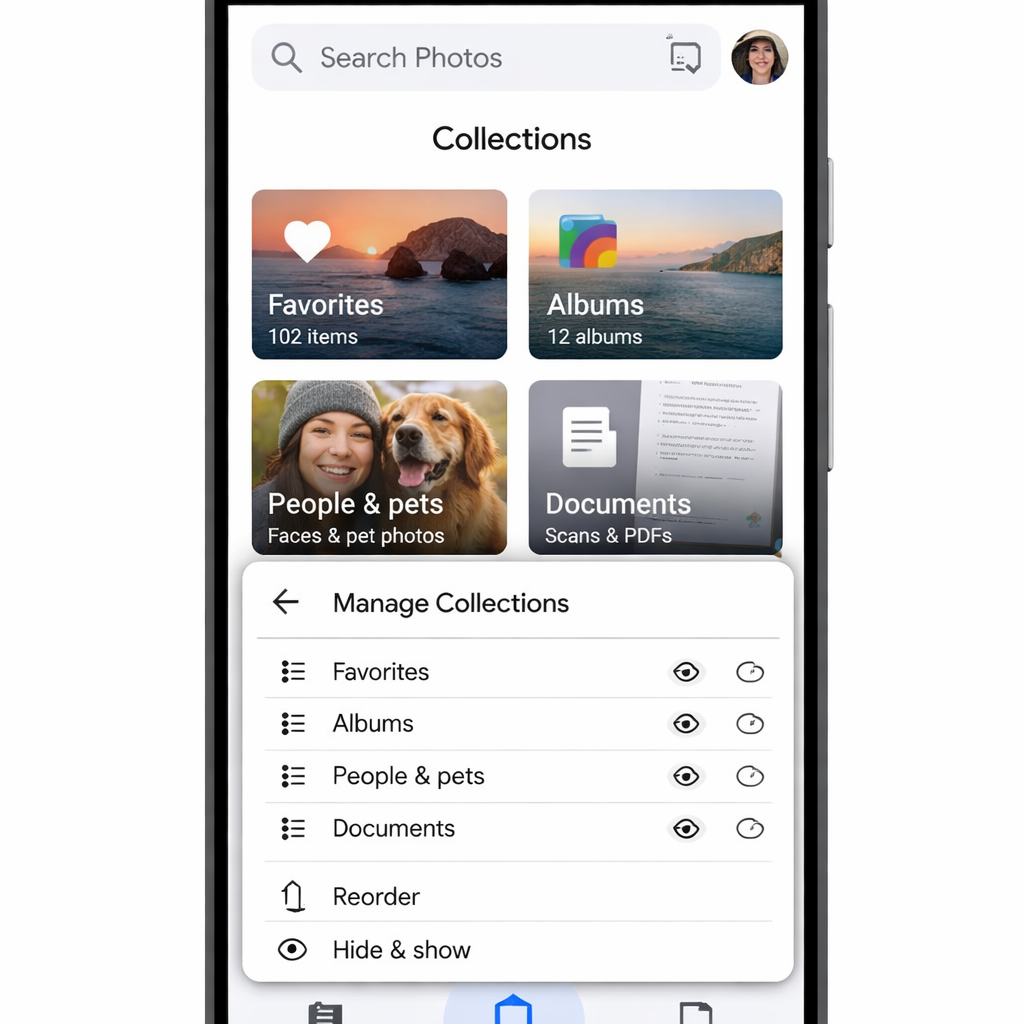
The updated Collections tab now opens with a “Pinned” section, where users can choose which cards—such as Favorites, Screenshots, or Trash—appear at the top. By default, these three show up, but all can be removed and the entire section hidden if preferred. Following Pinned, the layout features carousels for major categories—“On this device,” “Albums,” “People & pets,” “Wardrobe,” “Places,” and “Documents.” Each carousel includes a “View all” option that takes you to the full grid or list view. Users can hide or rearrange each section to their liking.
Below the main carousels, there’s an “Other Collections” grid. This section aggregates items like Moments, Videos, Recently Added, Stickers, Creations, Archive, Locked content, and Trash. A “Reorder” button at the bottom of this section lets users shuffle how these appear.
Rollout Details
This Collections redesign is being distributed widely as part of Google Photos version 7.97. Although the update is server-side, some users report getting it simply by restarting their device and launching the app—without manually forcing a stop. The update brings the design live for many Android users starting late October 2026.
The previous layout used a fixed 2×2 grid at the top that featured Favorites and Trash, followed by large cards for Albums, On this device, People & pets, Wardrobe, Documents, Places, Stickers, and Moments. Below that, a list displayed items like Screenshots, Videos, Recently Added, Archive, and Locked. The redesign preserves many of these categories but gives users control over what appears and where.
This change aligns with other recent updates to Google Photos and Android—such as the addition of a floating navigation bar earlier in the year—reflecting a trend toward more intuitive and personalized interfaces.
For users of Google Photos on Android, this update brings long-awaited flexibility and serves as an indicator of how the app could evolve in the future. Watch for how customization will integrate with other features—and whether similar changes will arrive on iOS or web platforms.