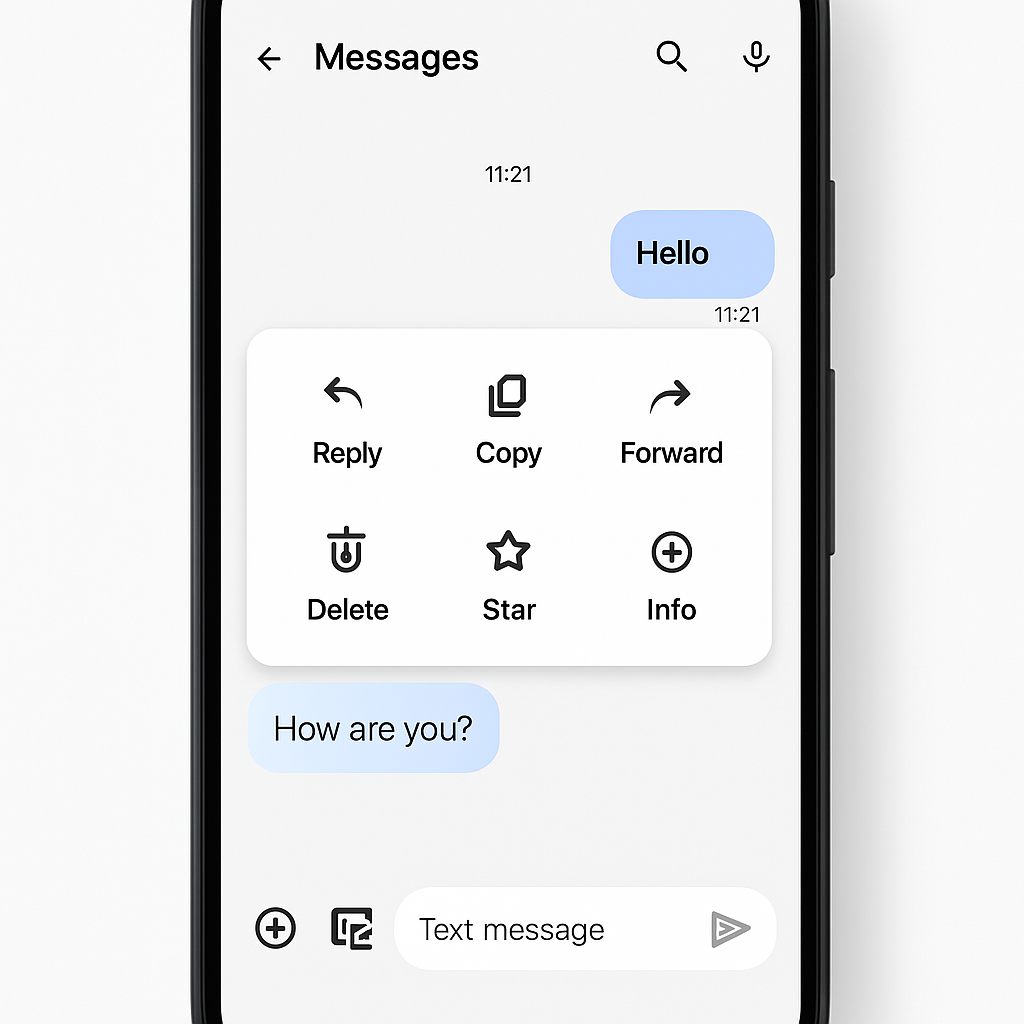
Google is rolling out a revamped long-press menu in Messages for Android, aiming to streamline how users interact with message options. The update, long in testing since January, replaces the older toolbar with a floating menu that appears upon long-pressing a message or image.
What’s New
Under the new design, users will see a floating menu with icons for common actions such as Reply, Forward, Delete, Star, Info, and Save (for photos). Posting a photo offers a “Remix” option too. Importantly, the “Copy” function has been enhanced: rather than copying an entire message, pressing and dragging across part of a message bubble lets you select just the text you want.
The UI also includes animations and sensory feedback: when you select a recent message, the interface uses a subtle bounce effect and haptic cues. A blur effect dims the background when the long-press menu is active. The shortcuts row—emoji and Create Photomoji—remain unchanged.
Roll-out & Versions
The new UI is available widely now for users running version 20260910_03_RC02. Because its activation includes server-side controls, some devices may receive it later. Force-stopping the app via App Info can help to trigger the update sooner in some cases.
This update marks the completion of a long period of internal testing that began earlier in the year. Google initially exposed some users to early versions in January, and now it’s pushing the improved menu out across its Android messaging platform.
Improved selection and flexibility in copying text, plus shortcuts for image-specific tasks like remixing or saving, aim to simplify workflows for people who frequently share media or need precise access to information. The visual polish—animations, haptics, blur—also suggests Google is emphasizing both form and function.
A key take-away for users: those not yet seeing the change may need to wait or try force-stopping Messages. Once active, the menu makes it easier to pick just the part of a message you need, and gives quicker access to popular actions without hunting through an overflow toolbar.
What this means: This update reflects Google’s push to refine Android’s user experience at a micro-interaction level. Precision copying and a more intuitive long-press menu reduce friction in everyday messaging tasks—a small change, but one that builds toward a more fluid mobile interface. Going forward, we should keep an eye on whether Google extends similar improvements to group threads or integrates even more smart actions based on content type.