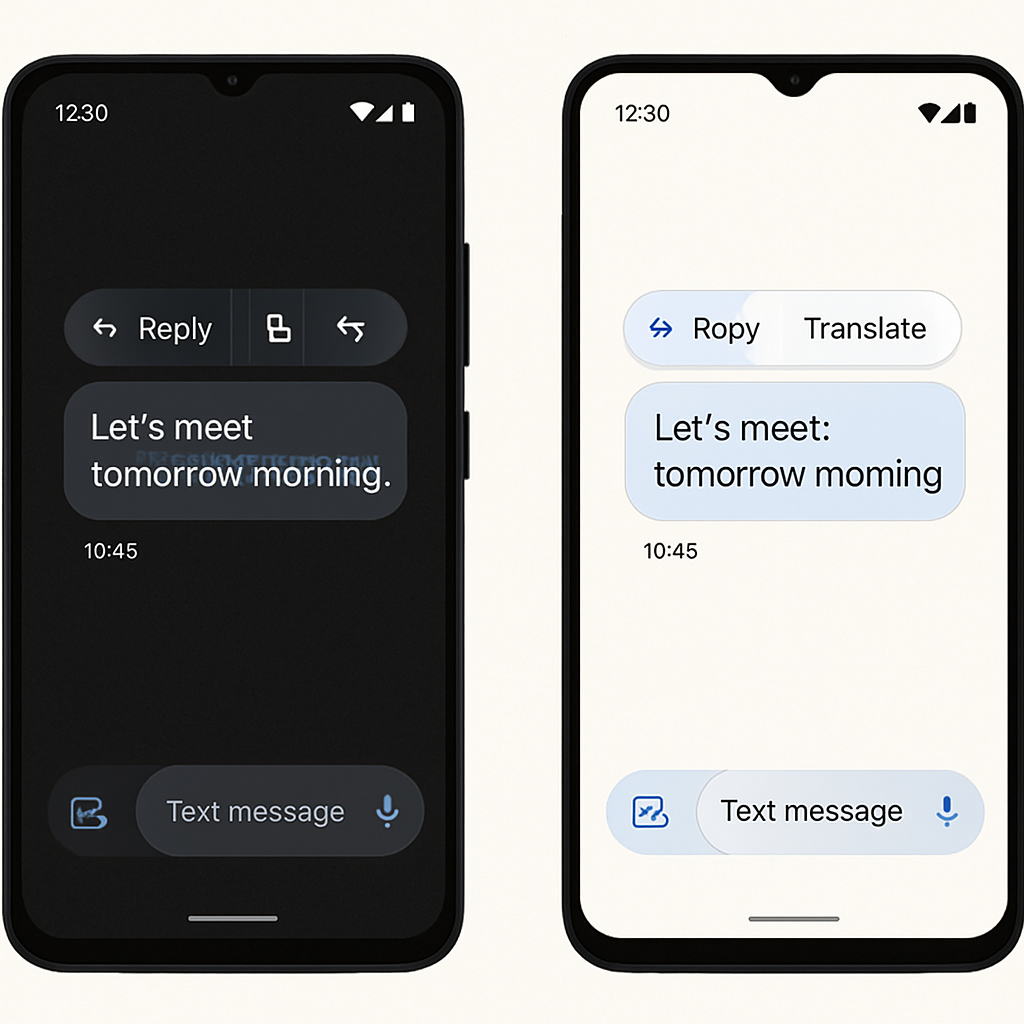
Google Messages is rolling out a redesigned long-press menu for conversation view that emphasizes usability, especially on wider and larger screens. The update replaces the old fixed toolbar with a floating action menu that surfaces the most-used commands up front. It started rolling out in beta earlier this year and is now being deployed widely via version 20260910_03_RC02.
What’s new?
When you long-press a message or image in a thread, a floating menu now appears with key options like Reply, Forward, Copy (for text), Star, Delete, Select More, Info, and Save (for photos). Icons accompany each action for quick visual scanning. If you’ve just sent or received the message, the menu will pop up with a subtle animation and haptic feedback, and the rest of the screen will blur to focus attention on your options.
One of the most requested additions—partial text copying—is now supported. To use it: long-press a message, then long-press again on part of its text. You can then drag selection handles to highlight a specific segment rather than copying the entire message. A dialog offers choices like Copy, Translate, or Select All.
The new menu also fully supports both light and dark themes, and adapts well to landscape mode on tablets or foldables by keeping the interface accessible and readable even on wide screens.
How to get it
It appears the rollout has mostly completed. The update is live in stable channel version 20260910_03_RC02, though some devices may still need to enable it via a server-side switch. If the new long-press menu isn’t showing up yet, forcing the app to stop from your device’s App Info screen may help trigger the change.
Historically, Google Messages’ long-press menu used a top toolbar that housed more commands, with overflow options hidden behind extra taps. This redesign pares down upfront options and streamlines task flow.
This redesign follows ongoing tweaks to improve readability and navigation in messaging apps, such as swipe gestures for timestamps and reply actions.
Why it matters: this update makes message interaction more precise and responsive, especially for power users or on devices with larger screens. Partial copy is a small but meaningful change for many.