Google Messages has introduced new tools that allow Android users to personalize their conversations. After a recent beta period, custom chat themes and background wallpapers are now officially supported for individual chats, so you can adjust colors and images on a per-contact or group basis. RCS (Rich Communication Services) is required to access these new features.
How Custom Themes and Wallpapers Work
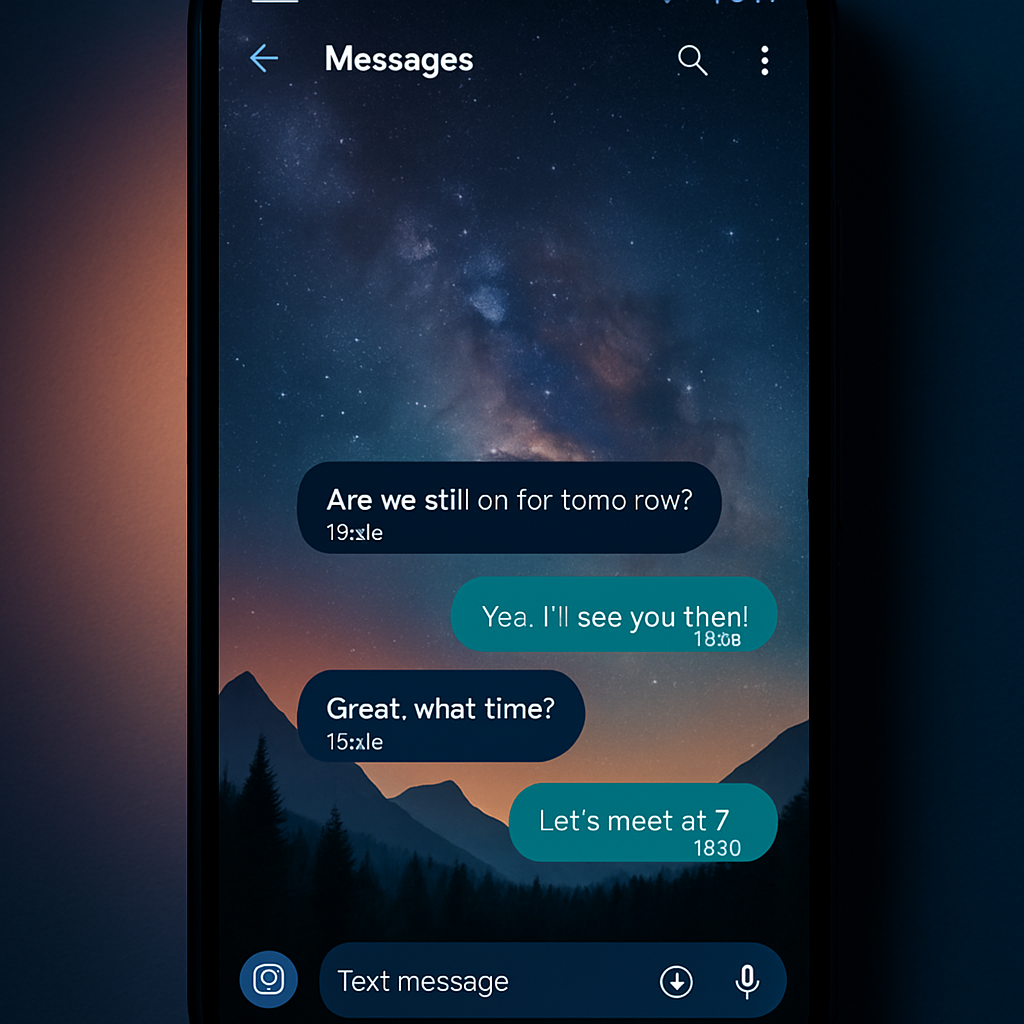
The update gives users control over two visual elements of their chats: the accent color of message bubbles and the chat’s background image. A curated collection of preset wallpapers covers categories such as Animals, Landscapes, and Space. Users can also upload their own photos to use as backgrounds. Once a wallpaper is chosen, message bubbles automatically shift color to match the new scheme. If you prefer, you can manually fine-tune the palette via a color carousel at the top of the theme settings.
Per-Chat Customization & Visibility
These visual changes are local to your device—what you style in a given chat only appears for you. The other participants in your conversation won’t see your customizations. To apply a theme or wallpaper to a chat, open the conversation, tap the contact or group name (or the three-dot menu), choose “Chat theme,” pick color presets and a wallpaper (from gallery or your uploads), preview the look, and hit “Apply.” You can always revert to the default settings if needed.
Availability & Roll-Out Details
Although the feature has been officially launched, it’s not yet visible everywhere. It may take some time before it shows up on both beta and stable versions of Google Messages. Look for a red dot in the three-dot menu to know when it’s live for your device.
This update is part of a broader trend toward deeper personalization in messaging apps. Users already expect more control over how they communicate—not just what they say. With theme and background customization, Google is bringing Messages closer in line with offerings from other platforms, while using the local-device approach to ensure visual consistency without forcing changes on chat partners.