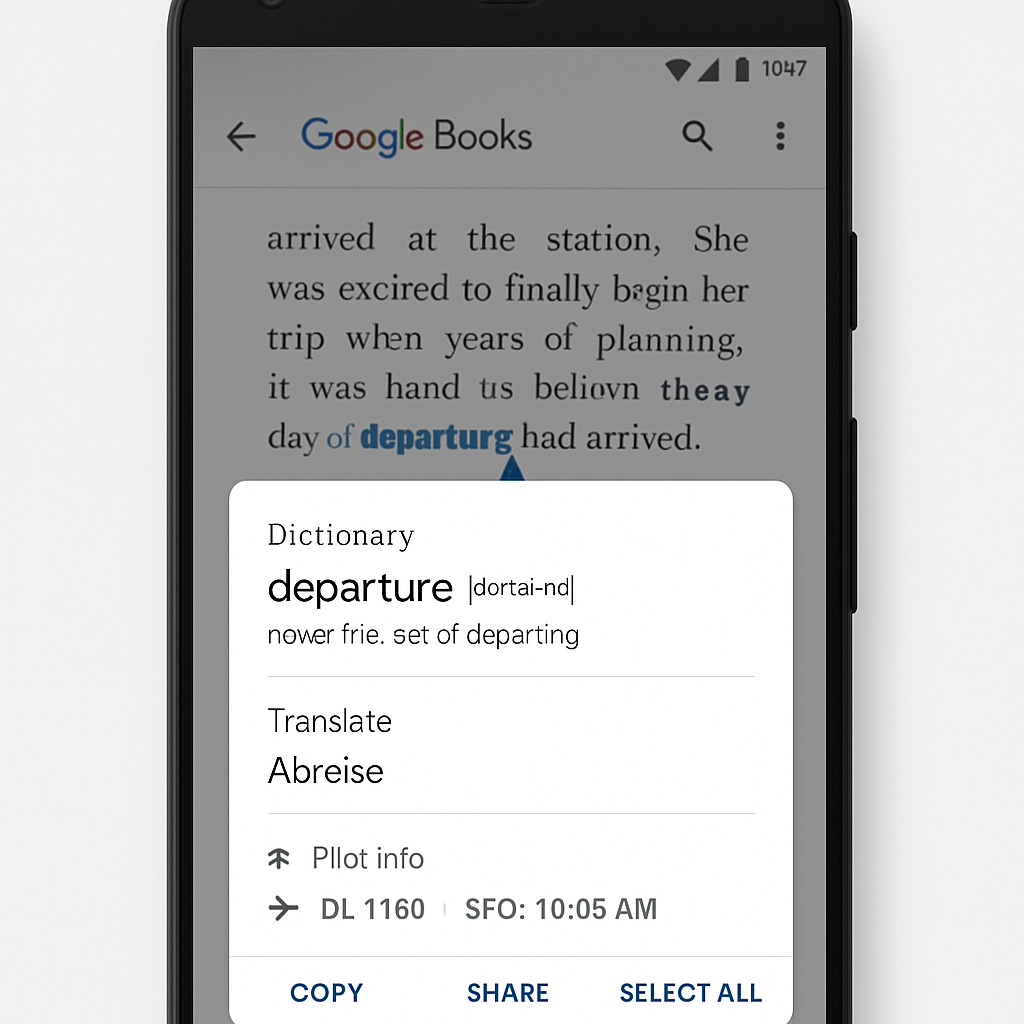
Google has quietly added a new feature called “Look up” to the Google Books app in the Play Store, currently working on phones even though it appears intended for the desktop experience. The addition adds a floating panel that shows contextual information when you highlight a word or phrase in Google Books. As of September 1, 2026, Android phones are receiving this panel, though it seems this mobile access may not have been planned.
What “Look up” Offers
When activated via text highlight, “Look up” opens an overlay that provides a suite of tools. Users see dictionary definitions, translator options, flight tracker info, and an “Overview” panel. At the bottom, there’s a field for follow-up queries acting like a conversational assistant powered by Gemini.
The app’s store listing carries a pair of glasses icon with the Gemini flame badge, reinforcing its integration with Google’s AI ecosystem. Google explains that “Look up” draws on publicly available data across Google services—Search, Maps, Flights, etc.—to deliver helpful, relevant answers.
Intended Users & Platform Limits
Evidence points to the feature being built primarily for desktop classification of Google Books, based on the app’s name—com.google.android.desktop.contextualtools—and references in the code. Yet phones are getting it first in live rollout; developers suspect this may be an unintended availability.
On Android phones, after selecting any text, a “Look up” option shows up. Tapping it summons the floating panel where definitions, translations, and related contextual content are displayed. Android’s experiences with Google ad hoc tools suggest such cross-device feature mismatches often get sorted quickly.
Why This Matters
This rollout signals Google’s push toward deeper AI-assisted reading tools. It builds on prior work like “Desktop Camera” for Google Books and smart content tools meant to enrich user interaction with text and media inside Google’s ecosystem. Readers will now get instant, relevant information without leaving what they’re reading.
For educators, researchers, or casual readers, “Look up” blurs the line between reading and researching—adding translation, definitions, travel, and follow‐ups in situ. But given the feature seems prematurely live on phones, questions remain about polish, consistency, and when it will officially support desktop or other platforms.
Though there are no announced timelines for broader availability, this marks a clear movement toward integrating generative AI and real-time reference tools into more parts of Google’s pull-and-highlight experiences. Users should watch for updates, platform expansions, and possible fine‐tuning of privacy, data usage, and AI accuracy as “Look up” rolls out more fully.