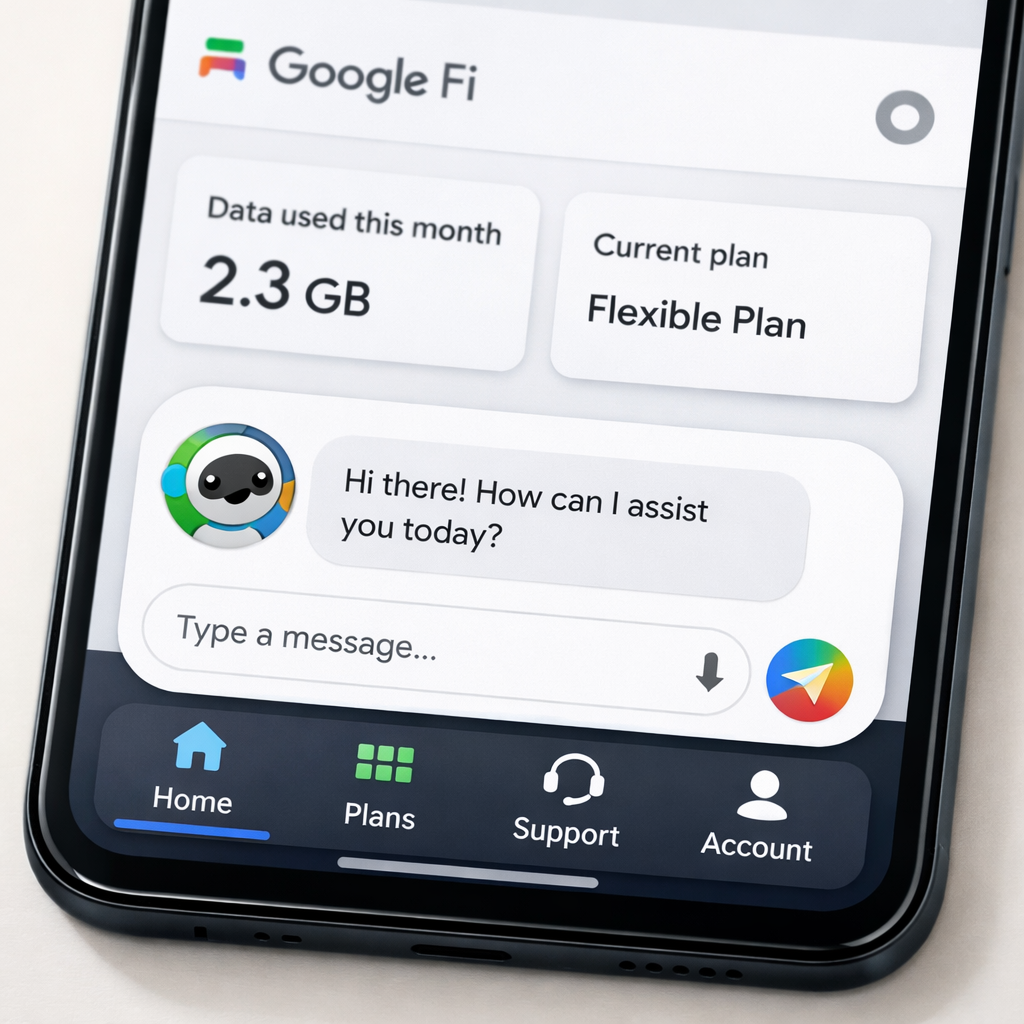
Google Fi Wireless is getting a fresh look. The app now features a floating navigation toolbar, replacing the old tall bottom bar used in its Material 3 design. Version 171, released as a server-side update, introduces this sleeker interface that blends more seamlessly with modern edge-to-edge Android system styles. The toolbar holds the same tabs—Home, Plan, Billing, Shop, and Support—but with a pill-shaped tab indicator and shadow effects to help it stand out while appearing lighter onscreen. The toolbar floats above the bottom and expands beneath the system navigation bar. It joins Google Photos, Chat, and Pixel Now Playing as part of Google’s move toward more immersive first-party app navigation.
Alongside the toolbar revamp, Google Fi adds an AI-powered chatbot feature named Ask Fi. Designed to offer instant help with account issues and troubleshooting, Ask Fi lets users carry the full content of their chat into human support if escalated. This helps avoid repeating information when moving from automated to human assistance.
There’s a drawback: the Shop tab continues to load a web page instead of using native app content. This leads to some awkward spacing and underutilized screen real estate. Another update noted: Google Fi’s long-promised network switching feature is still rolling out and hasn’t reached most users yet. Also, the alternative auto-connect Wi-Fi feature—previously limited to Pixel devices—has begun extending to select Samsung and Motorola phones.
What’s Driving These Changes?
The floating toolbar design is part of a broader trend in Android UI: reducing distractions and maximizing display space. Google appears to be pushing this style as a first-party standard. The pill-shaped tab indicators and subtle shadows are visual cues shared across Google Photos and other apps. The addition of Ask Fi reflects growing emphasis on on-device AI to streamline user support.
These updates suggest Google wants Fi to feel more modern—not only visually but in responsiveness and reliability. Improvements in navigation, inclusion of AI help, and wider device availability for features like Wi-Fi Auto Connect show Google isn’t leaving Fi behind in its ecosystem-led strategy.
Users should keep an eye out for version 171 or later to see the toolbar. Ask Fi may take some time to reach everyone, depending on server-side rollouts. Longer term, sharpening designs like this often hints at what Google wants in Android’s overall UX: less UI noise, more seamless transitions, and smarter assistance built-in.