Google has released version 9.0 of its Clock app for Android, bringing significant enhancements to timers and stopwatches through the introduction of Live Update notifications. This feature is currently available on Pixel devices running Android 16 or later.
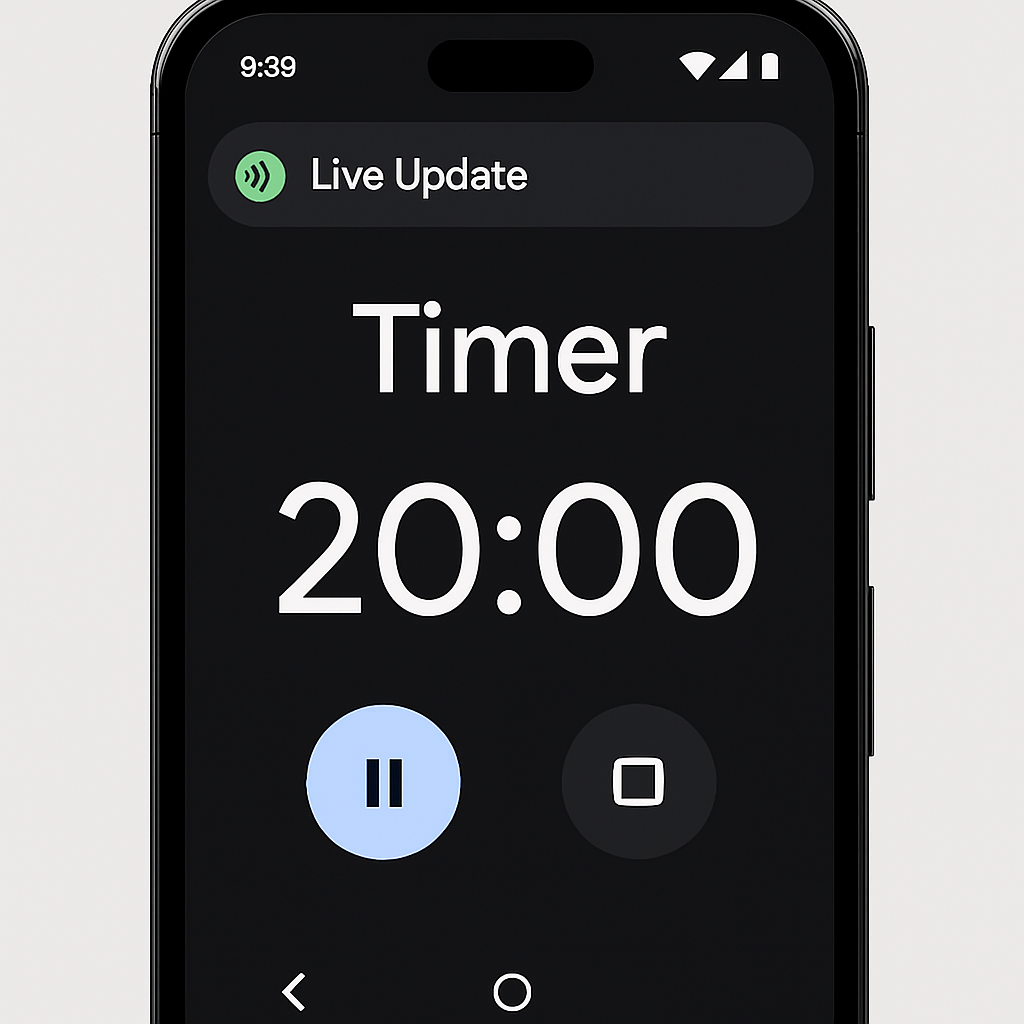
Live Updates present timers and stopwatches as pill-shaped icons with solid backgrounds in the status bar. These icons display real-time counts adjacent to the timer or stopwatch symbol. However, this design choice means that other notification icons will not appear alongside them.
When users tap on the pill-shaped icon, a notification expands over the screen for five seconds. This expanded view features a prominently displayed count and larger buttons for actions such as Pause, Lap, or Add 1 minute, enhancing usability.
These Live Updates are consistently positioned as the first item in the notification shade, on the lockscreen, and on the always-on display, ensuring users have immediate access to their timers and stopwatches.
For those who prefer the previous notification style, Google provides an option to revert. Users can navigate to the App info page for Google Clock, select Notifications, then App settings, and toggle off Live updates.
Version 9.0 of Google Clock began its rollout at the end of July. The Live Updates feature is being introduced through a server-side update and is now broadly available on Pixel devices. If the feature isn’t visible, users can try starting a timer and then restarting their device to prompt the update.
This update reflects Google’s ongoing commitment to enhancing user experience by integrating more dynamic and interactive elements into its applications. The introduction of Live Updates in the Clock app aligns with similar features in other Google services, such as Google Wallet’s Live Update for flight tracking, indicating a broader trend towards real-time information accessibility across Google’s ecosystem.