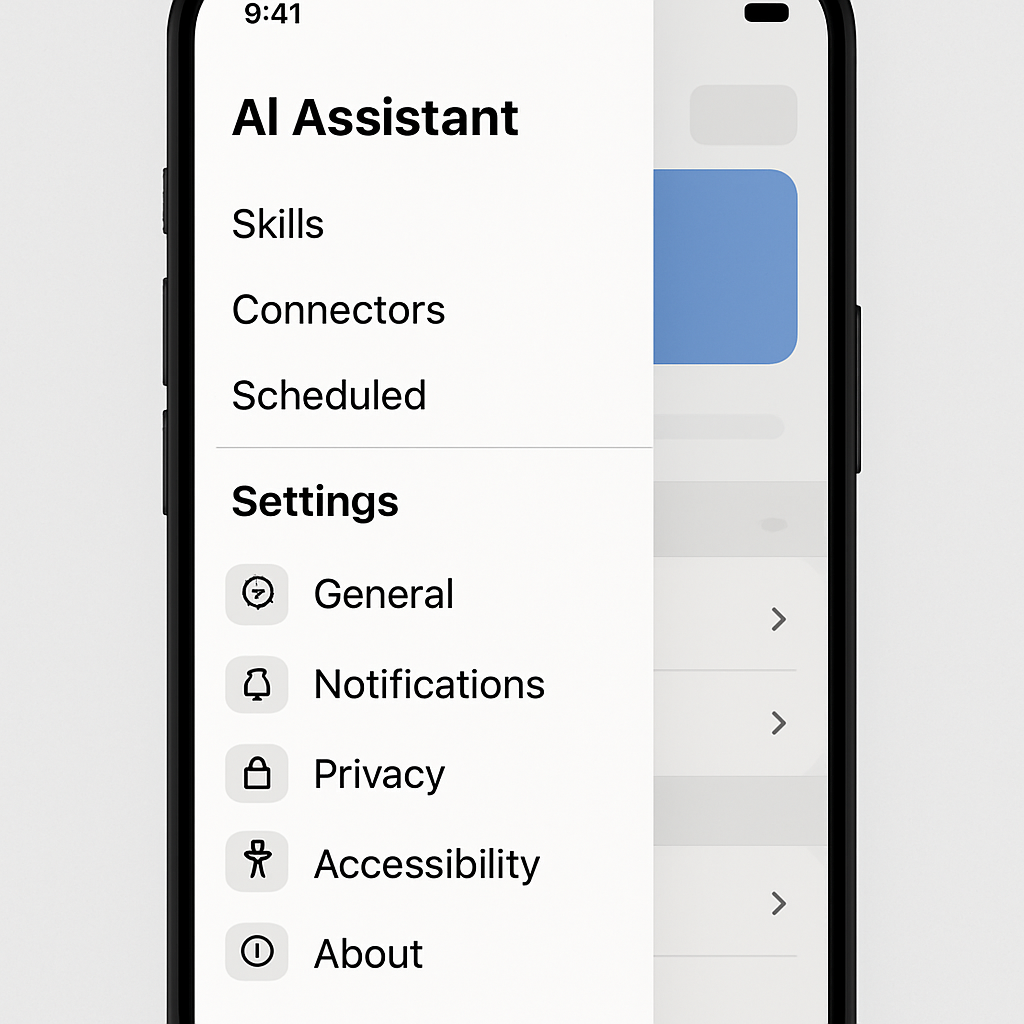
Google’s Gemini app for Android and iOS is currently receiving an update that significantly overhauls the side panel navigation and refines the settings interface. The changes are aimed at making core features more accessible and clarifying the layout of customization and privacy options.
Updated Side Panel with Cleaner Navigation
The redesign keeps the main home screen intact but reshuffles elements of the side menu. Search has been moved to the top-right corner, while chat history is now organized under four distinct filters: “All,” “Ready,” “Needs attention,” and “In progress.” Additionally, the panel introduces a “Scheduled” section, which replaces the previous “Scheduled actions” page. The suggested prompts—such as creating a news digest or building a quiz—also get visibility here.
The “Customize” area is one of the most noticeable changes. Formerly known as “Gems,” this section is now labeled “Skills,” incorporating third-party connected apps and enabling users to activate features using the ‘@’ symbol instead of invoking them via a slash, similar to how it worked in Gemini Spark. The new layout functions almost like a mini-app store. Meanwhile, “Connectors,” which revamps the existing “Connected Apps” page, allows uninstalling extensions directly through a menu.
Revamped Settings Screen for Better Control
Accessing the profile icon or gear icon opens a redesigned settings interface. Across three sections—Preferences; Data & Privacy; Support—users can now manage a host of options more intuitively. “Preferences” covers everything from notifications to avatar, voice, theme, and device controls. “Data & Privacy” centralizes memory import, contact syncing from devices, app activity logs, and public links. The Support section consolidates help, problem reporting, about info, and update notices into one place.
These changes are rolling out gradually: caught on one Google Account so far, but both Android and iOS platforms are seeing the update. It isn’t yet universally available.
The Gemini app is Google’s conversational AI assistant that combines chat, search, and integrations with third-party tools. As competition ramps up in the AI assistant space, making navigation cleaner and settings more transparent helps it stay competitive—not just in features but in user experience. While no functional additions are guaranteed, this redesign marks a quality-of-life shift that could reduce friction for casual and power users alike.
What to watch: If you use Gemini, pay attention to whether the new filters in chat history make it easier to find your conversations, and whether the redesigned skills/connectors system improves discoverability of integrations. Also worth noting will be how quickly this redesign rolls out more broadly, and whether any further tweaks follow based on user feedback.