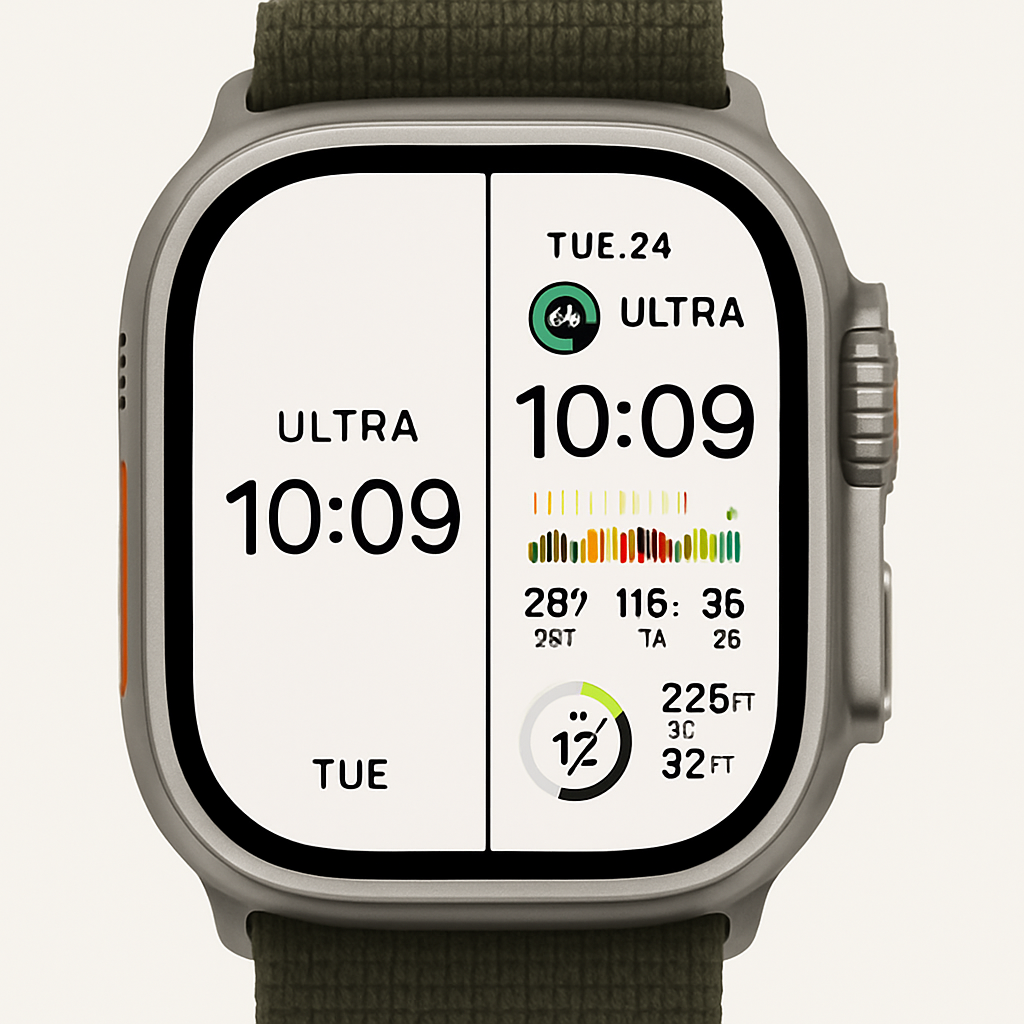
Apple’s watchOS 27 has yet to introduce new watch faces, but users are finding innovative ways to customize existing options. A notable example is the Modular Ultra face, originally exclusive to the Apple Watch Ultra, which offers a highly customizable interface.
By focusing on essential information, users can configure the Modular Ultra face to display a large, prominent time with seconds, leveraging the always-on display feature of the Apple Watch Ultra 3. This setup can include a bottom-left complication showing the current temperature with daily highs and lows, and a top-right complication for activity rings or UV index, while leaving other slots blank to maintain a clean aesthetic.
Alternatively, the Modular Ultra face can be configured to display a wealth of information, including six compact complications, a medium complication beneath the time, and bezel data such as seconds, depth, elevation, or training load. This flexibility allows users to tailor the watch face to their specific needs, whether they prefer a minimalist design or an information-rich interface.
One minor quirk in the minimalist configuration is the placement of the red notification dot, which is positioned to accommodate a top-middle complication slot. This results in the dot appearing slightly off-center when that slot is left blank, adding a unique touch to the layout.
As watchOS 27 continues to evolve, the adaptability of existing watch faces like Modular Ultra highlights Apple’s commitment to user customization. This approach ensures that users can personalize their devices to suit their preferences, even in the absence of new watch face designs.