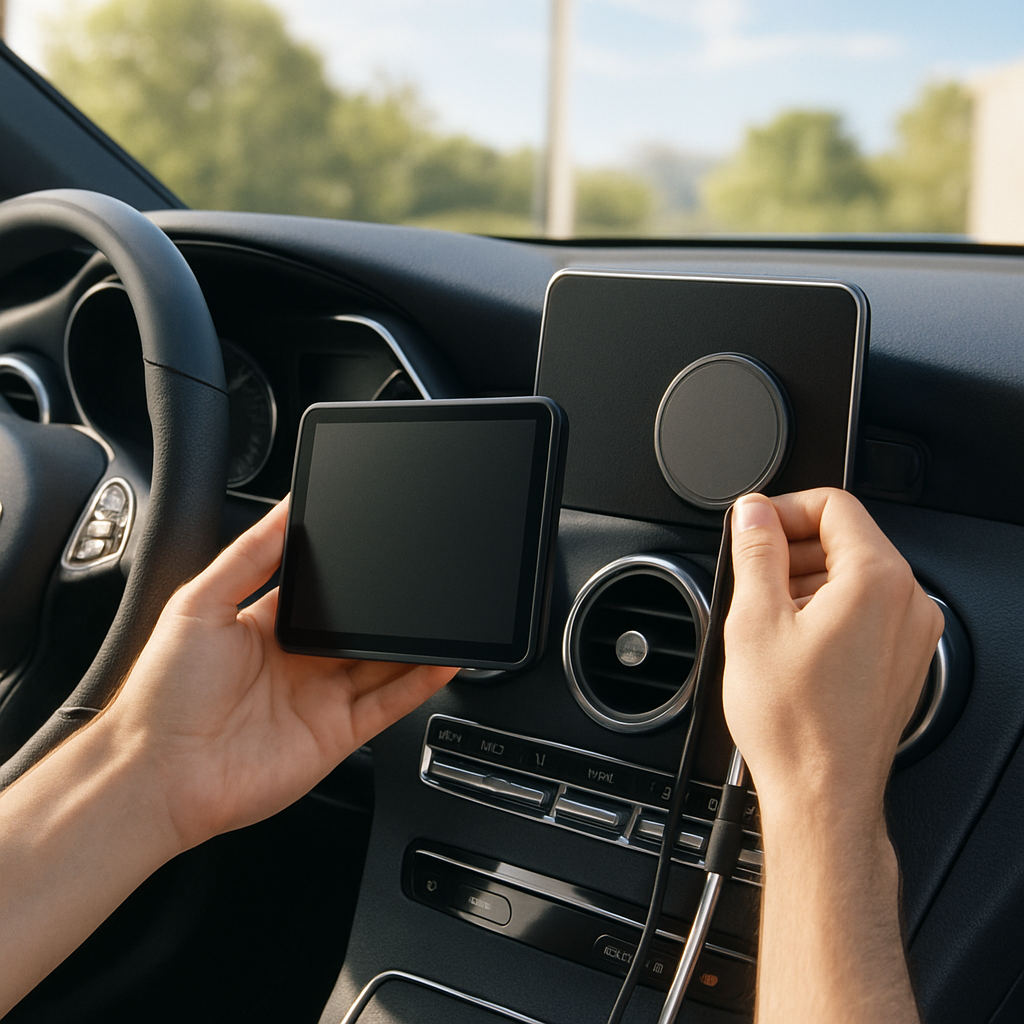
CarPlay can make driving with an iPhone feel more seamless—but many cars still force a wired connection, lack CarPlay entirely, or aren’t optimized for long trips. You don’t need costly upgrades to fix that. These affordable accessories span wireless adapters, portable displays, cooling mounts, cables, and more, all aimed at making your CarPlay experience better without breaking the bank.
Wireless CarPlay Without Rewiring Your Dashboard
If your vehicle supports wired CarPlay, the Carlinkit Mini Ultra 3 turns it into wireless. It retains your car’s screen, steering-wheel controls, built-in mic, and audio setup, and works with both USB-A and USB-C inputs. Once you’ve paired it, it reconnects automatically as you start the car. It even supports wireless Android Auto for newer Androids, making it useful in households with mixed phones. It won’t add CarPlay functionality if your car doesn’t already have wired support. Price: ~$43.99. ([9to5mac.com](https://9to5mac.com/2026/08/24/affordable-iphone-accessories-for-carplay-worth-trying/))
If You Don’t Have CarPlay — Add a Display or Receiver
For older cars without CarPlay, a portable screen like the Krunia 9.26-inch unit offers wireless CarPlay without removing the factory radio. Priced under $90, it also includes AUX, Bluetooth, FM audio options, firmware updates over the air, and a backup camera (though installation takes extra effort). It bridges the gap between full stereo replacement and sticking with what you already have. ([9to5mac.com](https://9to5mac.com/2026/08/24/affordable-iphone-accessories-for-carplay-worth-trying/))
Want something more permanent? The BOSS Audio BVCP9700A is a double-DIN receiver with a 7-inch touch display, built-in Apple CarPlay and Android Auto, Bluetooth, and backup camera support. At around $165, this is a full replacement—just be sure to budget also for any mounting kits, wiring adapters, or labor required. ([9to5mac.com](https://9to5mac.com/2026/08/24/affordable-iphone-accessories-for-carplay-worth-trying/))
Keep Your iPhone Cool, Charged, and Tidy
Long drives + wireless charging + hot dashboards = overheated phones. The ESR CryoBoost MagSafe car charger addresses that by combining cooling fans with MagSafe wireless charging. You can mount it on your vent or dash to improve airflow and preserve battery performance. Price: about $30. ([9to5mac.com](https://9to5mac.com/2026/08/24/affordable-iphone-accessories-for-carplay-worth-trying/))
If wireless charging isn’t always necessary, a standard MagSafe mount like the ESR version keeps your phone securely placed without needing a cable—also helps avoid heat buildup. Includes metal inserts for phones or cases that aren’t magnetically equipped by default. About $16. ([9to5mac.com](https://9to5mac.com/2026/08/24/affordable-iphone-accessories-for-carplay-worth-trying/))
Better Cables, Better Charging, Cleaner Setup
A flimsy or outdated cable can ruin your CarPlay connection. For iPhones with USB-C ports, the Anker Nano braided cable offers durability and quality data transfer. Around $12. For older iPhones, a Lightning “PowerLine Flow” cable from Anker costs ~$18. ([9to5mac.com](https://9to5mac.com/2026/08/24/affordable-iphone-accessories-for-carplay-worth-trying/))
Often, the USB port that powers wired CarPlay doesn’t deliver much juice. The Anker 323 dual-port car charger remedies that with both USB-C and USB-A outputs, letting you fast-charge a second device without compromising your CarPlay connection. Price: $14.99. ([9to5mac.com](https://9to5mac.com/2026/08/24/affordable-iphone-accessories-for-carplay-worth-trying/))
Final touch: cable clips (about $7 for a set) clean up the mess. Run wires along dash edges, away from pedals/cupholders, to make everything feel intentional and safe. ([9to5mac.com](https://9to5mac.com/2026/08/24/affordable-iphone-accessories-for-carplay-worth-trying/))
None of these upgrades require a new car or major dashboard surgery. Depending on your current setup, spending as little as $12 on a better cable—or up to ~$90 for a full portable display—can overhaul your CarPlay experience. All it takes is identifying your weakest point (cables? cooling? screen size?) and choosing the right accessory.
What to Watch: When selecting any of these, make sure compatibility matches your vehicle hardware (e.g. wired CarPlay vs none), check whether a permanent installation needs additional parts or labor, and be mindful of how mounts or devices affect ventilation, screen visibility, and driving safety. That’s what separates good upgrades from great ones.