Apple has rolled out a suite of updated support guides for its newly launched HomeView smart display, covering facial recognition, repair options, setup help, and more. These documents clarify how the device works, what to do when issues arise, and what things will cost.
Understanding Face Recognition and User Profiles
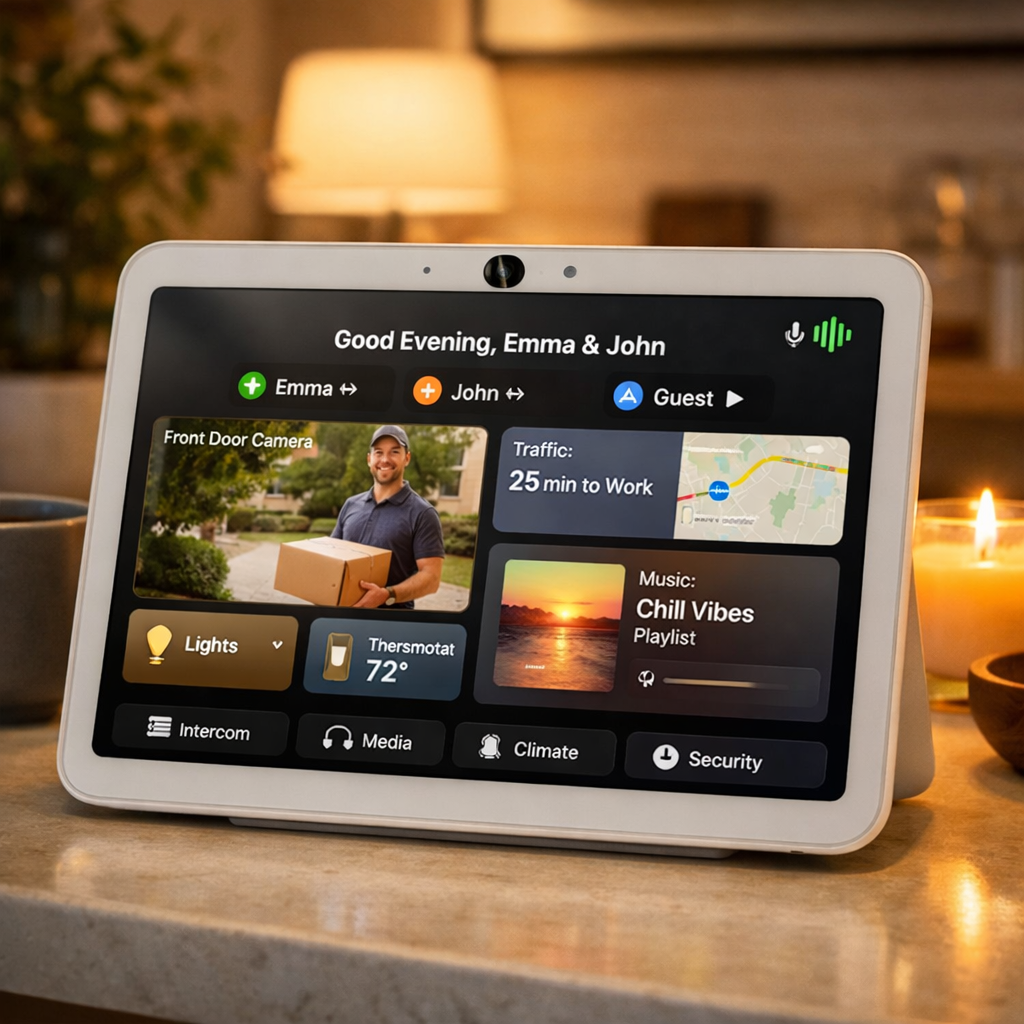
HomeView can personalize content—like Messages, Calendar, Reminders, and FaceTime—for up to six people in a household. The device identifies users by both facial and voice recognition. However, unlike devices with Face ID, HomeView uses its built-in Center Stage camera along with voice input; it doesn’t have Face ID functionality.
To enable personalized content, a registered device—namely an iPhone or iPad that supports Apple Intelligence—must be present on the same Wi-Fi network as HomeView and recently unlocked. Only then will HomeView show personal content tied to that user. Devices like the Apple Watch aren’t accepted as verification devices.
Troubleshooting, Repairs, and Support Documentation
Alongside the user guide, Apple has published a range of support documents addressing common scenarios: missing data, warnings displayed, unrecognized faces, setup failures, app unavailability, serial number location, and more. There are also detailed guides on how to prepare HomeView for express replacement or full service. A representative list of these include “If HomeView doesn’t recognize you,” “If you can’t set up Apple HomeView,” and “If settings or data are missing.”
Repair Costs & Warranty Details
Apple’s repair and service guidelines make clear how support works in different situations. For devices that are out of warranty, any damage not covered by the standard warranty falls under a catch-all category called “Other damage.” The flat-rate cost for this kind of damage is $279, regardless of whether it’s the standard tabletop version or the wall-mounted model.
AppleCare+ offers a much lower repair fee of $39 for accidental damage. The HomeView AppleCare+ plan costs either $2.49 per month or $24.99 per year. Additionally, AppleCare One—Apple’s bundled device-insurance plan—can include HomeView among other items under coverage.
Privacy Protections & Access Conditions
Privacy is front and center in HomeView’s design. The A18 chip inside includes Secure Exclaves—secure, isolated areas that handle camera and mic inputs without exposing raw audio or video to the operating system or other apps. In practice, personal content only appears after the device recognizes a user by face and that user’s registered iPhone or iPad is unlocked and on the same network.
These privacy measures ensure that even in shared living spaces, personal content remains safeguarded. Guests and unverified users can still interact with HomeView for basic tasks like setting timers, checking weather, or controlling music—but won’t gain access to anyone’s personal messages or calendar entries.
As HomeView enters homes, these support and repair documents serve crucial roles. They lay out how facial recognition functions without Face ID, clarify what qualifies as valid identity verification, and detail how costly repairs can be without AppleCare. For current and prospective users, understanding these guidelines is essential to maintaining both functionality and privacy. Going forward, watch for updates—especially refinements to repair categories, expansion of Siri AI capabilities, and the rollout of additional privacy features through software updates.